Many business processes require one or more people to review and approve information before work can continue. Examples include purchase requests, vacation requests, expense claims, contract reviews, HR forms, and policy acknowledgements.
The Approval control in Infowise Ultimate Forms allows you to build these approval processes directly inside forms without creating complex workflows or using external automation tools. Everything is configured from a single interface inside the Form Designer.
Approval supports both simple and advanced approval scenarios. Whether you need a single manager to approve a request or a multi-stage approval process involving several departments, the Approval control provides the flexibility to configure the workflow without writing code.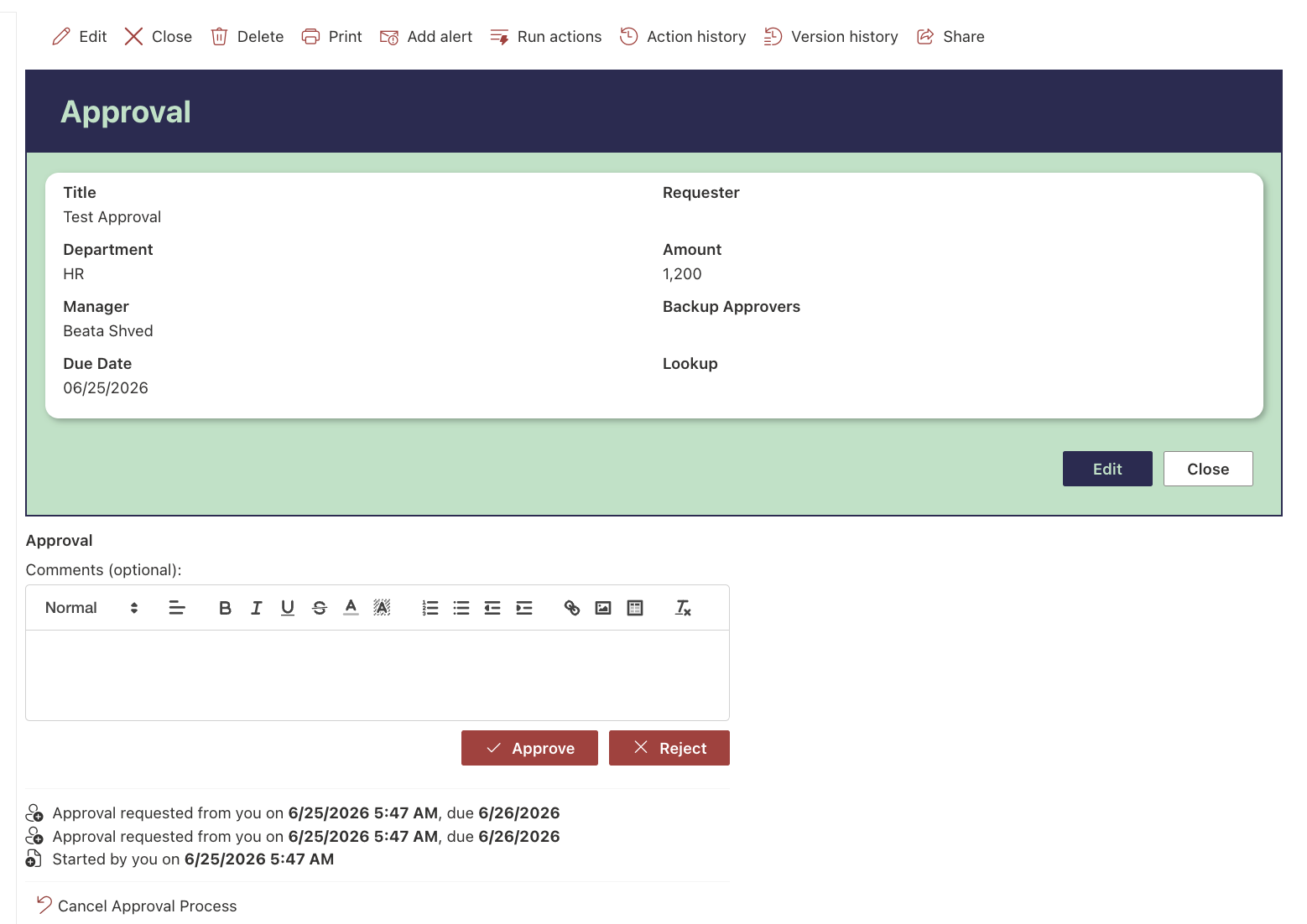
Instructions
With Approval you can:
- Configure approvals that start automatically when an item is created or modified, or allow users to start the process manually.
- Assign approvals to users, managers, groups, or dynamic approvers.
- Build sequential or parallel approval processes.
- Customize approval statuses and control how rejected items are handled.
- Require comments for approval or rejection decisions.
- Prevent items from being edited during or after the approval process.
- Send fully customizable email notifications and reminders.
- Configure approval conditions so workflows only start when specific criteria are met.
- Track every approval action through the built-in approval history.
How Approval Works
A typical approval process follows these steps:
- A user creates or updates an item.
- The approval process starts automatically or manually.
- Approval requests are assigned to one or more approvers.
- Approvers review the item and submit their decision.
- The approval status is updated automatically, notifications are sent, and the approval history is recorded.
Common Use Cases
Approval can be used in a wide range of business scenarios, including:
- Purchase requests
- Expense approvals
- Vacation requests
- HR onboarding
- Contract reviews
- Budget approvals
- Policy acknowledgements
- Project sign-offs
- Document approvals
Watch this quick video walkthrough from Infowise:
Summary
The Approval control provides a complete approval solution for SharePoint. From assigning approvers and managing approval stages to sending notifications and tracking approval history, everything can be configured without writing code, allowing organizations to automate review and approval processes quickly and efficiently



