There are times when an approver is unavailable due to vacation, sick leave, or other reasons. Instead of delaying the approval process or modifying the workflow, Approver Delegation allows approval requests to be delegated to another user.
In this tutorial, you'll enable approver delegation and learn how delegated approval requests are processed.
Instructions
Prerequisites
Continue using the Purchase Requests workflow created in the previous tutorials.
Step 1: Enable Approver Delegation
- Open the Purchase Requests list.
- Click Design.
- Open the Form Designer.
- Select the Approval control.
- Click Configure.
- Open the Approvers tab.
- Enable Allow Approver Delegation for the approval stage.
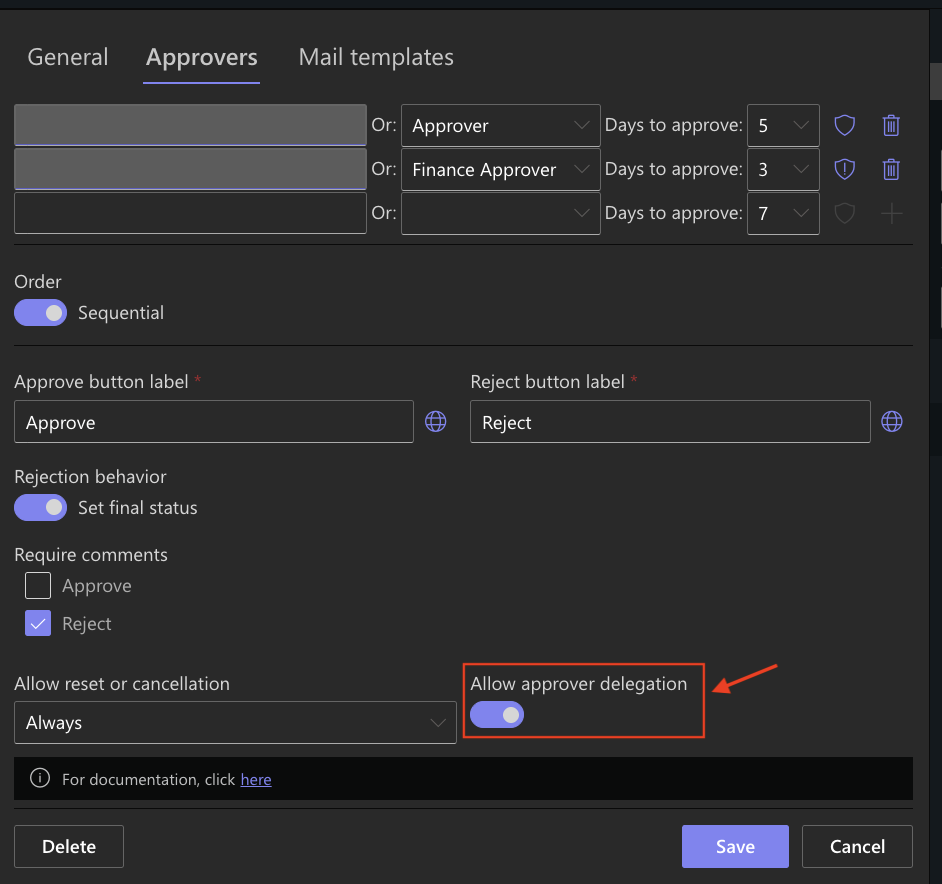
When enabled, approvers can delegate their approval requests to another user without changing the workflow configuration.
Step 2: Save the Workflow
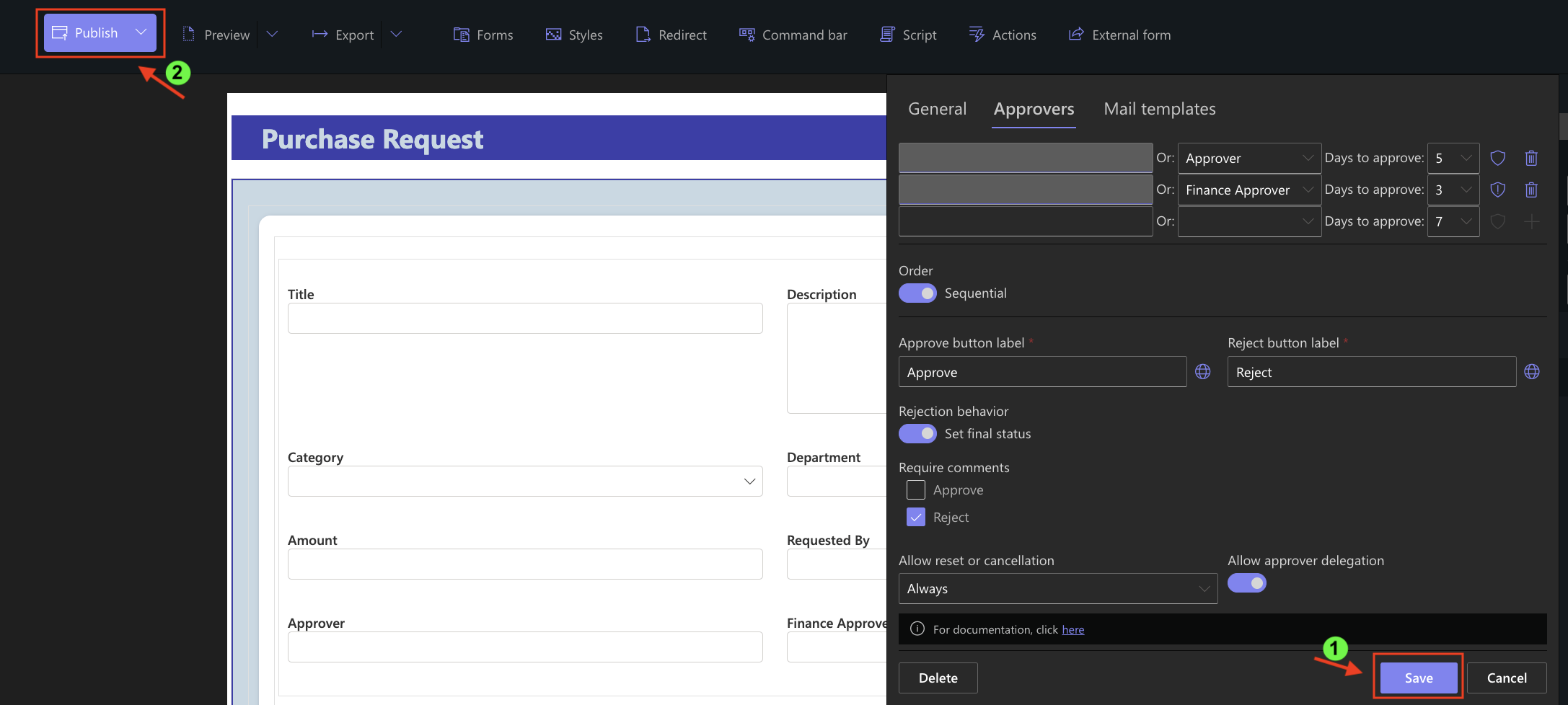
- Click Save, and publish your changes.
Step 3: Create a Purchase Request
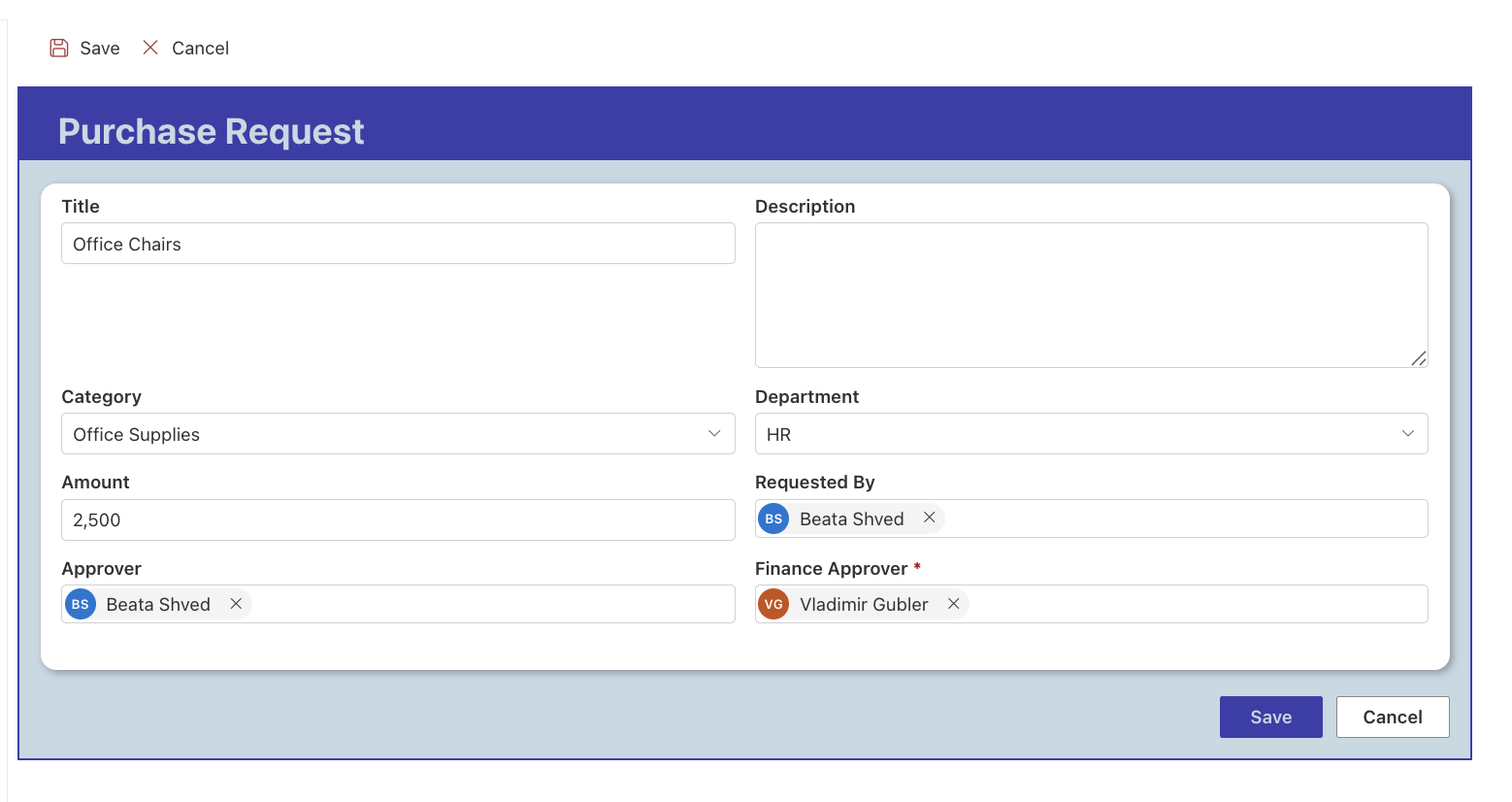
- Create a new purchase request using the following sample data.
- Submit the request.
Step 4: Delegate the Approval Request
- Open the purchase request as the assigned approver.
- Click Delegate.
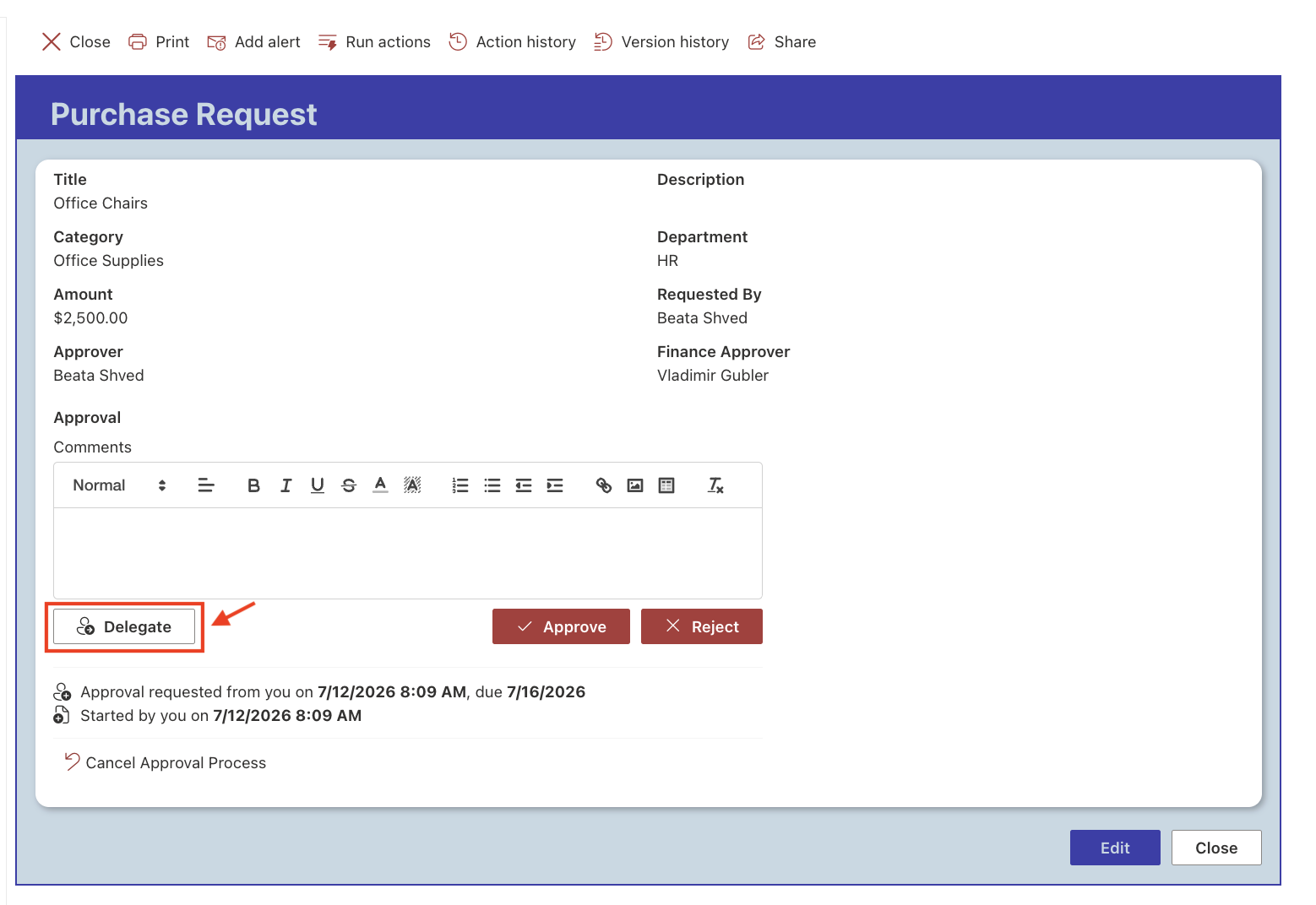
- Select another user to handle the approval request and confirm the delegation.
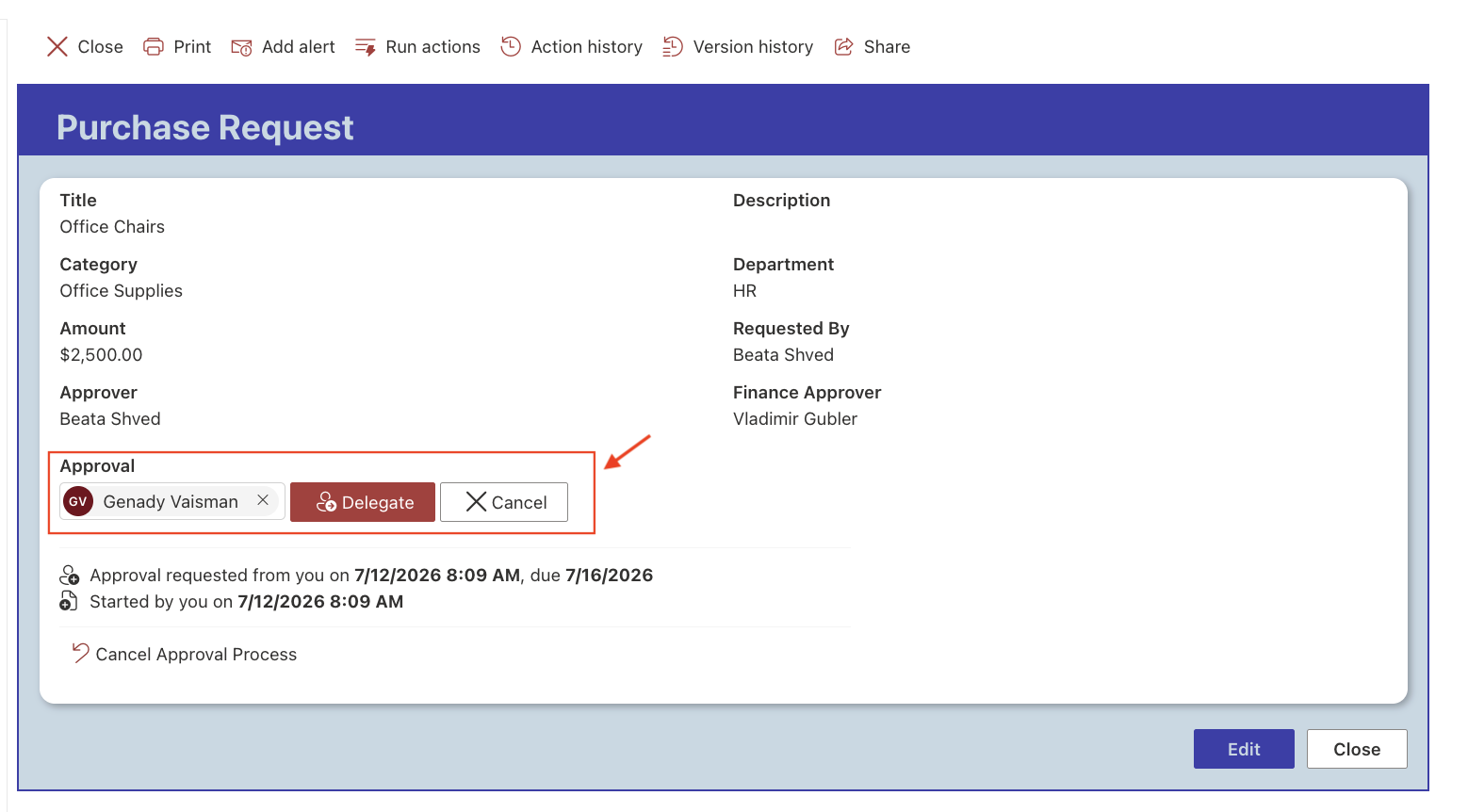
Step 5: Review the Delegated Approval
After the delegation is completed, the approval request is automatically reassigned to the selected user.
The approval history is updated to show that the request has been delegated, and the original approval request is replaced with the new approver.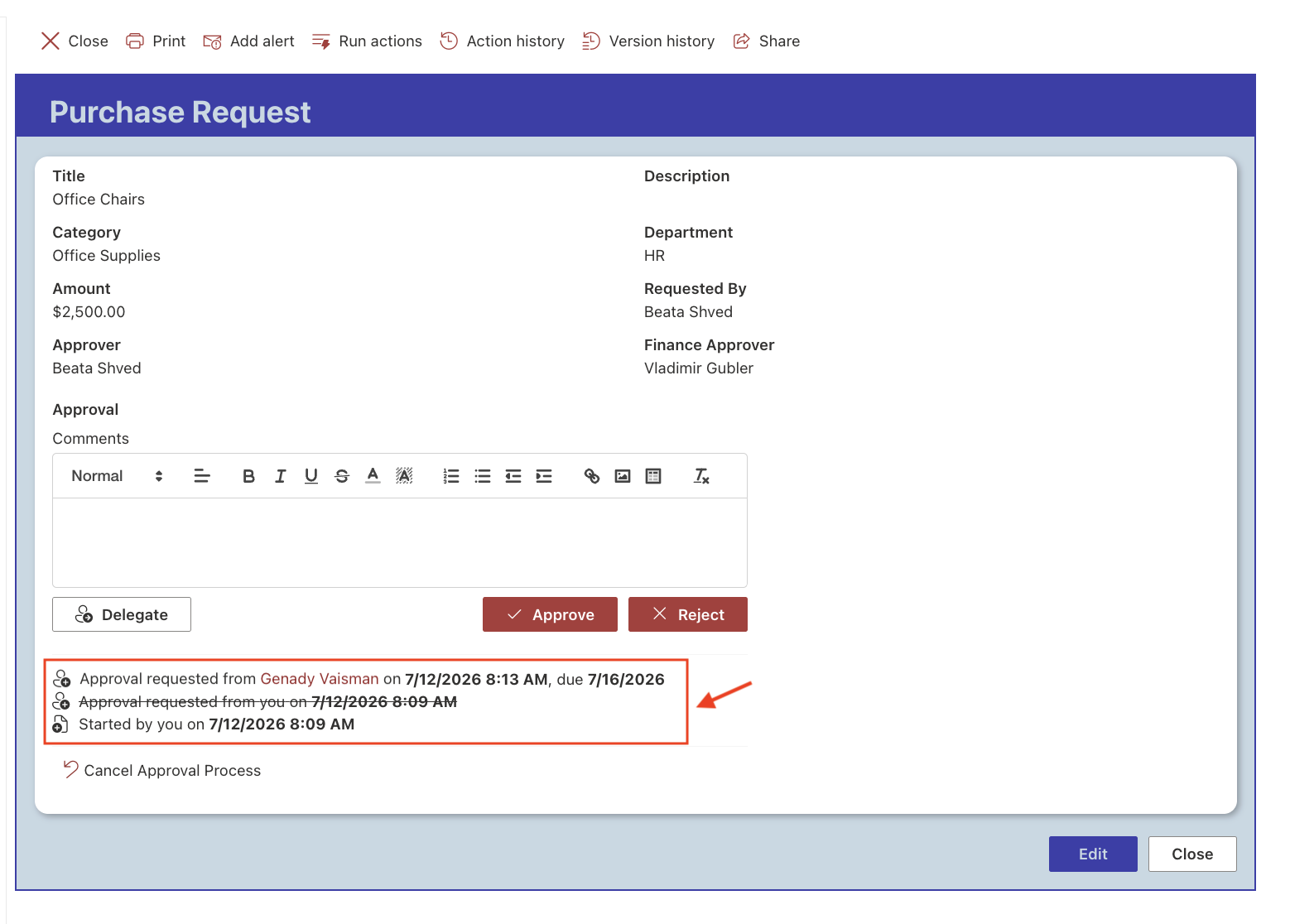
Step 6: Complete the Delegated Approval
- Sign in as the delegated approver and open the purchase request.
- Review the request and click Approve.
- After the approval is completed, open the purchase request and review the approval history.
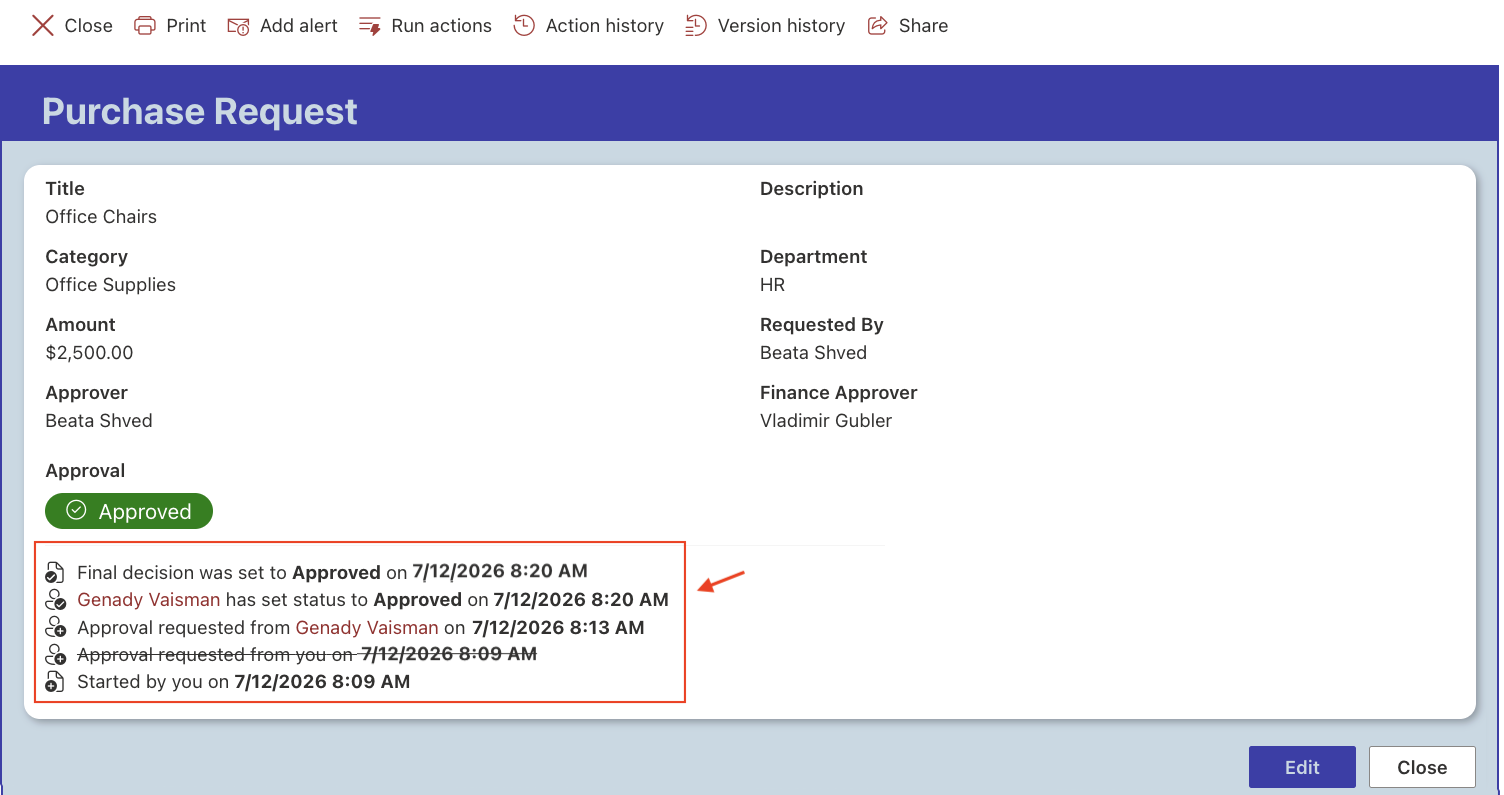
Notice that the history records:
- the original approval request;
- the approval delegation;
- the approval decision made by the delegated approver.
This provides a complete audit trail of the approval process.
Result
The approval request was successfully delegated and completed by the delegated approver. The workflow continued without interruption, while the approval history recorded both the delegation and the final approval.
Summary
In this tutorial, you configured Approver Delegation and delegated an approval request to another user. The delegated approver was able to complete the approval without modifying the workflow, while the approval history preserved a complete record of the delegation and approval process.



