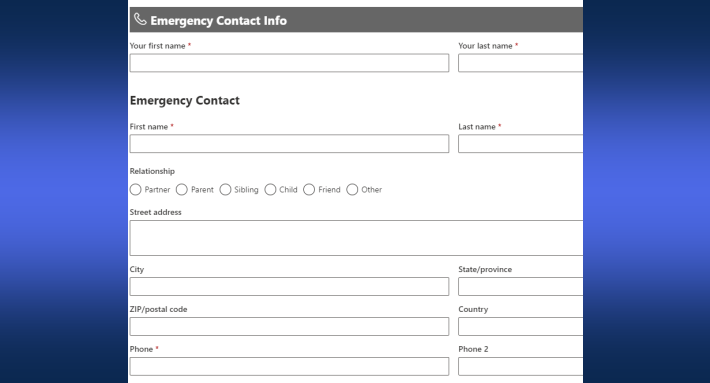
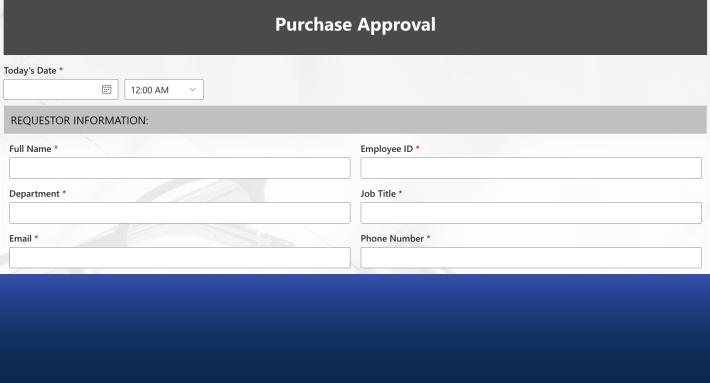
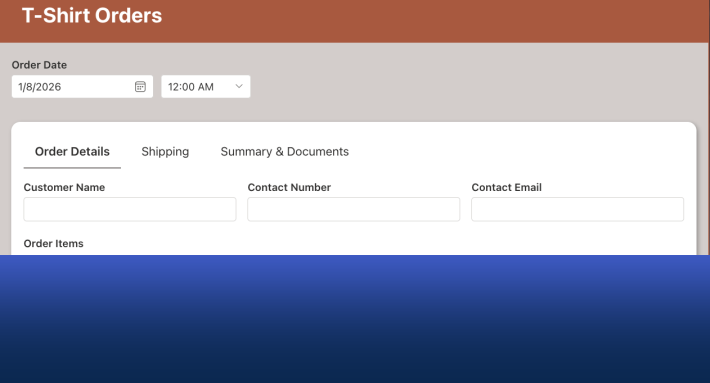
Modern forms in Ultimate Forms have always offered precise control over layout, permissions, and rules, enough that a great deal of business logic lives in the form itself, with no backend workflow required. Data connections extend that same form machinery beyond SharePoint: a form, identical in design and behavior to any SharePoint form, that reads from and submits to an external application directly.
This is the technical reference for the capability: the connection types and their specific requirements, the security model, the configuration sequence, the hosting surfaces, and the access controls. For what organizations build with it and why, see the business case, and for the capability's place in the wider integration landscape, the integration guide.
One platform fact belongs at the top, because it shapes every architecture decision. Data connections are a SharePoint Online capability. On-premises deployments are limited to External lookups: columns that look and behave like regular SharePoint lookups while drawing their values from external sources. Hybrid organizations should design with that boundary in view.
What a data connection provides
A connection makes an external data store behave, to the user, like SharePoint data. Forms designed in Form Designer create and edit the external records. The Rollup web part displays the external data on SharePoint pages with paging, sorting, and filtering, in the familiar list idiom. And the Print and Import components accept connections as sources and targets, so external data prints into documents and imports flow into external stores.
The user sees none of the plumbing. External data appears inside SharePoint as if native, worked with in an integrated, familiar environment, which is the entire design intention.
Connection types
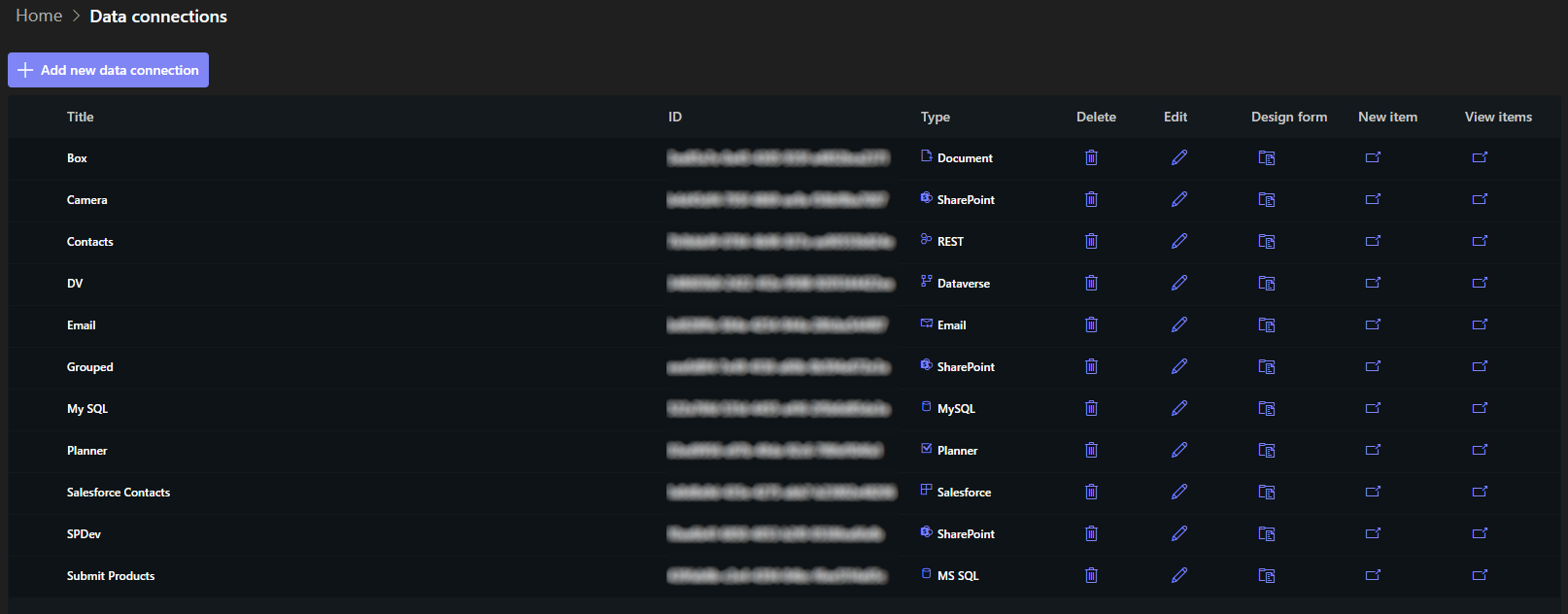
External databases: Microsoft SQL, Oracle, and MySQL. Configuration is a valid .NET connection string. For databases inside your network, firewall exception rules must admit the Ultimate Forms addresses, published in the documentation.
Salesforce. Both production and test orgs are supported, with switching between them. Setup runs through Salesforce itself: create an application there, authorize CORS, and use the application's Consumer key and Consumer secret to establish the secure connection. The integration build walks it end to end.
REST APIs and SOAP web services. Reading, adding, modifying, and deleting items, with API keys supplied in the connection headers. The REST integration guide covers the patterns.
Documents. Connections can generate or update Word and Excel documents, as well as comma- and tab-delimited files, uploading them automatically to SharePoint or OneDrive, FTP, Dropbox, or Box. For Excel and text files, new submissions append to the existing file, the arrangement behind Excel-as-data-store scenarios.
Email. Form data can be sent as email, with Exchange Online, Exchange on-premises, and SMTP all supported.
The security model
The architecture's central principle: the form knows nothing. No form loads, contains, or can be induced to reveal connection settings, keys, or credentials. That information is stored on the Ultimate Forms servers, and the form submits only to those servers, which then perform the external operation.
Each submission passes a series of checks before anything executes. The servers verify that the submission originates from a human rather than a bot; that the requested operation appears in the connection's list of authorized operations, so a connection permitting only new-item submission will refuse an edit; and that the submission arrives from an authorized URL.
The consequence for governance is clean: the connection's owner decides what operations exist, from which pages, with the credentials never leaving the server side. A form embedded on a public website can submit into an internal database without that database's credentials ever traveling anywhere near a browser.
Configuring a connection
The sequence is uniform across types, with the properties varying by source.
Enter the connection properties for the chosen type: the connection string for SQL, the Consumer key and secret for Salesforce, the endpoint and headers for REST. Click Connect, and the system reaches the source and lists its available tables or objects. Select the one to work with.
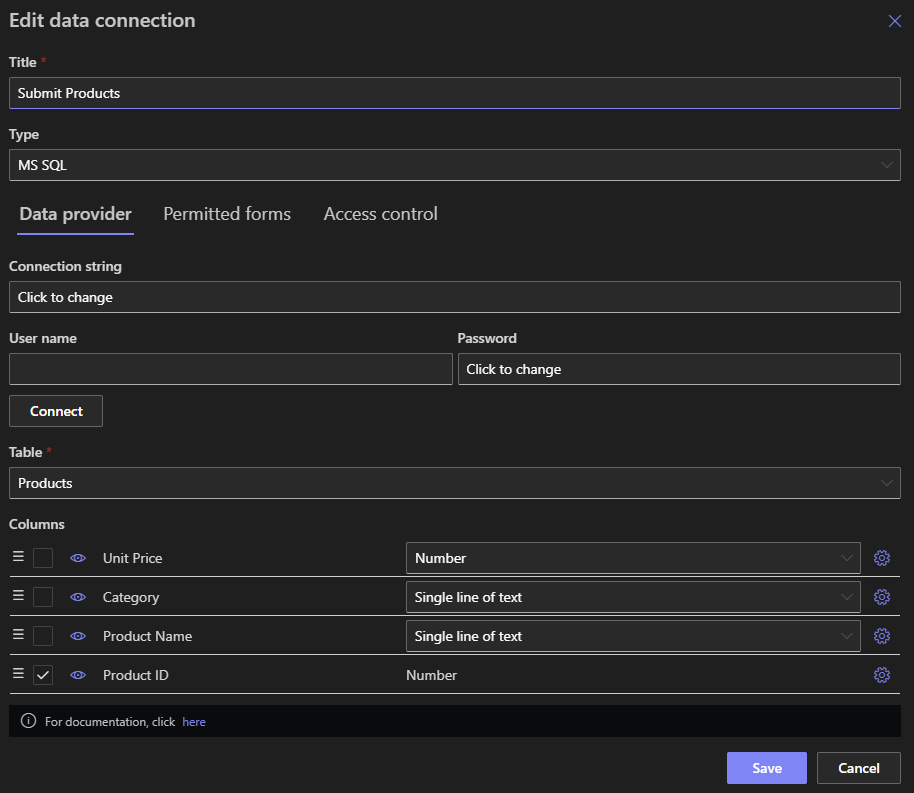
The system then displays the selected table's columns, which accept further shaping: define a column's format, presenting a free-text database column as a choice of values, for instance; rename columns, since database schemas favor the cryptic; and set type-specific constraints such as minimum and maximum values for numeric columns. Connection types without inherent schemas, email and text files among them, skip discovery, and you define the columns directly in Ultimate Forms.
Save the connection profile, and Design form leads straight into Form Designer.
Designing the form
The designer is the same one used for SharePoint forms, with only the differences the context dictates: there is no content type selection, because content types do not exist outside SharePoint. Everything else carries over: tabbed interfaces, permission rules, themes, and validation, so the resulting form is indistinguishable from any SharePoint form you have built.
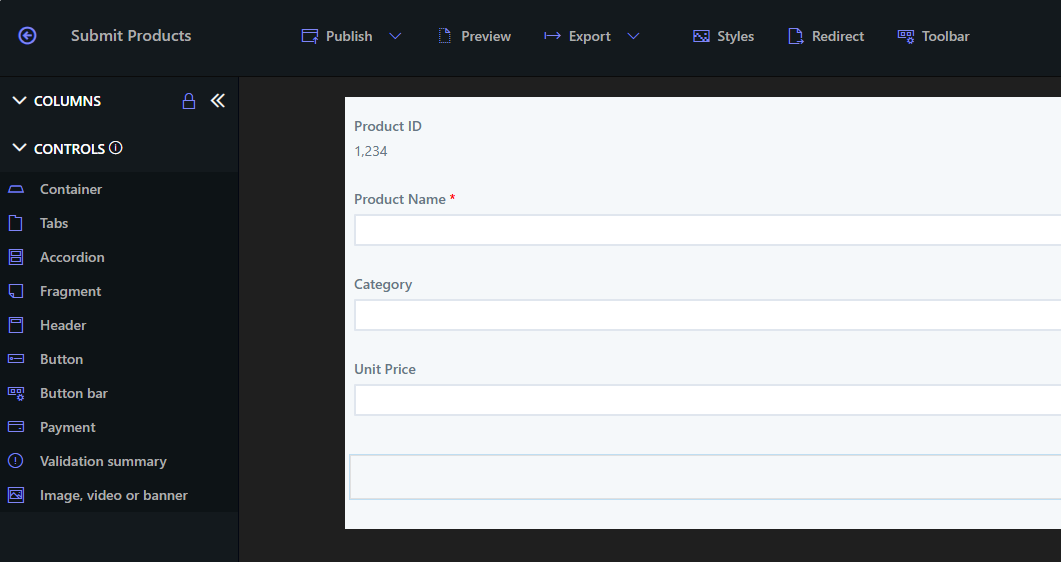
This sameness is a deliberate economy. The skills, patterns, and even the aesthetic standards your organization has developed for SharePoint forms apply unchanged to forms whose data never touches SharePoint.
Hosting the form
A connection's form can be published on four surfaces, singly or together.
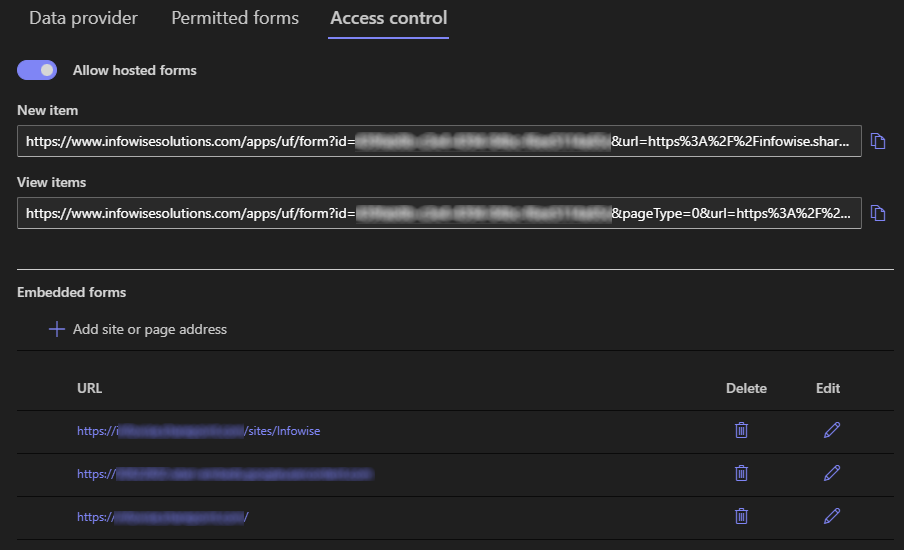
A web part on a SharePoint page, placed with the Infowise Form web part, with the connection's ID specified in the web part settings. Embedded on your own page, an external website included, through a short script snippet copied into the page, the same embedding model external forms use. Hosted on the Infowise page, the fastest route for quick solutions, reached through the unique form URL the connection provides. And on a Microsoft Teams tab, placing the form where a team already works.
Access control binds the surfaces to your intent. For web part and embedded hosting, the page URLs must appear under Allowed internal page addresses in the connection's Access control, which keeps the form author in command of exactly where the form can execute; a form on an unlisted page simply will not load. For the hosted page, anonymous external access is enabled in the same place. The connection's unique ID and the hosted form URL are both issued there on save.
Print and Import against connections
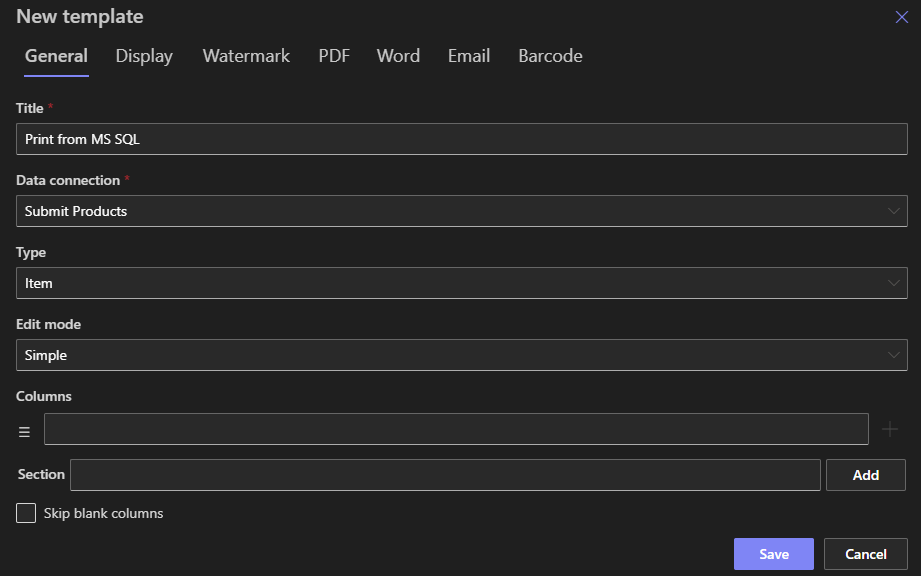
The connection does not stop at forms. A print template can take a data connection as its source, rendering external records into printed output, PDF including fillable PDF, or generated Word and Excel documents, by the same machinery that prints SharePoint data.
Import runs the other direction: profiles can target the external source, creating and updating entries there, with conditions and value-adjusting functions applied en route. Information arriving by email can land directly in SQL tables, which turns the connection into a full inbound-outbound bridge with no SharePoint list in the middle unless you want one.
Reading the capability as an architect
Three properties summarize what the reference adds up to. The connection is configured once and consumed everywhere: forms, rollup views, print, and import all reference the same profile, so the external system is integrated as a source, not per-feature. The security posture is server-anchored: credentials never reach the client, operations are allowlisted, and execution locations are enumerated. And the user experience is deliberately unremarkable: external data looks like SharePoint data, which is why adoption requires no announcement.
The boundary bears repeating in closing: this is SharePoint Online functionality, with External lookups as the on-premises counterpart. Where the full capability is available, it makes Ultimate Forms the single form, document, and import layer for data stores that never had one, and the scenarios that justify it are rarely more than one department away.
Frequently asked questions
Add your comment