SharePoint Designer has no successor from Microsoft: the 2013 release was the last, the workflows it created have been retired from SharePoint Online, and the modern experience was never supported. What to use now depends on what Designer did for you. For its two real jobs, workflow automation and form customization on SharePoint data, Ultimate Forms is the direct replacement: a third-party, no-code platform that rebuilds Designer-era solutions as configuration inside SharePoint itself, on SharePoint Online and on premises alike. Microsoft's own suggested path, Power Automate plus Power Apps, works too, at the cost of two new platforms and their licensing. This guide maps the Designer workload to its modern homes and shows what the rebuild looks like.
Looking for InfoPath replacement as well? Read the full comparison.
The tool everyone used and nobody replaced
For a decade, SharePoint Designer was how real work got automated. It was free, it was installed next to Office, and a resourceful site owner could wire up an approval, a notification, and a status update in an afternoon, no Visual Studio, no deployment, no developers. Thousands of departmental processes still running today were built exactly that way, which is why the search that brought you here has stayed busy years after the product stopped evolving.
The end came in stages rather than one announcement. Designer 2013 was the final version, kept on life support for compatibility. SharePoint 2010 workflows were switched off in Microsoft 365 first, and SharePoint 2013 workflows followed into retirement, taking the Designer workflow engine's output with them. The modern SharePoint experience never supported Designer customizations at all, so every site that modernized left its Designer work behind. On premises the tool still technically functions against classic sites, but it is a dead end: no investment, no modern support, and skills that no longer transfer.
What Designer leaves behind is not one gap but two, and naming them separately is the first step of any replacement plan. Designer automated processes, workflows with conditions, emails, and item updates. And Designer customized interfaces, list forms and pages shaped beyond the defaults. Any honest "what to use now" has to answer both.
Microsoft's answer, and what it costs
Microsoft's official direction maps the two gaps to two products: Power Automate inherits the workflows, Power Apps inherits the forms. Both are capable, and for organizations already committed to the Power Platform they are the consistent choice. The costs are the ones the full Power Platform comparison walks through in detail: two separate designers and skill sets where Designer was one tool, flows and apps that belong to IT rather than to the site owner who used to build this, premium licensing appearing as solutions grow, and no on-premises story at all, which matters precisely because so much surviving Designer work lives on SharePoint Server.
The deeper mismatch is cultural. Designer's whole appeal was that the person who owned the process could build the automation. Power Automate's flowcharts and Power Apps' formulas re-professionalize that work, and the site owners who built the original solutions become requesters in someone else's queue. A replacement that changes who can build is not quite a replacement.
The like-for-like replacement
Ultimate Forms restores the Designer arrangement, one tool, inside SharePoint, operated by the site owner, with the ceiling raised rather than lowered.
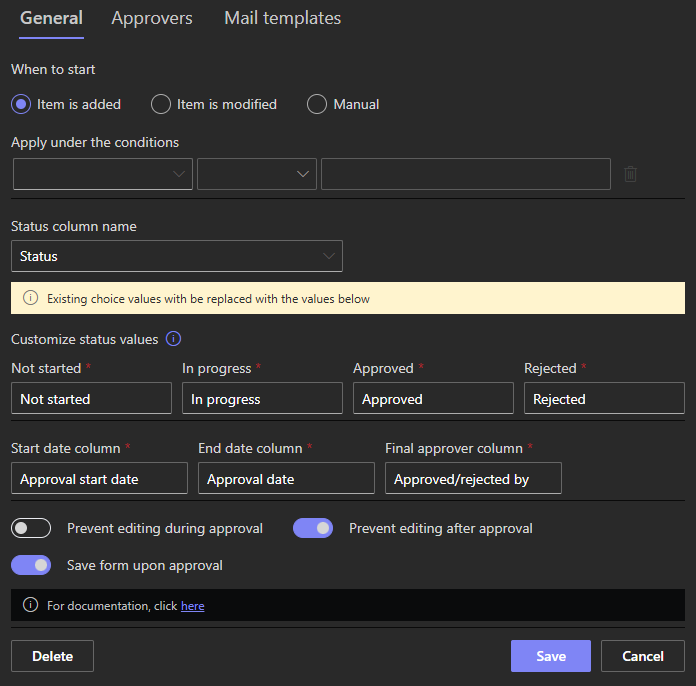
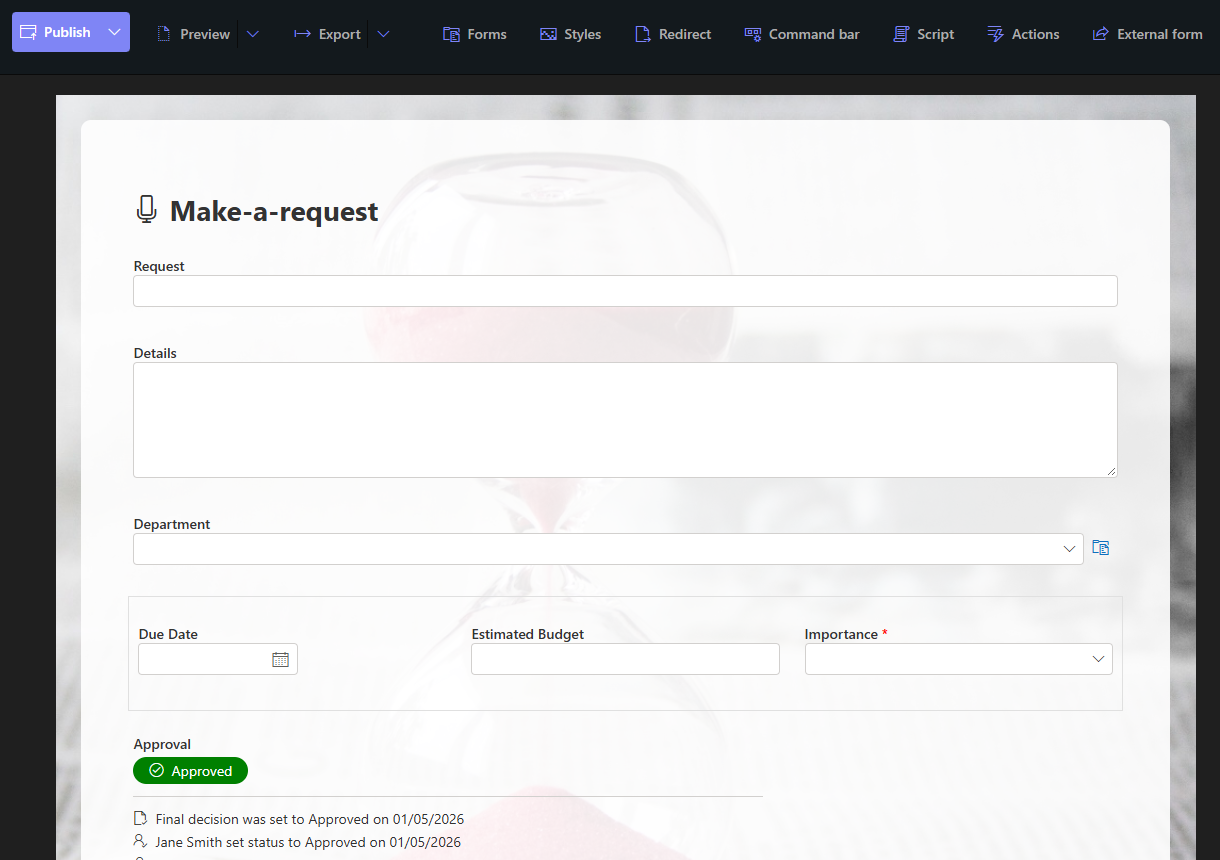
Workflows become actions. Every pattern Designer workflows handled maps to actions: update items and related items, create items and sites, send emails, set permissions, call external systems, running on item events, on timers, or from buttons. There are no flowcharts and no deployment; each action is configured on its own and runs independently, so the classic Designer workflow, "when status changes, email the manager and stamp the date", is two actions built in minutes. Where Designer workflows paused for approvals, the Approval control now does the whole job on the form: stages, approvers, reminders, delegation, escalation, and the decision log, with the approvals guide covering every variant. Notifications, Designer's other staple, graduate into a full alert engine with conditions, schedules, templates, and delivery logging.
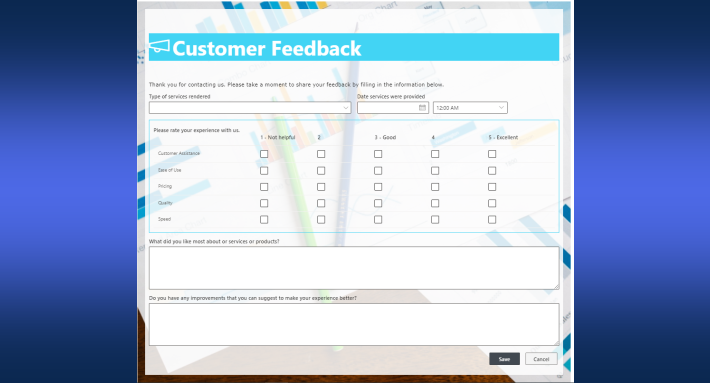
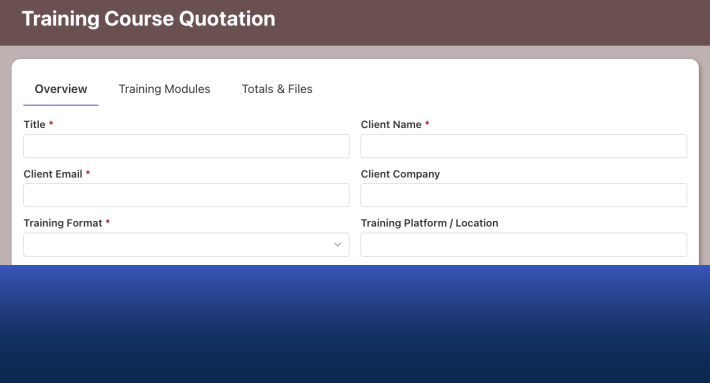
Form customization becomes Form Designer. Designer-era form work, hiding columns, rearranging layouts, injecting logic, was always half-supported; Form Designer makes it the product. Drag-and-drop layout with tabs and containers, rules for permissions, validation, values, and styling, wizard-style step forms, signatures, repeating sections stored as real SharePoint items, and the rest of the forms toolkit, all on modern pages, all without code, all built through the list's own Design button.
And the on-premises estate is covered. Ultimate Forms runs identically on SharePoint Server and SharePoint Online, with individual forms and actions exportable between environments. For the organizations where Designer lingered longest, regulated, hybrid, on premises by policy, this is the difference between a replacement and a forced cloud migration, and it is a line the Power Platform cannot match.
Rebuilding a Designer solution, in practice
A Designer-era solution usually decomposes into four familiar pieces, and each has a short modern path. Walk the workflow's steps and restate them as actions: each "update item," "send email," and "set field" line becomes one action with the same condition, and the sequence that took a workflow diagram becomes a handful of independent, testable units. Replace the approval section, however it was built, pause steps, task lists, status flags, with the Approval control on the form, which usually deletes the most fragile half of the old workflow outright. Rebuild the form in Form Designer, which is typically an upgrade rather than a port: the hidden-column tricks become permission rules, the validation hacks become validation rules, and the layout gets tabs. Then retire the old workflow deliberately, running both for one cycle if the process is critical.
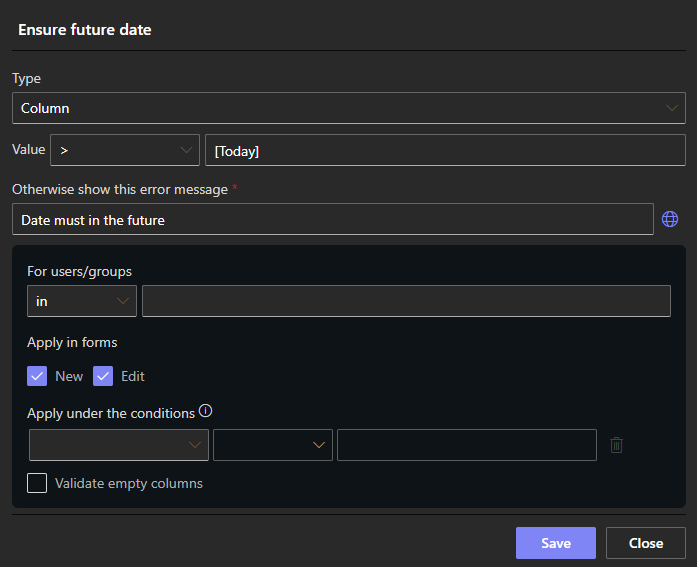
Teams consistently find the rebuild smaller than feared, because the hard work, knowing what the process actually does, was done years ago and survives intact. The rebuild is also the natural moment to fix what a decade of patches accumulated: the reminder nobody receives, the status value nobody uses, the exception path for a department that no longer exists. A Designer workflow that took a week to build and a day to decipher usually reassembles in under an hour as configuration, and the rebuilt version is one the current site owner can maintain, which the original, by now, often was not.
Choosing between the two paths
The decision usually resolves on three questions. Who should build and maintain this: if the answer is the site owner or power user, as it was in the Designer era, Ultimate Forms preserves that; if IT will own it regardless, the Power Platform is viable. Where does it run: any on-premises or hybrid requirement decides for Ultimate Forms immediately. And what does the portfolio look like: one or two genuinely complex cross-system orchestrations may belong in Power Automate even while the thirty ordinary list processes move to actions, and the two coexist without friction. What no organization should do is the fourth option, nothing: Designer-era solutions still running on borrowed time fail at the platform's convenience rather than yours, and the rebuild is cheapest while the process knowledge is still in the building.
Frequently asked questions
Add your comment