If you came to Power Apps to customize SharePoint forms and found yourself learning a development platform instead, the alternative is Ultimate Forms: a third-party, no-code platform that builds forms, automation, and approvals directly inside SharePoint, on both SharePoint Online and on premises, without premium licensing tiers and without handing the result to IT to maintain. Power Apps remains the right tool for standalone mobile applications and cross-system apps. For SharePoint forms and the processes behind them, which is what most teams actually came for, this article makes the case for the alternative, and maps where each tool genuinely wins.
Why people search for an alternative
Nobody adopts Power Apps casually. Organizations arrive because a SharePoint list needed a better form, and Microsoft's path for that points at Power Apps. Then three frictions appear, reliably enough that each has its own literature.
The first is the skills cliff. Power Apps calls itself low-code, but a customized list form of any ambition means formulas in Power Fx, delegation rules, connection management, and debugging, a developer's workflow with a spreadsheet accent. The business user who owns the process can rarely build or change the form; the low-code myth has a way of surfacing in the second week, and the pattern repeats across non-technical teams often enough to be structural rather than anecdotal.
The second is the licensing maze. What starts inside the Microsoft 365 subscription grows premium the moment the solution touches a premium connector or needs a standalone app, and the per-user arithmetic across a large organization changes the project's economics after the fact. Budgeting a form should not require a licensing consultation.
The third is the maintenance estate. Every Power Apps form is an app: versioned, owned, migrated between environments, re-permissioned when the owner leaves, retested when the platform updates. Fifty customized lists means fifty apps, and the IT department inherits a portfolio it never planned. These three frictions, not any failure of Power Apps at being Power Apps, are what the search query behind this article is made of.
What the alternative looks like
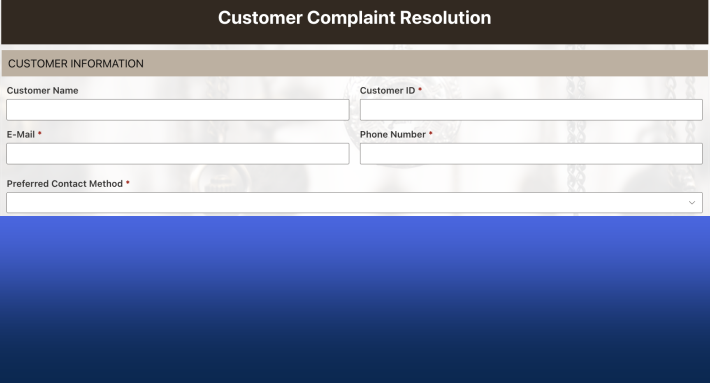
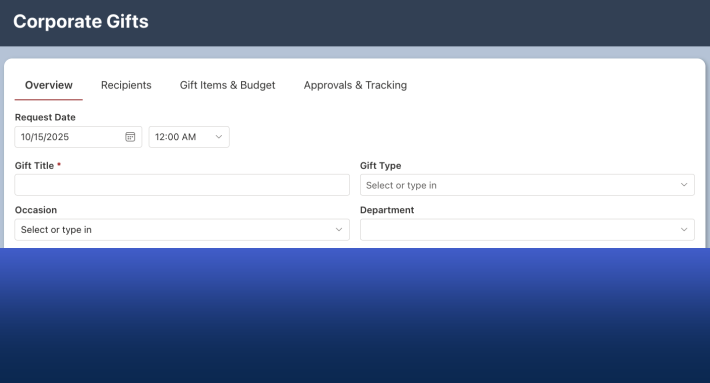
Ultimate Forms approaches the same need from inside SharePoint. It is a third-party product that adds a design layer to the lists you already have: open a list, click Design, and Form Designer builds the form from the list's own columns, by dragging, not coding. The data stays in SharePoint. The permissions stay SharePoint's. There is no app object to own, migrate, or re-license, because the form is a configuration of the list, not a separate application pointed at it.
Form sophistication comes from rules rather than formulas: permission rules show, hide, and lock by role, stage, or data; validation rules guard entries, dates included; value rules fill and stamp columns; style rules visually signal state. Each written in dropdowns that read the way the policy is spoken. The full forms toolkit, tabs and wizards, repeating sections, signatures, attachments control, public external forms, comes as configuration of the same form, and the automation that surrounds it, actions instead of Power Automate flows, alerts, and approvals, lives in the same design surface, built by the same person.
The structural differences follow from that placement. One license covers the platform, with no premium-connector tier lurking behind feature decisions. The person who owns the process maintains the form, because changing a rule is the same gesture as creating one. And the product runs identically on SharePoint Online and SharePoint on premises, a line Power Apps cannot cross, which matters to every organization with a hybrid estate and to every consultant serving both kinds of client.
The comparison, dimension by dimension
Who builds. Power Apps: makers who are comfortable with formulas, environments, and connectors, in practice, IT or trained citizen developers. Ultimate Forms: the process owner, after an afternoon with the beginner guide. The full development comparison walks the same solution built both ways, and the difference in who could have built it is the finding.
Where the data lives. Power Apps pushes ambitious solutions toward Dataverse, a second data platform with its own licensing and administration. Ultimate Forms keeps everything in SharePoint lists, where your governance, retention, and search already operate.
What a form costs to change. The Power Apps change cycle is a development cycle: open the studio, edit, test, republish, hope the delegation limits hold. The Ultimate Forms change cycle is a configuration edit: adjust the rule, publish, done. Over a form's five-year life, the change cost dominates the build cost, and this is the dimension where the gap is widest.
Mobile. Power Apps builds genuinely native mobile app experiences, and when a field team needs an offline-capable branded app, that is its home turf. Ultimate Forms makes every form responsive automatically, the same form, adapting, which covers the much more common case of people opening forms on phones without anyone building a mobile app.
Reach beyond SharePoint. Power Apps' connector catalog spans hundreds of systems, and an app orchestrating Salesforce, SQL, and Teams is its natural territory. Ultimate Forms connects to external data where forms need it, lookups, imports, integrations, but it does not pretend to be an any-system app platform. It is SharePoint-first on purpose.
On premises. Power Apps: no. Ultimate Forms: yes, the same product both places, with individual forms and actions exportable between environments.
When Power Apps is the right answer
A fair comparison names the cases that go the other way, and there are three. A standalone application with its own navigation and lifecycle, a field-inspection app, a branded customer tool, is an app, and Power Apps is an app platform. A solution whose center of gravity is outside SharePoint, orchestrating several systems with SharePoint as one participant, plays to the connector catalog. And an organization with committed Power Platform investment, licensing, a center of excellence, trained makers, has already paid the costs this article counts, and may reasonably keep paying them for consistency.
The distinction that decides most cases: Power Apps is an application platform that can imitate forms, and Ultimate Forms is a forms platform that carries its own automation. If the deliverable is "our SharePoint lists, with excellent forms and the processes around them," the forms platform wins on build time, maintenance, licensing, and who gets to own it. If the deliverable is "an application," build an application.
Making the switch in practice
Teams rarely migrate everything; they change the default. New lists get Ultimate Forms from the start, the forms are built in hours and owned by the process team. Existing Power Apps forms migrate opportunistically, whenever a change request would cost more in the studio than a rebuild costs in Form Designer, which is more often than teams expect: a form that took weeks in Power Apps typically reassembles in minutes as configuration, because the hard part, knowing what the process needs, was already done. The list, its data, and its history never move, which is what makes the change low-stakes: the form layer swaps; everything underneath stays put.
Evaluation is similarly cheap. Install the trial on one list with a real process, rebuild the form, and hand it to the process owner to modify, because the modification test, not the build test, is the one that predicts the next five years.
Frequently asked questions
Add your comment