The component provides advanced tools for creating, managing and sending out alerts and notifications based on SharePoint content and changes.
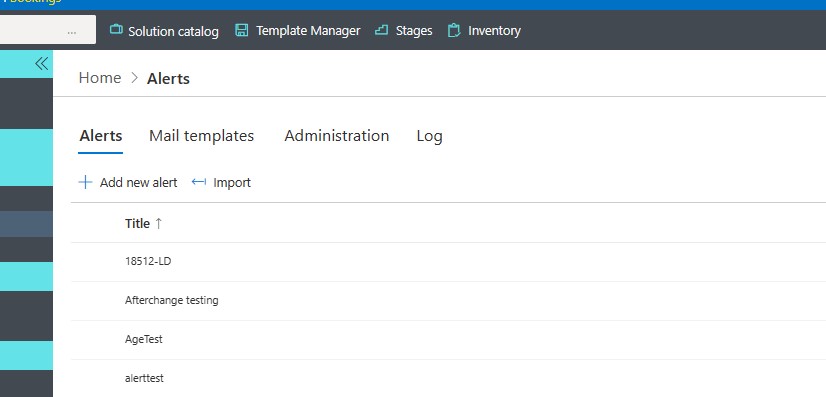
Advantages compared to the built-in alert capabilities:
- Notifications – alerts sent according to a date/time column of the item. You can be notified before or after the date value and the notification can be repeated at pre-set intervals for a pre-set number of times.
- Conditions – alerts can optionally be sent only when one or more conditions apply.
- Recipients – you can send alerts to SharePoint users, users in a User/Group column of the item or emails in a text column, users in a Contacts list or to manually specified e-mail addresses.
- Mail Templates – users can create and re-use their own alert email templates. The administrator can create templates that can be shared by all users.
- Buttons - execute actions directly from buttons within email messages. For example, approve requests directly from the email.
- URL Zones – URLs in the alerts can be transformed into a zone of your choosing. On premises only.
For more information and examples on this topics follow these additional resource links:
- Go to the Blog page, enter "Alerts" in "Search Blog..." for articles on this topic.
- Go to Tutorial pages, click on any of the tutorials of this topic "Alerts".
Also, to dive deeper into the user interface functionality follow the links below.
Get helpful videos
- Alert Components On-premises
- SharePoint UI Integration
- Managing alerts
- Alert General Settings
- Recipients
- What To Send
- When To Send
- Mail Templates
- Adding and Updating Alerts
- Alerts for Microsoft 365 app configuration
- Investigating Alerts using the Log
- Administrative and Tenant-wide settings for Alerts
- Alert Email Action Buttons
Last modified: 1/17/2026 8:04 PM
Loading...
Add your comment
Comments are not meant for support. If you experiencing an issue, please open a support request.
Reply to: from



© 2005-2026 Infowise Solutions Ltd. All rights reserved.