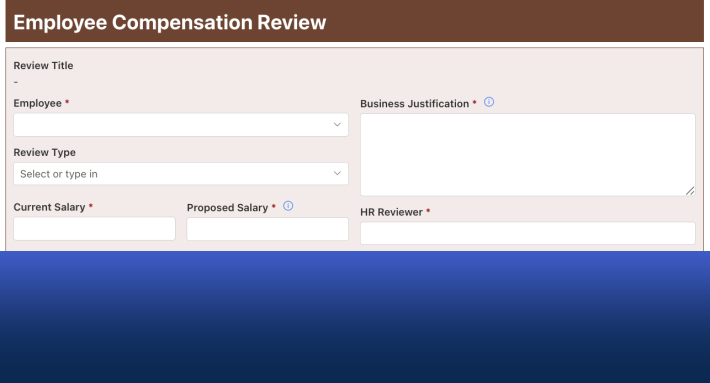
Cognito Forms and Ultimate Forms both answer the question hosted form builders taught everyone to ask: can a form calculate, branch, repeat, and validate without code? The difference is everything around the answer. Cognito runs forms in its own cloud, metered by entries per month and seats per plan, with submissions that reach your other systems through connectors. Ultimate Forms builds the same sophistication, calculations, conditional logic, repeating sections, validation, directly on SharePoint lists, where every submission is born inside your Microsoft 365 tenant as a working record. For organizations already on SharePoint, this comparison maps each Cognito strength to its native equivalent, and then compares what no feature table shows: what happens after the click.
Credit where due
Cognito Forms earned its audience honestly. Among hosted form builders it stands out for logic: a genuine calculation engine, conditional show/hide behavior, repeating sections for line items, and solid validation, at a price small teams can start with for free. A small business collecting orders or registrations, with no Microsoft estate behind it, is well served, and nothing below argues otherwise.
The comparison exists because many Cognito users are not that small business. They are teams inside Microsoft 365 organizations who chose Cognito for its logic, back when logic was the scarce thing, and who now route every submission from Cognito's cloud into SharePoint, Teams, or Excel through connectors. For them the question has quietly inverted: the logic is no longer scarce, and the architecture is the differentiator.
The logic features, mapped
Calculations. Cognito calculates across entry values, totals, derived amounts, conditional pricing. In Ultimate Forms, calculations live in value rules and column defaults, with functions and column references, and extend beyond the form: summary columns compute totals, counts, and averages across related items, automatically, even when changes happen outside the form.
Conditional logic. Cognito shows and hides based on entered values. The rule system does the same and then keeps going: permissions by user and group, not just by values, cascading over tabs and containers, with style rules signaling state and value rules writing it, the four types composing into staged processes rather than stopping at show/hide.
Repeating sections. Cognito's repeating sections capture line items inside the entry. Ultimate Forms stores each repeated row as a real SharePoint item in a related list: visible in views, reportable, individually permissioned and automatable, with filtered summaries on the parent. An order's lines are records, not sub-fields of a submission, which is the difference between collecting data and running on it.
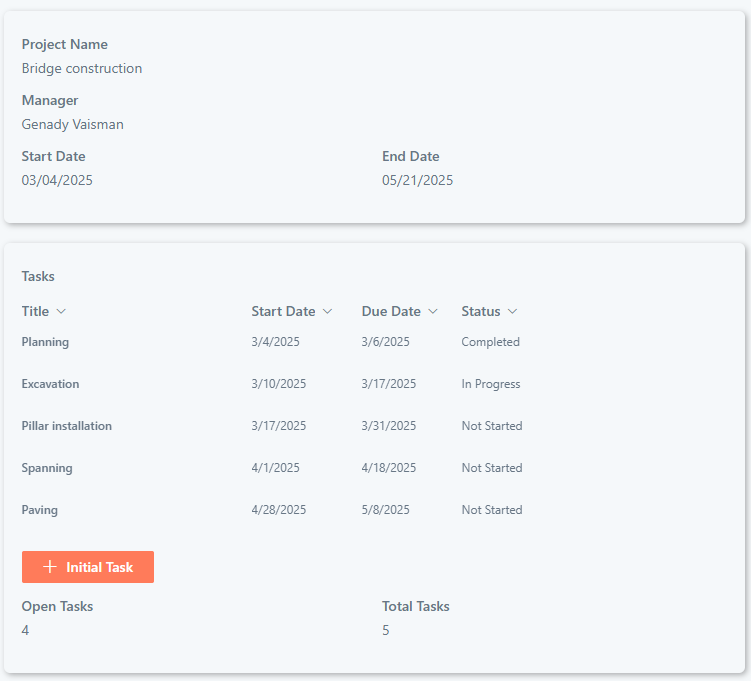
Validation. Pattern checks and comparisons exist in both. The full validation toolkit adds what a hosted builder cannot reach: checks against the list itself, duplicates and overlapping bookings blocked before saving, validation over related items, and AI evaluation of free-text quality.
Public access. Cognito forms are public by nature. External public forms match that, no sign-in, CAPTCHA, QR codes, designed Thank You pages, while the internal versions of the same forms carry the full machinery for authenticated users. One platform covers both audiences; the hosted builder covers one.
The pattern across all five rows is the same: parity on the form, and then an extension past the form's edge, because the form is attached to the platform where the work continues.
After the click
A submission's useful life begins when the form closes, and here the two architectures stop being comparable feature by feature, because they are different shapes.
In the Cognito model, the submission lands in Cognito's cloud, and the process that needs it lives elsewhere. Connectors carry it over, to SharePoint, to Teams, to email, and the organization maintains that plumbing: mappings per form, attachments in two places, a system of record that depends on which copy you trust. Notifications exist, but the approval, the assignment, the document generation, and the reporting happen in other tools after the hop.
In the Ultimate Forms model there is no hop. The submission is a SharePoint item from its first second, so the approval starts on it, actions assign it and stamp its reference number, alerts notify the team and receipt the submitter, documents generate from its values, and the dashboard counts it, all configured in the same place by the same person who built the form. Governance arrives with the architecture rather than as a feature: the data sits in your tenant under your permissions and retention from the start, a point the Jotform comparison makes at full length and that applies here unchanged.
Who builds, and who keeps building
One more line in the mapping deserves its own weight: the builder. Cognito's designer is approachable, and that approachability is real, for the person building a standalone form. The Ultimate Forms builder works in the same drag-and-drop spirit, learnable in an afternoon, but what they build does not stop at a form: the same person configures the approval, the alerts, the generated documents, and the dashboard, in the same designer, without handing anything to IT or learning a second product. For a Microsoft 365 team, that changes the economics of iteration. The form that needs a new column, a new rule, and a tweak to its notification gets all three from the process owner in one sitting, which is how forms stay matched to processes instead of drifting behind them.
The meters and the seats
Cognito's plans meter two things: entries per month and users per tier, with storage caps alongside and team access widening as tiers rise. The model is standard for hosted builders and perfectly rational, and its consequence is also standard: usage success converts into licensing events. The busy season that doubles entries, the sixth colleague who needs access, the attachment-heavy form that eats the storage cap, each is a plan conversation.
Ultimate Forms is licensed as a platform, with forms, automation, approvals, alerts, and printing included, no entry meters, and access decided by SharePoint permissions rather than purchased seats. Submissions consume your own SharePoint storage. The structural result, as with every comparison in this series: growth changes the item count, not the invoice.
Choosing, and switching
The decision rule is the same one the Jotform article closes on, and it works here too: look at what happens to a submission a week after it arrives. If the answer is "nothing, we just read them in Cognito," the hosted builder is doing its job. If the answer involves SharePoint, Teams, approvals, or reports assembled from exported entries, the form is feeding a Microsoft 365 process from outside, and it should move inside.
Switching is form by form and low-stakes. Rebuild in Form Designer, the questions map to columns, the calculations to rules, the repeating sections to related lists, which usually improves them. Publish externally where the audience is public, wire the process the entries feed, swap the link, and import the historical entries into the same list if continuity matters. The first form to move is the one whose entries travel farthest today.
Frequently asked questions
Add your comment