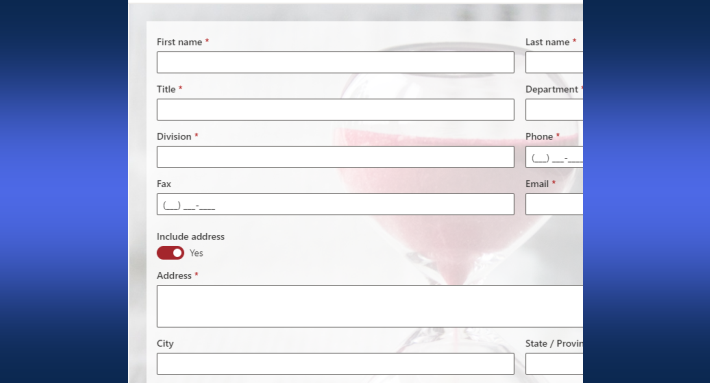
Most SharePoint business processes do not need a workflow engine. A form with tabs for stages, permission rules controlling who edits what and when, dynamic rules maintaining the status, and a handful of actions for the side effects implements the same request, review, and approval logic with far less to build, nothing to deploy, and a result the process owner can read and change. This article makes the case for form-driven process design and shows what each piece contributes; the hands-on build walks a complete example, and the automation hub covers the actions that back it.
The complexity is in the implementation, not the process
Ask a team to describe their purchase request process and they finish in four sentences: someone submits, a manager reviews, finance approves above a threshold, the requester gets the verdict. Ask to see the implementation, and the four sentences have become a workflow diagram, a set of notification steps, environment configuration, and a maintenance dependency on whichever person built it, or they have become the opposite failure, email and spreadsheets, because the workflow project looked too expensive to start.
Both failures share a root: the assumption that a process is a thing that runs behind the scenes, in an engine, separate from the form people fill in. That assumption imports the whole apparatus, diagrams, steps, testing cycles, undocumented knowledge, for logic that was four sentences long. When requirements change, as they always do, the change lands in the engine, where only the technical few can make it, and the backlog does the rest.
The alternative inverts the assumption: the form is the process. The stages, the permissions, the transitions, and the guidance live in the form itself, visible, configured rather than coded, and owned by the people who own the process. Nothing runs behind the scenes except the side effects that genuinely belong there.
Stages as tabs: the process you can see
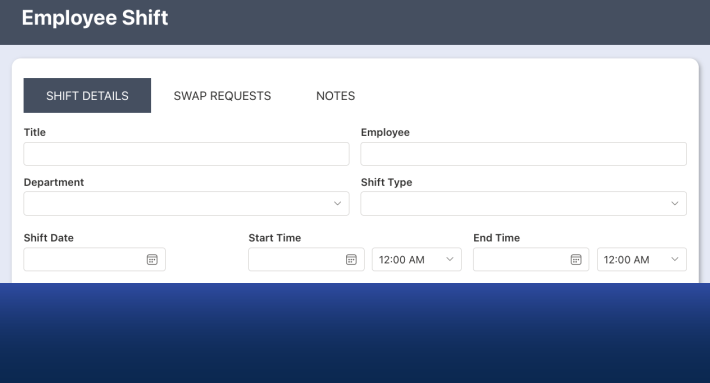
The first move is structural. Divide the form into tabs, one per stage: Request, Manager Review, Approval, Final Processing. Instead of an item moving invisibly through an engine, the people move visibly through the form:
The visibility is the feature. A workflow's current state lives in a status column and a diagram nobody opens; a staged form's current state is the tab you are on, with the completed stages behind you and the pending ones ahead. Users need no training and no documentation to know what happens next, because the form says so, and per-stage callouts carry whatever guidance each stage needs, exactly where it is needed.
Permissions as transitions: the process that enforces itself
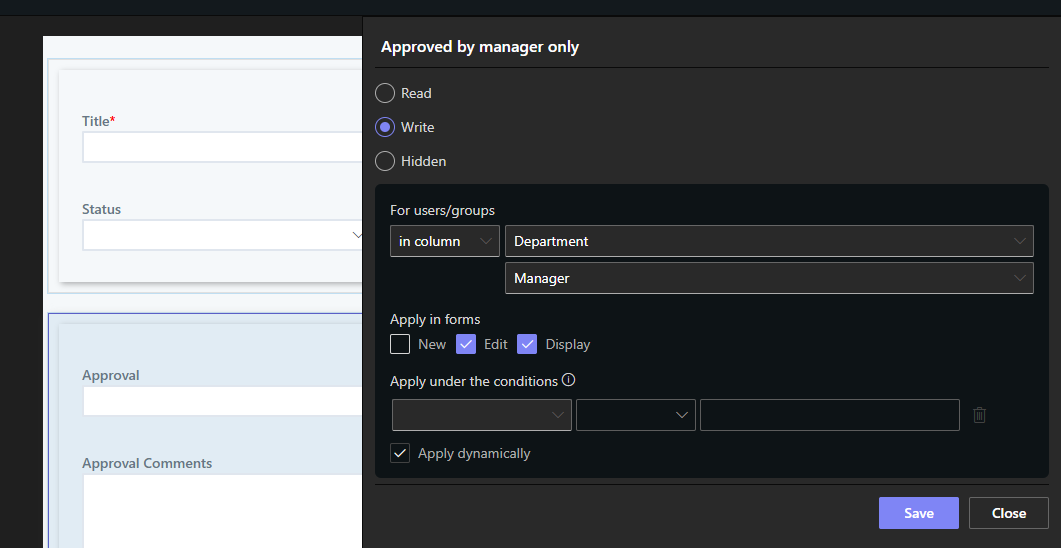
Tabs give the process its shape; permission rules give it its law. Rules show, hide, and lock tabs, sections, and individual columns by who the user is, what the item's values say, and which form is open, and those three inputs are enough to express every transition a typical process has. The requester edits the Request tab until submission, then it locks. The Manager Review tab exists only for managers, and only once Status reaches Submitted. Finance sees the budget columns; nobody else does. Each stage opens exactly when its predecessor completes, because the rules read the same status the previous stage set.
This is what replaces the workflow's sequencing logic, and it replaces it with something stricter: a workflow asks the engine to route the item correctly, while permission rules make the wrong edit impossible at the interface. There is no step to skip, because the next tab is not there until the process says it should be.
Rules as logic: the process that reacts
Value, validation, and style rules carry the behavior that workflow steps otherwise would. Values set themselves: the status advances when the decision is recorded, the dates stamp, the totals calculate. Validation guards each stage's exit, no submission without the required columns, no closure while related items stay open. Styles signal state, so the form announces where it is without being asked. All of it evaluates live, in the form, as users type, and all of it reads as the policy it implements.
What remains for the background is the genuine background: actions send the notifications, create the related records, call the external systems, and generate the documents, each one a named, independent unit triggered by the transitions the form produces. The division is clean: the form owns the process, the actions own the consequences, and nothing owns a diagram.
Approvals: the fast path and the custom path
The classic test case is the approval, and here the honest advice has two tiers. For most approval needs, the fastest implementation is not even the tabs pattern: it is the Approval control, a single form control carrying stages, approvers, decisions, comments, locking, reminders, delegation, escalation, and the decision log, dropped onto the form and configured. When the requirement is "this needs an approval," the control is the answer, and the complete approvals guide covers everything it does.
The tabs-and-rules pattern is the custom path: for processes whose stages are not approvals (intake, fulfillment, review cycles), for flows with unusual shapes, and for the full applications where approval is one stage among many. The two compose naturally, a staged form whose Approval stage is the control, which is how most mature solutions end up built. What neither path involves is a workflow diagram.
What the shift buys
The returns come in four currencies. Speed: a working process in hours, because configuration skips the requirements-to-deployment pipeline, and adjustments happen at the speed of editing a rule. Ownership: the builder is the process owner, which removes the IT queue from every change and the key-person risk from the whole solution, the logic is visible in the designer, not buried in a departed developer's flowchart. Adoption: a guided, stage-aware form gets used, and used correctly, where a confusing one drives people back to email; the process that lives in the form inherits the form's usability. Governance: everything stays in SharePoint, the data, the permissions, the versions, the audit trail, with no second platform to secure and no integration seams to watch.
And because the process is configuration, it evolves the way businesses actually change: a new stage is a new tab, a new rule is a dropdown condition, a new consequence is one more action. The rebuild, the dreaded word of workflow maintenance, stops being part of the vocabulary.
The test for any process on your list is the four-sentence test. If the process can be described in a few sentences of who does what and when, it can be a form, and the form will be finished before the workflow project would have had its kickoff meeting. Start with the process your team complains about most, build it as a staged form in an afternoon, and let the result argue the rest of the portfolio across.
Frequently asked questions
Add your comment