SharePoint is Microsoft's platform for storing, organizing, sharing, and automating information across an organization. It is part of the Microsoft 365 suite and is used by hundreds of millions of people worldwide, in organizations ranging from small businesses to multinational enterprises and government agencies.
Despite that reach, SharePoint is often misunderstood. People encounter it as a file storage location, a company intranet, or a form-based process tool, without realizing these are all the same platform serving different purposes. This guide explains what SharePoint actually is, what it can do, how it relates to the rest of Microsoft 365, and what distinguishes its online and on-premises versions.
The Core Idea Behind SharePoint
SharePoint is built around two fundamental concepts: sites and lists.
A site is a collection of related content and functionality. It has pages, document libraries, lists, navigation, and permissions. A site can represent a department, a project, a team, a company intranet, or any other organizational unit that needs its own space for content and collaboration.
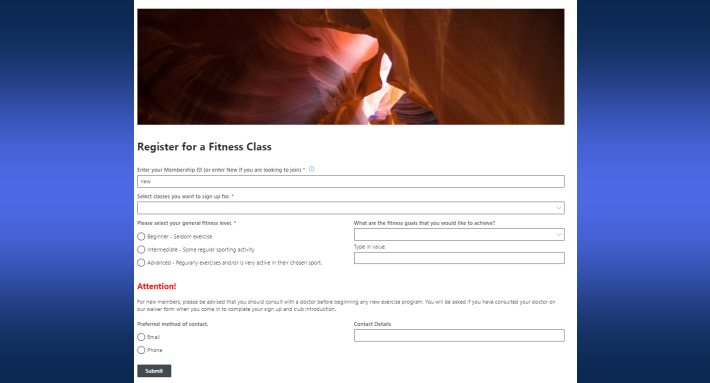
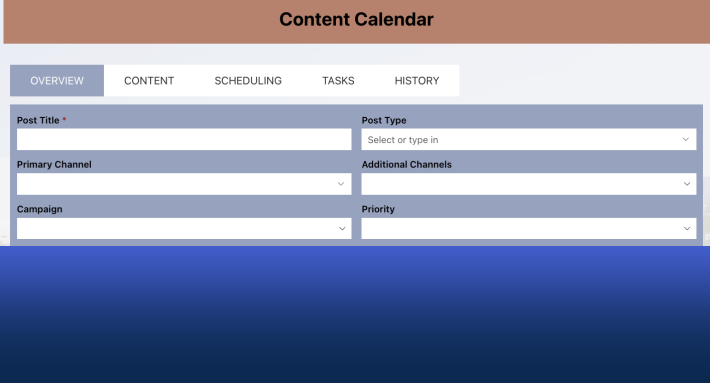
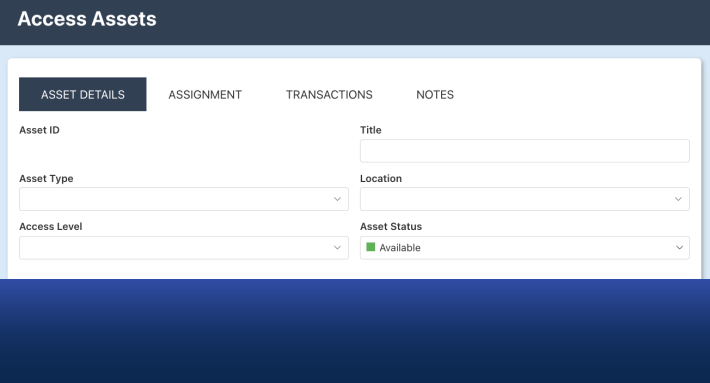
A list is a structured collection of data, organized into rows and columns, stored directly in SharePoint. Lists are the backbone of almost every business process built on the platform. A list can represent anything: help desk tickets, purchase requests, employee records, event registrations, project tasks, inspection logs, or policy acknowledgments.
Document libraries are a specialized type of list where the primary item is a file. Libraries support version control, check-in and check-out, metadata columns, and content approval workflows.
Everything in SharePoint, from intranet pages to process forms to document repositories, is built on top of sites and lists.
What SharePoint Is Used For
SharePoint serves several distinct purposes, often simultaneously within the same organization.
Document Management
The most common use of SharePoint is storing and managing documents. Teams use SharePoint document libraries to replace shared network drives, giving them version-controlled, permission-managed, searchable file storage accessible from any device.
Document libraries support co-authoring, which allows multiple users to edit the same Word, Excel, or PowerPoint file simultaneously in real time. Files sync to the desktop through OneDrive, so users can work offline and have changes upload automatically when connectivity is restored.
Team Collaboration
SharePoint team sites give groups a shared workspace. A team site brings together document libraries, shared lists, news posts, calendars, and links in one place. Team sites created in SharePoint Online are connected to Microsoft 365 Groups, which links the site to a shared Outlook mailbox, a Microsoft Teams channel, and a Planner board.
Intranet and Internal Communications
Organizations use SharePoint communication sites to build company intranets, department portals, and information hubs. A communication site is designed for publishing content to a broad audience. A small editorial group manages the content; everyone else reads it.
Hub sites connect multiple communication and team sites under a shared navigation structure, search scope, and branding, creating a coherent intranet across a large organization.
Business Process Automation
SharePoint lists support custom columns, views, forms, alerts, and workflows, which makes them a capable foundation for structured business processes. Organizations build approval workflows, intake forms, compliance checklists, case management systems, and operational dashboards entirely within SharePoint, without introducing external applications or moving data outside the Microsoft tenant.
The native SharePoint toolset covers basic process needs. For more complex requirements, tools like Ultimate Forms by Infowise extend the platform with conditional forms, column-level permissions, automated actions, e-signatures, and print templates, all built on top of standard SharePoint lists.
Search and Knowledge Management
SharePoint's search engine indexes content across all sites, libraries, and lists in the tenant. Users can find documents, pages, people, and list items through a single search interface. Metadata columns on documents and list items make search more precise, allowing users to filter by department, project, status, or any other column value.
SharePoint and Microsoft 365
SharePoint does not exist in isolation. It is one component of the Microsoft 365 platform, and it integrates deeply with the other components.
OneDrive is built on SharePoint. Each user's OneDrive is a personal SharePoint site. Files shared from OneDrive are shared from SharePoint.
Microsoft Teams uses SharePoint for file storage. Every Teams channel has a corresponding folder in a SharePoint document library. Files shared in a Teams conversation are stored in SharePoint and accessible from the Teams Files tab.
Microsoft 365 Groups underpin the connection between team sites, Teams, Outlook shared mailboxes, and Planner. When a team site is created, a Microsoft 365 Group is created behind it and links all those surfaces together.
Power Automate can trigger workflows from SharePoint list events, such as when a new item is added or a column value changes. This extends SharePoint's native automation capabilities significantly.
Power Apps can replace SharePoint's default list forms with custom canvas apps, though this introduces additional licensing requirements and development complexity that many organizations prefer to avoid.
Microsoft Purview (formerly Microsoft Compliance Center) integrates with SharePoint to enforce retention policies, sensitivity labels, and data loss prevention rules across SharePoint content.
Understanding SharePoint as one node in a connected Microsoft 365 environment, rather than a standalone product, is important for organizations designing their digital workplace architecture.
SharePoint Online vs. SharePoint Server
SharePoint comes in two deployment models: SharePoint Online and SharePoint Server (on-premises).
SharePoint Online
SharePoint Online is the cloud-hosted version, included in Microsoft 365 subscriptions. Microsoft manages all infrastructure, updates, and security. Organizations provision sites and configure the environment through the SharePoint Admin Center, without maintaining any servers.
SharePoint Online receives continuous updates from Microsoft, which means new features appear on a rolling basis. It scales automatically with the organization's size and storage needs, within the limits of the Microsoft 365 subscription.
SharePoint Server
SharePoint Server is installed and operated on the organization's own infrastructure. ISharePoint Server Subscription Edition is the currently supported version. SharePoint Server 2016 and 2019 reached end of mainstream support in July 2026.
Organizations choose SharePoint Server for several reasons: regulatory requirements that prohibit cloud storage of certain data types, existing on-premises infrastructure investments, air-gapped environments, or compliance mandates that require the organization to control the physical location of its data.
SharePoint Server requires dedicated server infrastructure, database administration, patching, and capacity planning. It does not receive the same continuous feature updates as SharePoint Online.
Hybrid Deployments
Many organizations run SharePoint Server and SharePoint Online simultaneously, in a hybrid configuration. On-premises content and cloud content are integrated through hybrid features that enable cross-environment search, profile synchronization, and site redirection.
Hybrid deployments are common in large enterprises and regulated industries where certain data must remain on-premises while other workloads benefit from cloud scale and flexibility.
One practical advantage of solutions built on SharePoint lists, such as those created with Ultimate Forms, is that the same functionality works identically across SharePoint Online, SharePoint Server 2019, and SharePoint Server Subscription Edition. Organizations that build processes on these platforms do not need to rebuild when they migrate from on-premises to cloud.
SharePoint Permissions
SharePoint uses a hierarchical permission model. Permissions flow down from the site collection to sites, lists, and individual items. By default, a child object inherits the permissions of its parent.
The default permission levels are:
| Permission Level | What Users Can Do |
|---|---|
| Full Control | All actions, including managing permissions |
| Edit | Add, edit, and delete lists and list items |
| Contribute | Add and edit items; cannot delete lists |
| Read | View pages and list items only |
| View Only | View pages; cannot download files |
Permissions are assigned to groups rather than individual users wherever possible. This makes administration more manageable and ensures permissions remain consistent as users join, change roles, or leave the organization.
The SharePoint Administrator manages tenant-level permissions and policies. Site Collection Administrators manage permissions within specific site collections. Site Owners manage permissions at the site level.
Common Misconceptions About SharePoint
"SharePoint is just a file storage system." File storage is one of SharePoint's functions, but the platform also supports structured data management through lists, process automation through workflows and actions, publishing through communication sites, and search across all content types.
"SharePoint is difficult to use." The administrative and development aspects of SharePoint have a learning curve. For end users, however, modern SharePoint Online presents a clean browser-based interface that most people can navigate without training. Business users can build and maintain list-based processes without developer involvement, particularly when using no-code tools built on top of the platform.
"SharePoint is being replaced by Teams." Microsoft Teams and SharePoint serve different purposes and are designed to complement each other. Teams handles real-time communication and meeting coordination. SharePoint handles document storage, structured data, and publishing. The two are integrated, not competing.
"SharePoint is only for large organizations." SharePoint Online is included in Microsoft 365 Business Basic and higher plans, which are accessible to organizations of any size. Small teams benefit from the same document management, collaboration, and process capabilities as large enterprises.
Summary
SharePoint is a broad platform that handles document management, team collaboration, internal publishing, and business process automation within the Microsoft 365 environment. Its core building blocks, sites and lists, are flexible enough to support everything from a simple file library to a multi-department intranet to a complex multi-stage approval workflow.
It is available as a cloud service through Microsoft 365 (SharePoint Online) and as an on-premises product (SharePoint Server), with a hybrid configuration available for organizations that need both.
For organizations that want to build structured business processes on SharePoint lists without code, Ultimate Forms by Infowise extends the platform with forms, automation, alerts, dashboards, and print capabilities. You can explore it at infowisesolutions.com.
Related reading:
- What Is a SharePoint Team Site and When Should You Use One?
- SharePoint Communication Site: What It Is, When to Use It, and How to Build One
- SharePoint Administrator: Roles, Responsibilities, and Best Practices
Frequently asked questions
Add your comment