Hello,
We are happy to announce that the latest release of Smart Action Pro includes these new capabilities:
- Folders - you can now use list/doc lib folders in your actions:
- Create items in folders - specify folder ID or URL in Create list item action
- Use current item's folder name, URL or ID in conditions (e.g. run the action only if the item is within a certain folder)
- Use folder name, URL or ID in filters (e.g. update all items located in a specific folder)
- Create new folders
- Tighter integration with Associated Tasks Field:
- Create associated items and link them to the current item
- Update/delete all items associated with the current item
- Get column value of the parent item
Let's look at some examples:

The action will be executed only for items not located inside folders.
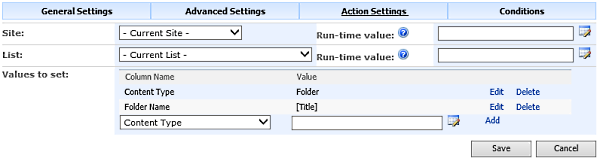
Create new folder using Create list item action.

Update items located in a specific folder.

Create associated item connected to Associated Items column named ATF.
Loading...
Add your comment
Comments are not meant for support. If you experiencing an issue, please open a support request.
Reply to: from
Products
Vladi Gubler | October 24, 2026
SharePoint items can carry true electronic signatures: tamper-evident, identity-verified, and bound to the data they sign. The Signature component of Ultimate Forms is a column you add to any list or library, attach to the columns whose values it should protect, and sign in one of three ways, real-time username and password validation against your...
Products
Vladi Gubler | October 28, 2026
InfoPath reached the end of its road on July 14, 2026, and Ultimate Forms is its natural successor for SharePoint forms: browser-based design instead of a client application, data stored as real SharePoint items instead of XML, all column types supported, and permissions, validation, automation, and printing built in. This comparison walks the two...
Products
Vladi Gubler | April 30, 2025
If you’ve ever used Survey lists in SharePoint, you’re likely familiar with a powerful and often underappreciated feature: the Rating Scale column. This special column type presents a matrix of statements or questions alongside a numeric scale, typically used for gathering structured feedback. The idea is simple but incredibly effective - allow...
Popular Solution Templates
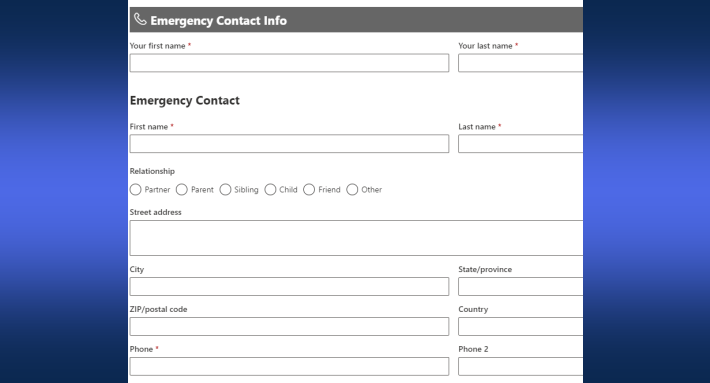
Critical contact details collected once, accessible when it matters most
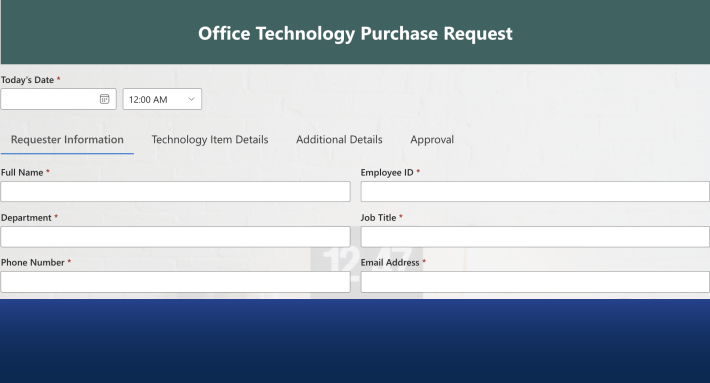
Structured technology acquisition requests with full justification and vendor details, inside SharePoint