Learn Faster, Build Smarter: The Value of Infowise Ultimate Forms Webinars
Building effective business solutions in SharePoint can feel overwhelming at first. SharePoint is powerful, flexible, and deeply integrated into Microsoft 365. But turning lists and libraries into complete, user-friendly business applications requires the right approach. This is where Infowise Ultimate Forms and its ongoing webinar series provide real value.
Infowise webinars are not marketing showcases. They are practical, hands-on learning sessions designed to help you understand how to solve real business problems using SharePoint and Ultimate Forms. Whether you are new to Ultimate Forms or looking to expand your solution design skills, these sessions offer a structured, accessible way to move from concept to implementation.
What Is Ultimate Forms and Who Is It For?
Infowise Ultimate Forms is a powerful SharePoint solution framework that allows organizations to build business applications without writing code. Instead of relying on custom development or complex third-party tools, Ultimate Forms enhances SharePoint lists and libraries with:
-
Advanced form design
-
Business logic and automation
-
Dynamic views and dashboards
-
Data visualization
-
Process management features
-
Reporting and document generation
It is designed for organizations that want to transform SharePoint into a true business application platform.
The typical audience includes:
-
IT managers responsible for governance and solution delivery
-
Business analysts who design and document business processes
-
Project managers coordinating operational workflows
-
SharePoint administrators and integrators
-
Power users who want more control without becoming developers
Ultimate Forms allows these professionals to build structured, scalable solutions while keeping everything within SharePoint.
What Are the Infowise Webinars?
Infowise hosts live webinars every month, each lasting approximately 30 minutes. These sessions focus on practical, real-world solutions built using Ultimate Forms.
The goal is simple: demonstrate how to build a complete solution step-by-step and show how the various features of Ultimate Forms work together.
The intended audience is primarily novice to intermediate users. You do not need development experience. The sessions are structured so that someone new to Ultimate Forms can follow along and understand:
-
The business problem being solved
-
The SharePoint structure used
-
The forms and logic configuration
-
The user experience
-
The reporting and output options
Each webinar is concise and focused. In 30 minutes, you see a working solution, not just slides or theory.
What Topics Do the Webinars Cover?
The webinars cover a wide range of business scenarios. The focus is always on practical applications that organizations commonly need.
Some examples of topics include:
-
Sales quote generators
-
Inspection and compliance tracking
-
Approval workflows
-
Inventory and asset management
-
Project tracking and dashboards
-
Capacity planning and scheduling
Each session demonstrates how Ultimate Forms can turn a SharePoint site into a functional, business-ready solution.
Instead of showing isolated features, the webinars show how components work together. For example, a resource management webinar may include:
-
Calendar views
-
Color-coded scheduling boards
-
Capacity planning logic
-
Email notifications
-
PDF generation
-
Personalized dashboards
This holistic approach helps attendees understand how to build complete systems rather than isolated features.
Recorded Webinars Are Available to Everyone
One of the major advantages of the Infowise webinar program is that all webinars are recorded and made available on demand.
This means:
-
You do not have to attend live
-
You can revisit sessions at any time
-
You can share recordings internally with your team
-
You can review specific implementation steps as needed
For busy professionals, this flexibility is critical. Many organizations use the recordings as internal training material for new administrators or power users.
The recorded sessions serve as a growing knowledge library of real-world SharePoint solutions built with Ultimate Forms.
Installable Webinar Templates
Another significant benefit of attending or watching a webinar is access to installable solution templates.
These templates are not just screenshots or documentation. They are actual working SharePoint solutions that you can install and explore in your own environment.
Templates typically include:
-
Lists and libraries
-
Configured forms
-
Business logic rules
-
Dashboards
-
Views and reporting components
This allows you to:
-
Experiment safely
-
Learn by exploring a working example
-
Modify the solution to fit your needs
-
Accelerate your own implementation
Instead of building from scratch, you start with a proven structure.
How Webinar Templates Can Be Installed
There are multiple ways to install and test webinar templates, depending on your environment and preferences.
1. Online Trial Environment
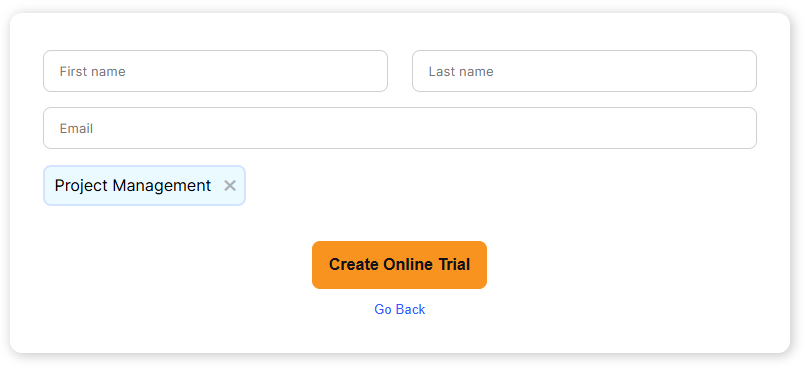
Infowise provides an online trial environment where you can test Ultimate Forms and install templates without touching your production environment.
Pros:
-
No installation required in your tenant
-
Safe sandbox environment
-
Immediate access
-
Ideal for evaluation and experimentation
- No special permissions needed
Cons:
-
Temporary environment (30 days)
-
Not connected to your organization’s data
-
Limited customization scope compared to your own tenant
This is an excellent option for first-time users or those evaluating Ultimate Forms.
2. SharePoint Online Installation
If your organization uses Microsoft 365, you can install Ultimate Forms directly in your SharePoint Online tenant and deploy webinar templates there.
Templates can be installed:
-
Directly from within the Ultimate Forms app
-
From the Infowise website
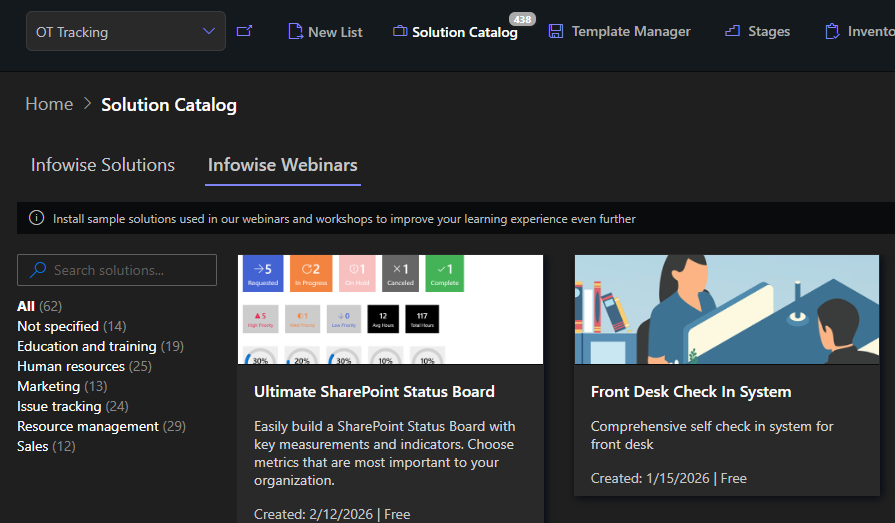
Installing from within the app is typically the fastest method if you are already an Ultimate Forms customers or trial user. It is fully integrated within the app itself under Solutions Catalog. Alongside webinar templates, you can also browse the vast catalog of our pre-built solution templates.
Installing from the website is best for new customers. It will install and start a trial of Ultimate Forms prior to the installation of the template. This turnkey method requires administrative privileges on your SharePoint tenant.
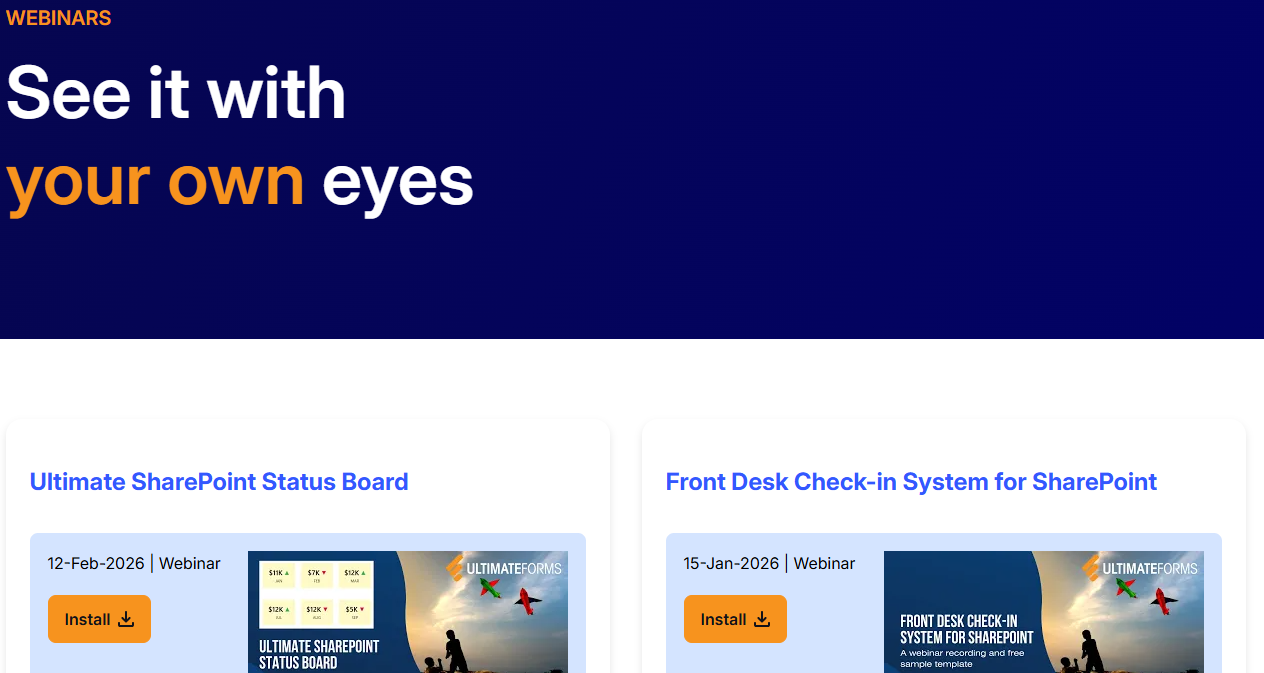
Installing in your own environment can be more beneficial, but sometimes slightly more effort-consuming.
Pros:
-
Full integration with your live SharePoint environment
-
Real-world testing with your own data
-
Full customization flexibility
-
Best option for production-ready solutions
Cons:
-
Requires appropriate permissions
-
Must follow your internal governance policies
For most organizations, this is the preferred deployment approach.
3. On-Premises Installation
We understand that some customers are using SharePoint on-premises with no immediate plans of moving to Microsoft 365. Ultimate Forms works exactly the same both in SharePoint Online and on premises.
Templates can be deployed in on-premises environments directly from within the app.
Pros:
-
Full control over infrastructure
-
Suitable for regulated or restricted environments
-
Works with existing on-premises governance
Cons:
-
Manual updates may require additional coordination
-
No automatic cloud update cycle
This option is particularly relevant for organizations that have not moved entirely to Microsoft 365.
Why the Webinars Matter
Infowise webinars are not just product demonstrations. They are structured learning sessions that show how to turn SharePoint into a practical solution platform.
They help you:
-
Learn faster
-
Avoid common design mistakes
-
Understand best practices
-
See complete solutions in action
-
Reduce implementation time
-
Build confidence
For IT managers, they provide visibility into how Ultimate Forms can reduce reliance on custom development.
For business analysts, they demonstrate how to translate process requirements into working solutions.
For project managers, they show how structured solutions improve visibility and accountability.
For administrators and integrators, they offer repeatable blueprints for deployment.
A Continuous Learning Resource
Because webinars occur every month, the content library continues to grow. Each new session adds another practical example of how Ultimate Forms can be used.
This recurring structure ensures that:
-
New use cases are regularly explored
-
Customers stay up to date
-
Skills continue to develop
-
Knowledge builds over time
The combination of live sessions, recorded access, and installable templates creates a powerful ecosystem for learning and implementation.
Conclusion
Infowise Ultimate Forms webinars offer a structured, accessible path to mastering SharePoint solution building. In just 30 minutes per session, you can see complete, real-world systems come together. With recorded access and installable templates, learning does not stop when the session ends.
Whether you are evaluating Ultimate Forms, expanding your skills, or looking for proven solution blueprints, the webinar series provides ongoing value. It helps you move beyond basic SharePoint lists and toward fully realized business applications, built faster and with greater confidence.
Add your comment