Administrator can create and modify shared style sets for modern forms. The styles can contain any of the following:
- Theme - predefined look and feel for the whole form
- Settings - specific configurations for various parts of the form, such as background image or border colors
- CSS - user-defined CSS classes or a link to an external CSS file
These settings are located within the Global Settings section of the app under Styles. You can create an unlimited number of style sets. All style sets are global and usable across the tenant. Site collection administrators can create, modify and delete style sets.
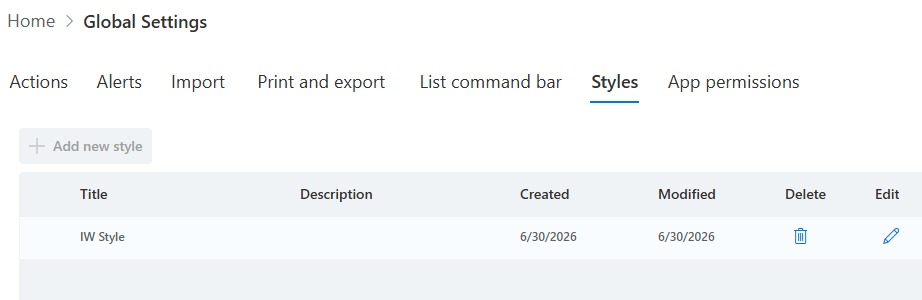
Any user with the permission to edit lists can edit modern forms and select from one of the shared style sets if needed. When editing forms, users can click on the Styles to open the style configuration pane. There they can choose an existing Shared style or configuring styles specific to the current form. When a shared style is selected, form-specific options are hidden.
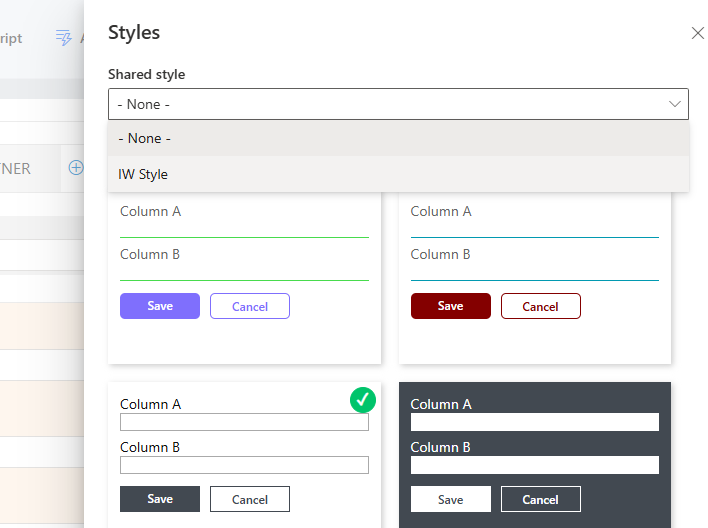
Shared styles override any form-specific styles configured under Styles. They do not however override component-specific conditional style rules.
When using Template Manager, shared style is preserved as long as the template is copied within the same tenant. If copied between tenants, the form will need to be manually configured to use one of the shared styles within the destination tenant or none.
Add your comment



