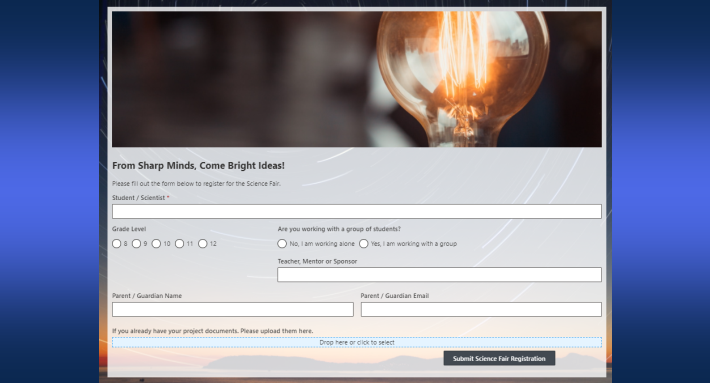
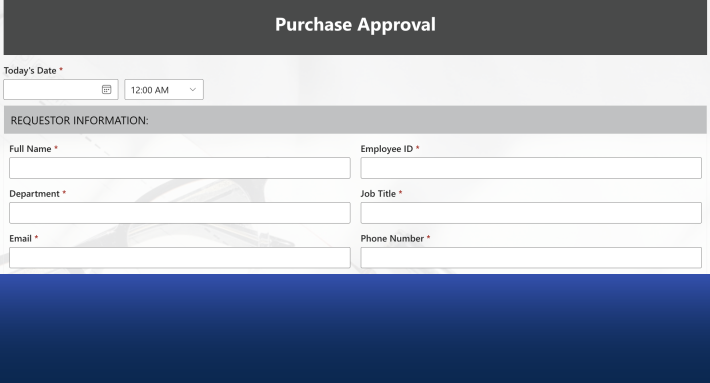
You can run a complete learning management system inside SharePoint, shaped exactly to how your organization teaches. Ultimate Forms adds the pieces SharePoint lacks: personalized dashboards, course and schedule management, testing with instant feedback, role-based experiences for students, teachers, and administrators, and automated communications. No code is involved, and the data never leaves your tenant. This guide covers why a tailored LMS beats a generic one, the capabilities that make it work, and the fastest path to a running system.
One size fits none
Commercial LMS platforms are built for an average organization. Yours isn't average.
An academic institution runs semesters, cohorts, and grading. A corporate training program runs compliance deadlines, role-based curricula, and certifications. A professional development course runs self-paced modules and enrollment windows. A generic LMS forces all three into the same mold, then charges per seat for the privilege.
The tailored approach flips it. SharePoint provides the foundation: document management, permissions, and collaboration your organization already runs on. Ultimate Forms adds the custom layer: responsive forms, automated workflows, and reporting, all configured rather than coded. The LMS that emerges matches your terminology, your structure, and your rules, because you shaped every list and form yourself. And when the program changes next year, the system changes with it, without a vendor request.
There is a cost argument too, and it is not subtle. The platform fee replaces per-learner LMS licensing, the content lives in libraries you already pay for, and the skills to maintain it are SharePoint skills your team already has.
The learner's experience
Two capabilities define how learning feels from the student's side.
Personalized dashboards. Each user sees a dashboard reflecting their own courses, schedules, and progress. Not the catalog, their slice of it. The learner opens one page and knows what is next, what is due, and how far they have come.
Progress tracking. Real-time progress bars and assignment tracking make the learning journey visible. Motivation follows visibility: a learner who can see six of nine modules complete finishes the ninth. One who cannot see anything stalls. The same visibility feeds the teaching side, where slow progress becomes a signal instead of a surprise.
The teaching side
Course and schedule management. Courses are set up once and scheduled flexibly, per student or per group. A cohort can march through a fixed calendar while self-paced learners follow their own. The structure is firm where you need it and loose where you don't, which is precisely what tailored means.
Interactive testing with instant feedback. Test questions link directly to training content, so assessment happens where learning happens. Learners get immediate feedback. Teachers get performance data per question and per student, showing exactly where the material lands and where it doesn't. Educational support gets focused on the gaps instead of spread thin everywhere.
Comprehensive content management. Training materials, videos, and documents live in SharePoint libraries with versioning, metadata, and search. There is one current version of every course document, and it is the one learners find.
The machinery underneath
Roles for everyone. The system serves three audiences through one set of lists. Students access materials and track their progress. Teachers manage courses, assignments, and grading. Administrators oversee the whole operation. Permission rules keep each role inside its lane, a student never sees the grade book, a teacher never touches system settings, without maintaining three separate systems.
Automated communications. Notifications and reminders run themselves: upcoming deadlines, newly published content, incomplete assignments. The manual chasing that consumes training coordinators simply stops. For compliance-driven programs, this is where the value concentrates, because expiring certifications chase their own renewals.
Everything above is configuration in Ultimate Forms. Forms are built in the visual designer, automation is rules on lists, and dashboards assemble from counters and charts. To see the whole construction performed live, watch the LMS webinar, which walks through the build step by step, with the solution downloadable afterward.
What tailoring looks like in practice
Consider a concrete case: annual compliance training for a 400-person company.
The Courses list holds this year's modules. Each employee record generates enrollment automatically, filtered by role, because warehouse staff and finance staff need different modules. Every learner's dashboard shows their own list, with due dates set from their hire anniversary.
The learner works through the material in SharePoint libraries. After each module, a short test checks understanding. A pass marks the module complete and updates the progress bar. A fail routes the learner back to the material, with the specific weak questions flagged.
Behind the scenes, reminders escalate. Two weeks before the deadline, the learner gets a nudge. One week before, their manager is copied. Overdue, and the compliance officer sees it on the dashboard, which also feeds the audit report: completion percentage by department, live, on the day the auditor asks.
Now notice what was tailored. The role-based module assignment. The anniversary-based deadlines. The escalation ladder. The audit view. No commercial LMS ships with your escalation ladder. Here, each was a rule someone in HR configured in an afternoon.
The same skeleton reshapes freely. A university swaps anniversary deadlines for semester dates. A consultancy swaps compliance modules for billable-skills certifications. The lists and rules change. The platform does not.
Growing beyond the basics
A tailored LMS keeps absorbing requirements that would be add-on purchases elsewhere.
Completion certificates are a natural next step: a print template renders a branded certificate the moment a course is passed, filed to the learner's record and emailed automatically, using the same document generation that powers any other SharePoint output.
External learners fit too. Partners, contractors, or customers can enroll and submit through public forms without accounts in your tenant, which turns the internal LMS into a customer academy at no extra platform cost.
Rosters arrive on their own. An import profile pulls new-hire lists from HR exports on a schedule, so enrollment tracks headcount without anyone maintaining it.
And the training program connects to the processes around it: onboarding checklists create training tasks, completed certifications update the employee record, and expiring ones raise alerts months ahead. The LMS stops being an island, because it was never a separate system to begin with.
Getting started
The path from nothing to a working LMS is short.
Install the platform. The installation wizard handles deployment. For SharePoint Online, enter your site URL and choose installation across all sites or specific site collections; the wizard manages permissions and feature activation. For on-premises, an executable walks you through setup with sensible defaults.
Learn the basics fast. Kickstart Training covers site setup, list creation, and form building in step-by-step tutorials, and the Form Designer guide gets your first form built in one sitting.
Start from what exists. The Employee Training template provides a working foundation for corporate programs, and the webinar solution provides the full LMS structure. Adapt rather than build; it is faster and teaches the patterns.
Deeper dives are one link away: the complete LMS build covers the full construction in detail, and for educational institutions specifically, ten ways SharePoint enhances education widens the picture beyond the LMS. Supporting all of it: free webinars, tutorials, and instructor-led training.
Start with one course and one cohort. Let the progress bars, the automatic reminders, and the first clean completion report make the case for the rest of the program. A tailored LMS is not a bigger project than adopting a commercial one. It is usually a smaller project with a better fit.
Frequently asked questions
Add your comment