Forms
Actions
Alerts
Associated Items
Connected Lookup
Print
Import
Signature
External Data Lookup
Calendar
Rollups
Charts
Counters
List Search
Filters
Item IDs
Color Choice
User Property
Document Link
Voting
Stay in the know
Get helpful videos
Color-code SharePoint lists without JSON formatting: colored rows, icons, KPIs, progress bars, and countdowns, applied to every view. No code needed.

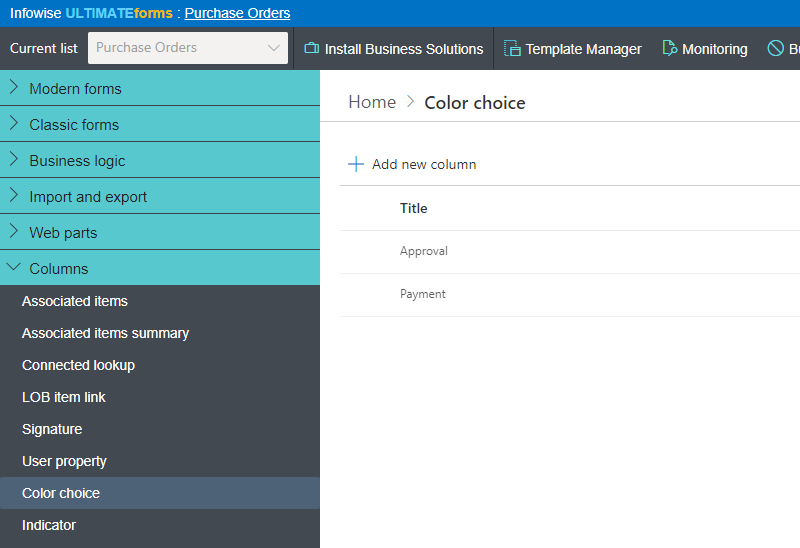
Ultimate Forms: Color Choice adds visual status to SharePoint lists without JSON formatting or code. Two column types do the work: Color Choice colors rows, values, and choices and assigns icons, while Indicator renders data-driven KPIs, progress bars for numbers and dates, and live countdowns. Configure once and the visuals apply to every view automatically, and existing Choice columns convert in place.
A list tells you what is there. Color tells you what needs you, in the half second before you read a single word.
The JSON formatting problem
Modern SharePoint can conditionally format columns, if someone maintains JSON snippets per column, per view, and keeps them working as views multiply. That puts a designer's task in a developer's format, which is why most lists stay monochrome and most status columns stay invisible until read. The difference color makes is not cosmetic: it is 200 items answering "which ones need attention" in two seconds.Color Choice moves the whole job into column settings: pick values, pick colors, done, everywhere.
What Color Choice can do
Status you can see across the room
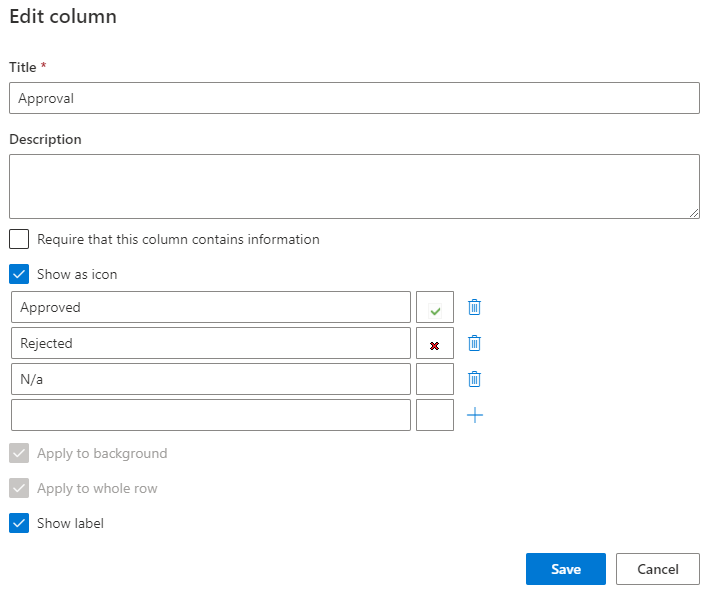
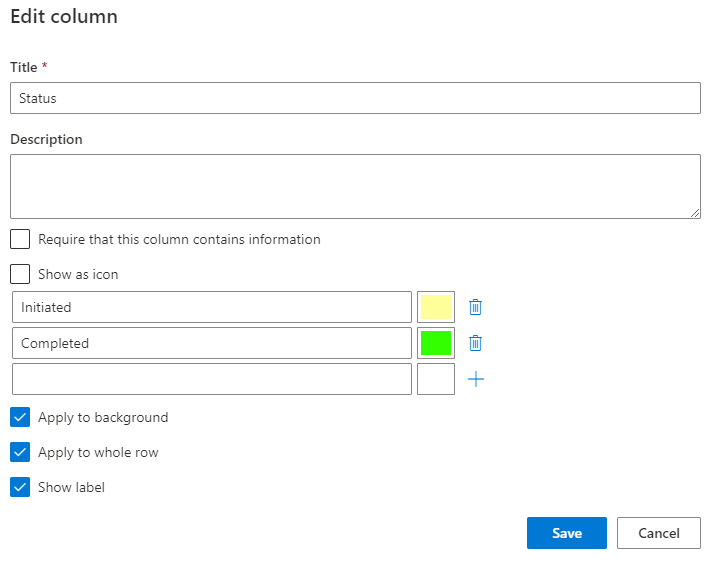
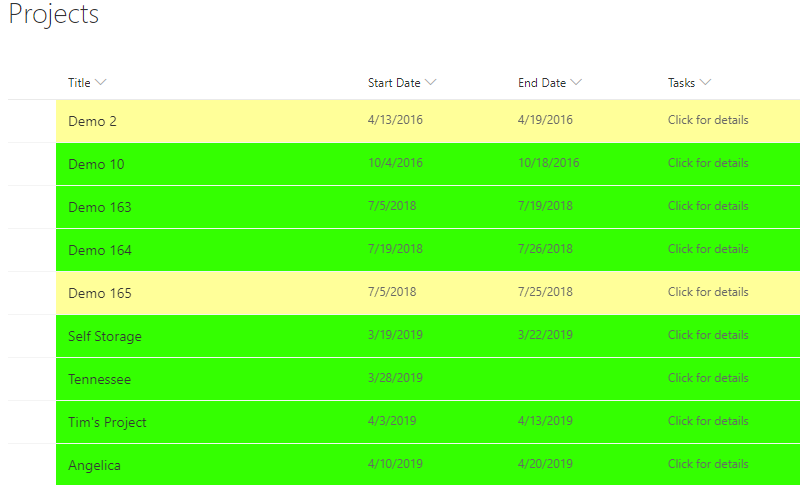
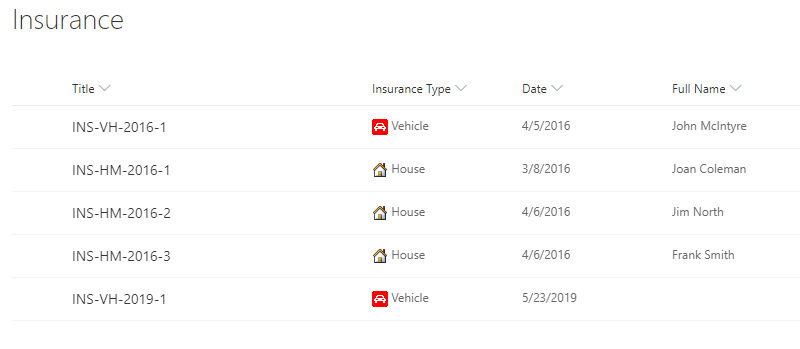
Assign a color to every choice value, and the color applies to the value, the column, or the entire row, so an overdue item glows red across the whole line, not in one cell. Add icons to choice values for meaning that survives even in cramped views. Configuration is a dropdown exercise: no JSON, no formatting pane archaeology, no code.Numbers that explain themselves
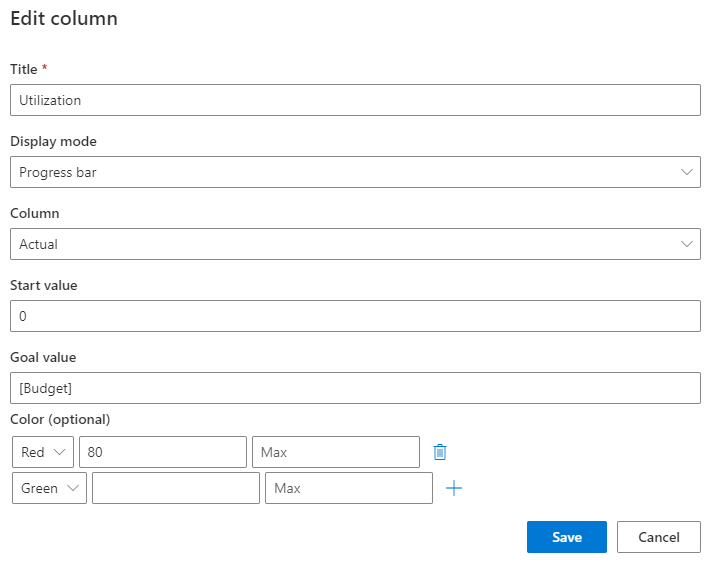
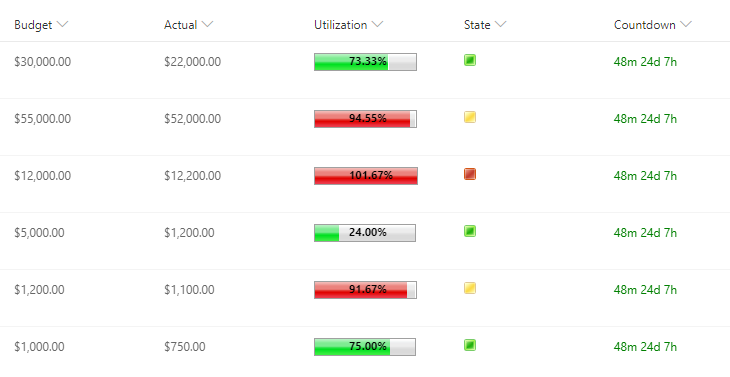
The Indicator column turns raw values into instant reading: data-driven KPIs that switch state on your thresholds, progress bars for numeric and date/time values, and dynamic countdowns that tick toward, or past, a deadline. A budget column becomes a bar filling toward its limit; a due date becomes "3 days left" that turns urgent on its own.Configured once, visible everywhere
Visuals integrate into regular SharePoint views and apply to all of them automatically, with no per-view conditional formatting to build or maintain. New views inherit the coloring the moment they are created, and cross-browser support means everyone sees the same signals.A citizen of the platform
Convert to and from regular Choice columns, so adopting color on an existing list is a swap, not a migration. Color Choice works alongside Alerts, Print, Associated Items, and List Search, and it is the per-item layer of the same visual language your calendars and charts speak on dashboards.Compared with Native SharePoint
| Ultimate Forms | Native SharePoint | |
|---|---|---|
| Color-code items in views and display forms | ✓ |
|
| Assign icon to choice values | ✓ |
|
| KPIs, progress bars and dynamic countdowns | ✓ |
|
| Applied to all views | ✓ |
|
| Convert to and from regular Choice fields | ✓ |
|
| Compatible with Alerts, Print and Associated Items | ✓ |
|
| Localized into English, French, Spanish and German | ✓ |
✓
|
Where teams use it
Ticket queues where priority is a color before it is a word, on the Help Desk template. Project lists with progress bars per deliverable. Contract registers counting down to renewal. Quality logs where a red row is a summons. Across the 450+ templates in the Solution Catalog, Color Choice is why the lists read at a glance.Frequently asked questions
Q: Can I color-code a SharePoint list without JSON formatting?
A: Yes. Color Choice assigns colors and icons to choice values through column settings alone, with no JSON, no formatting snippets, and no code.
Q: Can the whole row be colored, not just one cell?
A: Yes. Colors can apply to the value, the column, or the entire row, making status visible across the full line.
Q: Can I show a progress bar in a SharePoint list?
A: Yes. The Indicator column renders progress bars for numeric and date/time values, plus data-driven KPIs with your own thresholds.
Q: Can a list show a countdown to a deadline?
A: Yes. Dynamic countdowns count to and from any date, updating automatically as the deadline approaches or passes.
Q: Do the colors apply to every view?
A: Yes. Visuals apply to all views automatically, including views created later, with nothing to configure per view.
Q: Can I convert an existing Choice column?
A: Yes. Color Choice converts to and from regular Choice columns, so existing lists adopt color in place.
Screenshots