Sooner or later, every organization building solutions inside the Microsoft ecosystem hits the same fork in the road. The process is defined, the team is ready, and then someone asks the architecture question: should this live in SharePoint, or in Dataverse?
Both are Microsoft platforms. Both store business data. Both promise a foundation for forms, workflows, and applications. Yet they are profoundly different products with different strengths, different costs, and different ideal use cases. Choosing wrong can mean overpaying for simplicity or outgrowing your foundation mid-project. Here is an honest comparison, followed by a look at how Ultimate Forms helps you deliver solutions on either foundation, or both at once.
The case for SharePoint
You already have it. SharePoint comes with virtually every Microsoft 365 subscription. Every employee already has access, already has a login, and already uses it for documents and intranet content. A solution built on SharePoint requires no new data platform licensing and no per-user premium to view or submit a request. For processes that touch everyone in the organization, such as leave requests, help desk tickets, or policy acknowledgments, this alone is often decisive.
It is approachable. Lists and libraries are concepts business users understand in minutes. An administrator or power user can create a list, add columns, and have a working data store before lunch. That accessibility is why so many real business processes already live in SharePoint lists today, even without anyone calling them "applications."
Documents are first-class citizens. SharePoint is the best document management platform Microsoft has ever built. Versioning, metadata, retention, co-authoring, and search are native. Most business processes produce or consume documents: contracts, reports, certificates, attachments. In SharePoint, the process and its paperwork live together.
It works on-premises too. Organizations with data residency requirements or regulatory constraints can run SharePoint Server in their own data centers. Dataverse is cloud-only.
The trade-offs. SharePoint is not a relational database. Lookups between lists exist but are limited compared to true relational joins. Very large lists require careful design around view thresholds and indexing. Complex many-to-many data models, transactional integrity across tables, and row-level security at database depth are not what lists were designed for. You can push SharePoint surprisingly far, but a solution that is fundamentally a relational database application will eventually feel the strain.
The case for Dataverse
It is a real relational database. Dataverse gives you proper tables, relationships, cascading behaviors, and server-side business rules. Data types are rich and strongly enforced. If your solution has dozens of interrelated tables, complex integrity requirements, and high row volumes, Dataverse handles structures that would require creative workarounds in SharePoint.
Enterprise-grade data security. Dataverse offers a layered security model with row-level and field-level control driven by business units, roles, and hierarchies. For scenarios like case management across regional divisions, where who can see which record follows the org chart, this model is genuinely powerful.
It is the native home of the Power Platform and Dynamics. Model-driven Power Apps, Dynamics 365, and Copilot capabilities are built directly on Dataverse. If your organization is invested in Dynamics, your customer and operational data may already live there.
The trade-offs. The first is cost. Dataverse consumption requires premium Power Platform licensing, and the per-user, per-app pricing multiplies quickly across an organization. A process that every employee touches becomes expensive fast. The second is complexity: designing Dataverse tables, security roles, and model-driven apps is real solution-architecture work. The "citizen developer" who was promised a low-code experience often finds a steep learning curve instead, and the project lands back with IT or a consulting partner. Third, documents are an afterthought; Dataverse typically stores files by delegating them to SharePoint anyway. And finally, everything is cloud-only and tightly coupled to Power Platform licensing decisions you may not control.
So which one?
A practical rule of thumb: match the platform to the shape of the problem, not to the marketing.
Choose SharePoint when the process is people-centric and document-heavy, when everyone in the organization needs to participate without new licenses, when speed of delivery matters, and when the data model is a handful of related lists rather than a deep relational schema. That describes the overwhelming majority of everyday business processes: requests, approvals, tracking, registers, inspections, onboarding, and reporting.
Choose Dataverse when the solution is fundamentally a database application: complex relational data, strict integrity requirements, org-hierarchy security, or a tight coupling with Dynamics 365. These are real needs in the scenarios that have them, and Dataverse serves them well.
And accept that many organizations legitimately end up with both. Customer master data in Dataverse because Dynamics owns it, and thirty operational processes in SharePoint because that is where the people and documents are. The interesting question then becomes: how do you build well in that mixed reality?
Where Ultimate Forms comes in
Ultimate Forms was built to turn SharePoint into a complete business solution platform, and it closes exactly the gaps that push teams toward heavier alternatives.
On SharePoint, it removes the ceiling. Plain lists become full applications:
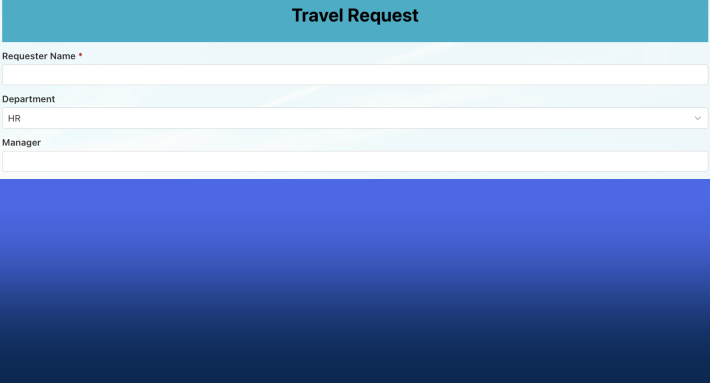
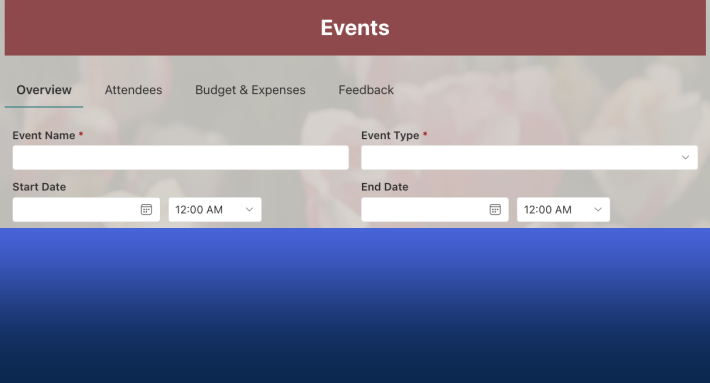
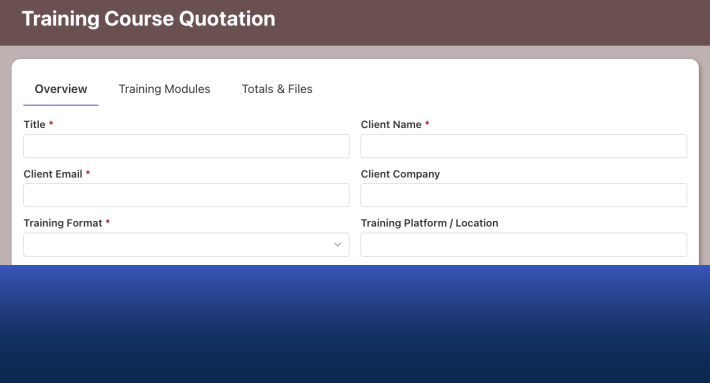
- Forms with tabs, conditional sections, validation rules, and electronic signatures
- Approval processes with multiple stages, conditional approvers, and escalation
- Automated Actions that create items, send emails, and update records
- Alerts with schedules and custom templates
- Documents generated from Word templates
- Dashboards with counters and charts reading live list data
- Column-level and tab-level permission rules add the fine-grained visibility control that raw lists lack
- Structured relationships through Associated Items handle parent-child data like order lines or checklist items cleanly.
All of it is configured in the browser by power users, with no code and no reliance on developers. With 450+ free templates in the Solution Catalog, most solutions start from a working example rather than a blank list.
On Dataverse, it builds the user interface the platform is missing. Through data connections, Ultimate Forms creates a true, fully functional user interface directly on Dataverse tables, relationships included.
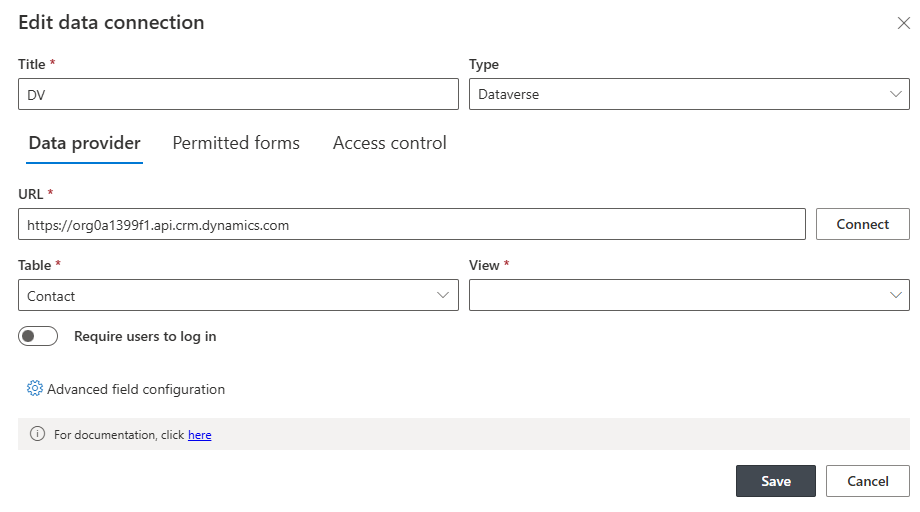
You design the forms and views in the same Form Designer used for SharePoint solutions: tabs, conditional sections, validation, permission rules, and related records handled through the table relationships you already defined in Dataverse. Users create, edit, and browse Dataverse records through polished, purpose-built forms instead of a generic data grid or a model-driven app that took a consultant to assemble.
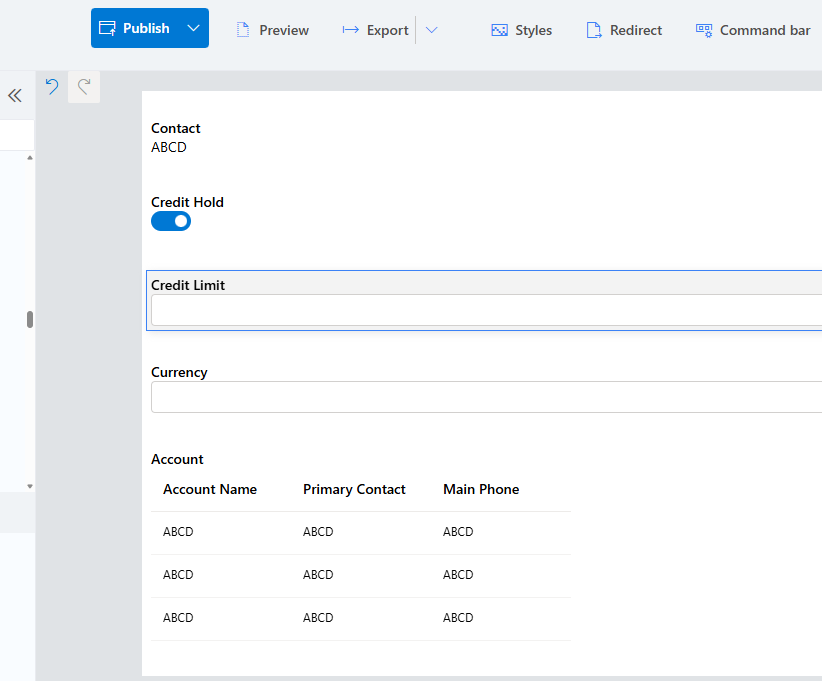
And you choose where that interface lives. The same Dataverse-connected forms can be embedded inside your SharePoint pages, sitting naturally alongside the rest of your intranet and process content, or run standalone when SharePoint isn't part of the picture. That flexibility resolves the classic hybrid dilemma cleanly. Dataverse remains the system of record for the relational core, typically customers, assets, or cases managed alongside Dynamics, while your people work through one consistent, easy interface: SharePoint lists and Dataverse tables, side by side, built with the same tool and the same skills. One Form Designer, two data platforms, and no need to master a second development stack just because your data spans both.
This hybrid approach also de-risks the architecture decision itself. Because the process layer is configuration rather than code, moving or extending it later is a matter of adjusting settings, not rewriting an application.
The bottom line
SharePoint and Dataverse are not rivals so much as tools for different jobs. Dataverse is a strong relational backbone for database-shaped problems and Dynamics-centric data. SharePoint is the fastest, most inclusive, most document-friendly home for the everyday processes that make up most of the work in any organization.
Ultimate Forms makes the SharePoint side of that equation dramatically more capable, and gives the Dataverse side something it has always lacked: a fully functional user interface your own team can build, embed in SharePoint pages, or run standalone. Whichever foundation your next solution needs, the interface and process layer can be easy, fast, and built without developers.
See it for yourself: install a free trial, start from a template, or book a demo and bring your architecture question with you.
Add your comment