A Better SharePoint Calendar
A SharePoint calendar can be an essential tool for coordinating schedules, events, projects, training, meetings, vacations, customer visits, deadlines, and other activities. Unfortunately, organizations that try to build a serious scheduling solution discover that the standard out of the box SharePoint calendar experience is very basic with very little functionality. The out-of-the-box options provide basic calendar functionality but few of the advanced features businesses expect from a modern scheduling application.
Organizations often want to keep calendar information inside SharePoint while adding features such as color-coded events, custom forms, filtering, email reminders, multiple views, icons, and Gantt charts. Building these capabilities from scratch can require significant development effort. Infowise Ultimate Forms Custom Calendar provides a much more powerful alternative by transforming SharePoint data into a feature-rich calendar designed around real business requirements.
Go Beyond the Basic SharePoint Calendar
Microsoft SharePoint is an excellent platform for storing and collaborating around business information, but its calendar capabilities are basic. This may be sufficient for displaying a small number of events, but the limitations become obvious when a calendar needs to support an actual business process. Organizations quickly need functionality that simply isn't available with a basic calendar.
Ultimate Forms fills this gap with a much richer custom SharePoint calendar. Instead of replacing SharePoint, it expands what organizations can accomplish with their existing SharePoint data. The result can range from a simple company calendar to a sophisticated scheduling, project management, or resource planning application.
Display Event Details with Hover Pop-Ups
One of the biggest challenges with any calendar is limited screen space. A monthly calendar may contain dozens or hundreds of events, but there isn't enough room to display all of the information associated with each one. Showing too much makes the calendar unreadable, while showing too little forces users to repeatedly open individual events.
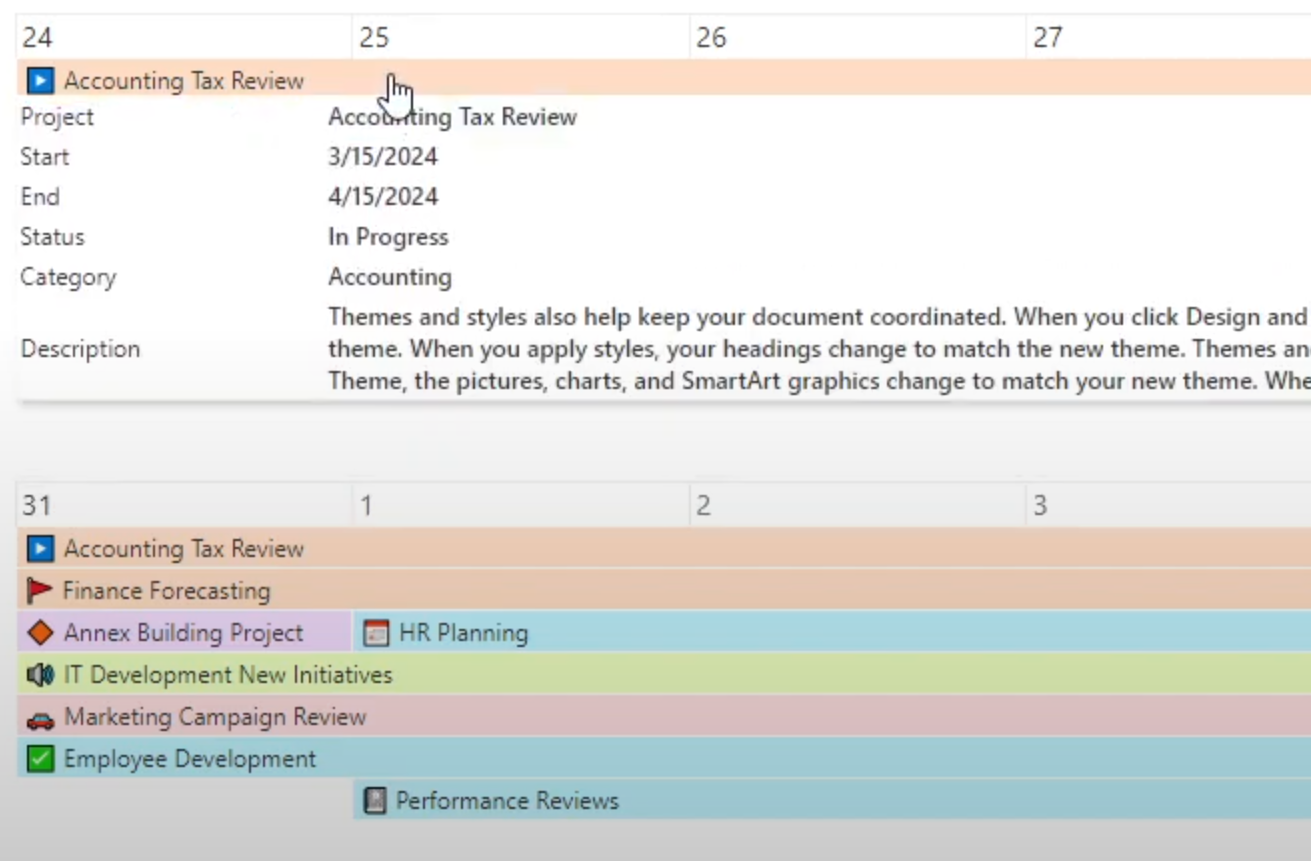
Ultimate Forms solves this problem with pop-up hover boxes that provide additional event details without requiring users to leave the calendar. Users simply hover over an event to see more information while the main calendar remains clean and easy to read. This becomes especially useful for busy calendars containing large numbers of events.
Create a Color-Coded SharePoint Calendar
Color coding is one of the easiest ways to make a calendar more useful. When every event looks the same, users must read individual titles to understand what is happening. Ultimate Forms allows events to be color coded according to categories or other business criteria.
An employee scheduling calendar, for example, might use different colors for vacation, training, business travel, customer visits, and company meetings. The same concept can be applied to project calendars, facilities scheduling, training programs, and departmental events. Users can understand the schedule at a glance instead of treating every event as an identical calendar entry.
Build Custom Calendar Forms
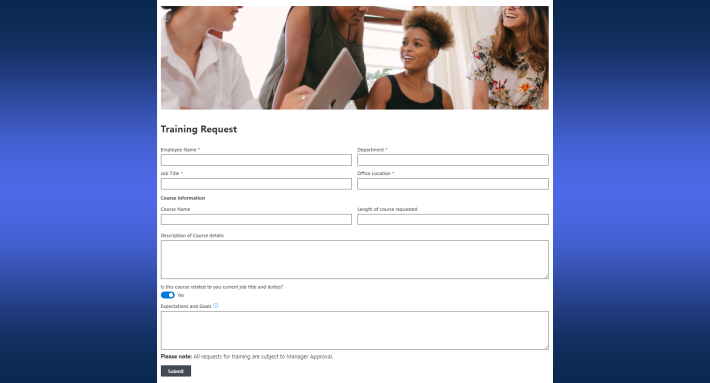
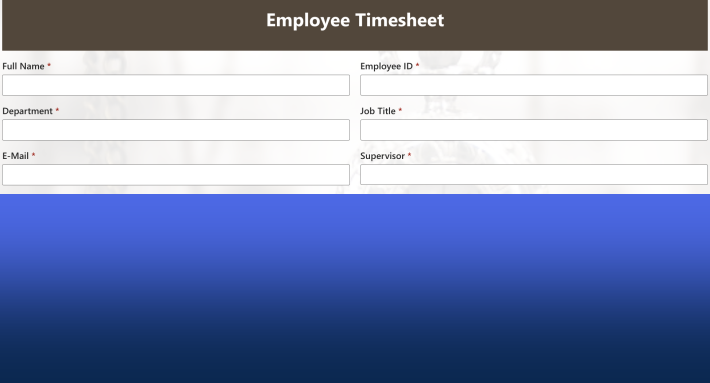
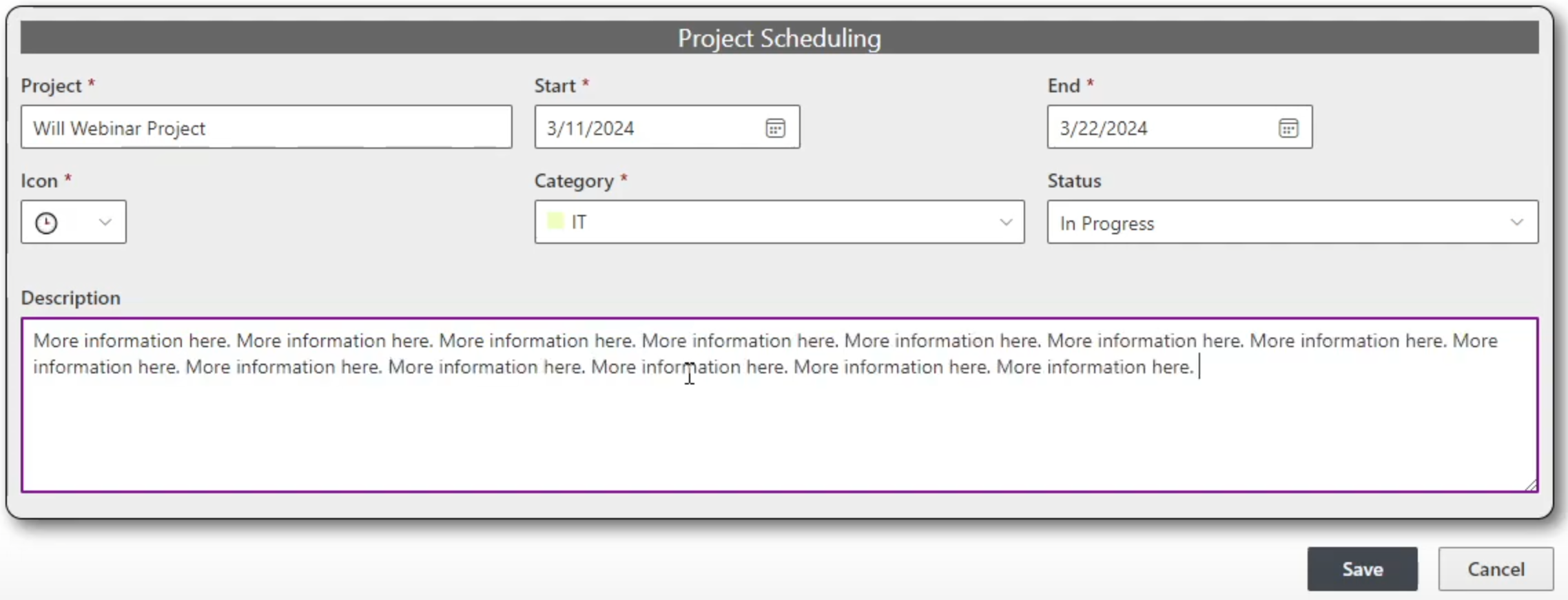
The calendar view is only one part of an effective scheduling application. Users also need an efficient way to enter, edit, and review information associated with each event. Ultimate Forms combines its calendar with powerful custom form-building capabilities.
Organizations can create event forms containing exactly the information required by their business process. A simple company calendar might need only a handful of fields, while a project management or facilities scheduling application could require considerably more information. This flexibility allows a custom SharePoint calendar to become part of a complete business application instead of simply displaying dates.
Use Gantt Charts for Project Scheduling
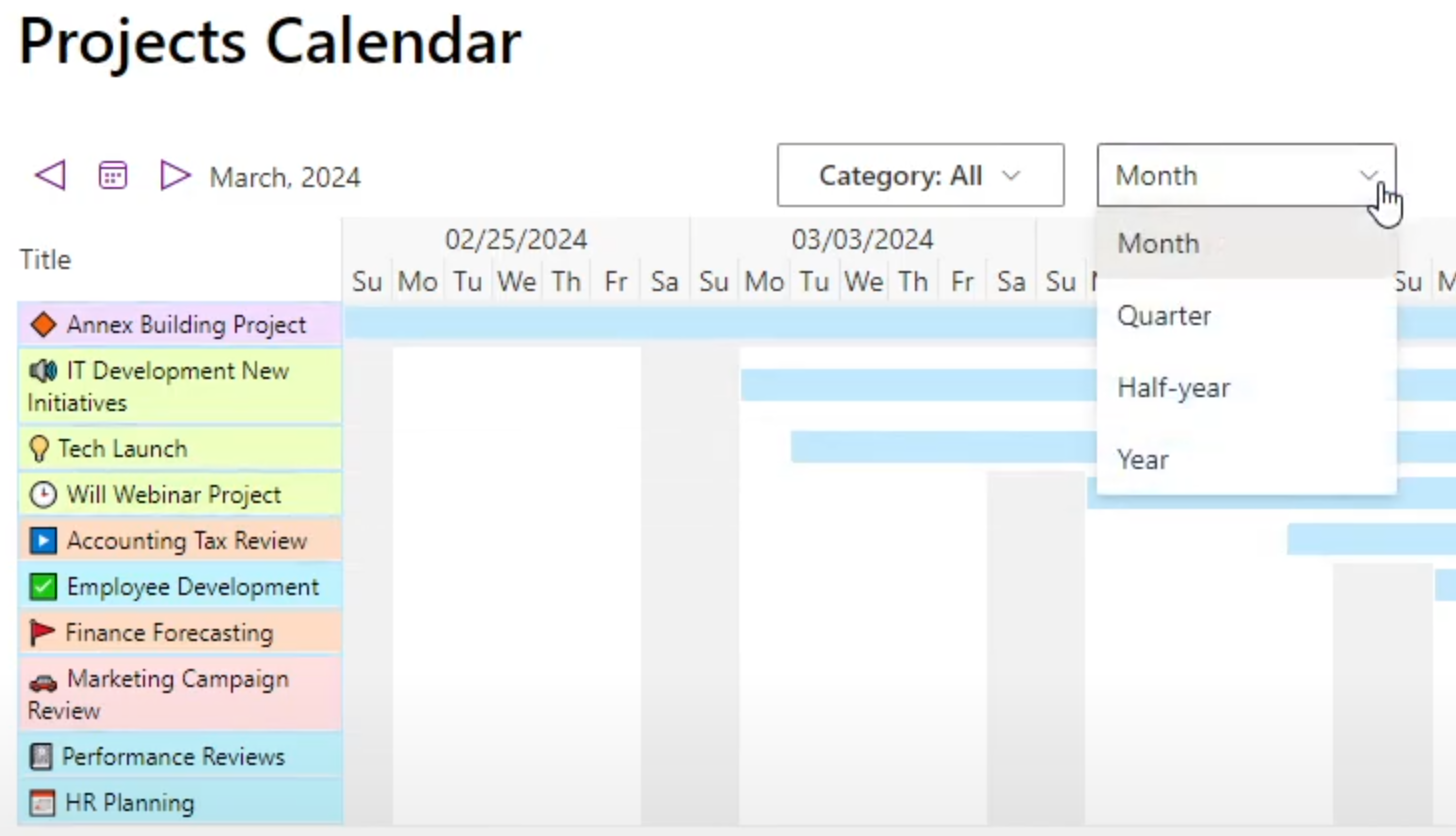
A traditional calendar isn't always the best way to visualize scheduled information. Project managers often need to compare activities across a timeline rather than simply see which events occur on a particular date. Ultimate Forms includes Gantt chart capabilities that provide this broader perspective.
Projects, phases, assignments, and other scheduled activities can be compared side by side, making it easier to understand timelines, overlaps, and upcoming work. Ultimate Forms also includes additional charting capabilities, giving organizations multiple ways to visualize SharePoint information. This provides significantly more flexibility than relying on a standard calendar view alone.
Search and Filter Busy Calendars
A calendar containing a handful of events is easy to navigate, but a company-wide calendar containing hundreds of entries can quickly become overwhelming. Without effective search and filtering, users spend too much time scanning information that isn't relevant to them. This limits the usefulness of large shared calendars.
Ultimate Forms provides search and filtering capabilities that allow users to quickly narrow the calendar to the information they need. Calendars containing events for multiple departments, locations, projects, or categories can be filtered to show only relevant information. Users can start with an organization-wide view and then focus on the events that matter to them.
Send Automated Email Notifications
Putting an event on a calendar doesn't guarantee that people will remember it. Meetings, deadlines, training sessions, inspections, renewals, and other important activities frequently require proactive reminders. Ultimate Forms can combine calendar functionality with customizable email alerts to notify users automatically.
Notifications can be configured around the requirements of the business process, including messages sent before an event occurs. This can help reduce missed appointments, forgotten deadlines, and other scheduling problems. Instead of relying entirely on users to check the calendar, the calendar can actively support the process.
Display More Events on Busy Days
Busy calendars may contain many events on the same day. When only a few events are displayed by default, important information can become hidden and users may not realize how much activity is actually scheduled. This can be especially problematic with organization-wide calendars.
Ultimate Forms can display up to ten events per day on the default calendar screen, with additional events available by expanding the day. Users get a much more complete picture of the schedule without constantly clicking to reveal hidden information. For heavily used calendars, this seemingly simple improvement can make a significant difference.
Add Custom Icons to Events
Ultimate Forms also supports custom icons for event categories, providing another visual way to organize calendar information. Different icons can represent meetings, training, travel, customer visits, deadlines, maintenance, holidays, or virtually any other type of activity. This allows users to identify events more quickly.
Combining icons with color coding creates an especially effective visual calendar. Users can understand much of the schedule before reading every event title. These customization options help transform a generic SharePoint calendar into a calendar designed specifically for an organization's needs.
Choose from Multiple Calendar Views
Different scheduling tasks require different perspectives. Someone planning today's activities may want a detailed daily view, while a manager may need to review an entire quarter or year. A project manager may prefer a Gantt chart showing activities across a timeline.
Ultimate Forms supports daily, weekly, monthly, quarterly, half-year, yearly, and Gantt views. Users can switch between views depending on what they are trying to accomplish. These options make the same calendar useful for immediate scheduling as well as long-range planning.
Combine Multiple Data Sources
Business scheduling information is not always stored in one SharePoint list. Organizations may have several lists containing different types of events or need to incorporate information from Exchange or other systems. Maintaining separate calendars for every source can make it difficult for users to understand the complete schedule.
Ultimate Forms calendars can connect to SharePoint lists, Exchange, and custom data sources. Multiple sources can be incorporated into a single calendar so related scheduling information appears together. This allows the calendar to function as a centralized scheduling dashboard rather than simply displaying information from one list.
Connect Tasks and Related Items to Events
Business events frequently involve more than a date and time. Tasks may need to be completed beforehand, responsibilities assigned to employees, or follow-up activities performed afterward. A basic calendar provides little support for managing these related activities.
Ultimate Forms includes Associated Items functionality that can connect related information, such as tasks, with calendar events. This is particularly useful for project management, training coordination, inspections, maintenance, and event planning. Users can manage both when something is happening and the work required to make it happen.
Turn Your SharePoint Calendar into a Business Application
The greatest advantage of Ultimate Forms Custom Calendar is not one individual feature. It is the ability to combine advanced calendar capabilities with custom forms, notifications, automation, related information, and other Ultimate Forms functionality. Together, these features can transform a simple SharePoint calendar into a complete business application.
A single solution can include color-coded events, custom icons, hover details, custom event forms, search, filtering, automated notifications, multiple calendar views, Gantt charts, connected data sources, and related tasks. Ultimate Forms can also support broader business processes involving approvals, assignments, communications, and automated actions. Instead of simply recording that an event exists, the application can help manage everything that needs to happen around it.
Build Calendars for Almost Any Business Need
Ultimate Forms Custom Calendar can support many different types of business solutions. Human Resources can build calendars for employee leave, company events, and training, while project teams can track milestones and schedules. Facilities teams can coordinate maintenance, reservations, inspections, and resources, while sales and service departments can manage customer visits and appointments.
Each application can have its own forms, categories, icons, colors, notifications, views, filters, and business logic. Organizations aren't forced into a one-size-fits-all scheduling system. Most importantly, they can continue using SharePoint as the foundation for their business information while adding the calendar functionality they actually need.
A Feature-Rich SharePoint Calendar
Organizations looking for a better SharePoint calendar don't necessarily need to abandon SharePoint or build a custom scheduling application from scratch. In many cases, they simply need to add the functionality missing from the standard calendar experience. Ultimate Forms Custom Calendar provides those additional capabilities while remaining integrated with SharePoint.
The difference between the two experiences is substantial. Instead of a basic calendar that primarily displays events, Ultimate Forms provides color coding, icons, hover information, custom forms, search and filtering, automated notifications, multiple views, Gantt charts, multiple data sources, related tasks, and other advanced capabilities. These features make it possible to support real-world business requirements that are difficult to address with the basic SharePoint calendar alone.
For organizations that depend on SharePoint but need a truly feature-rich scheduling solution, Infowise Ultimate Forms Custom Calendar provides the flexibility to build it. From a simple team calendar to a sophisticated scheduling and collaboration application, Ultimate Forms makes it possible to build a much better SharePoint calendar.
Frequently asked questions
Add your comment