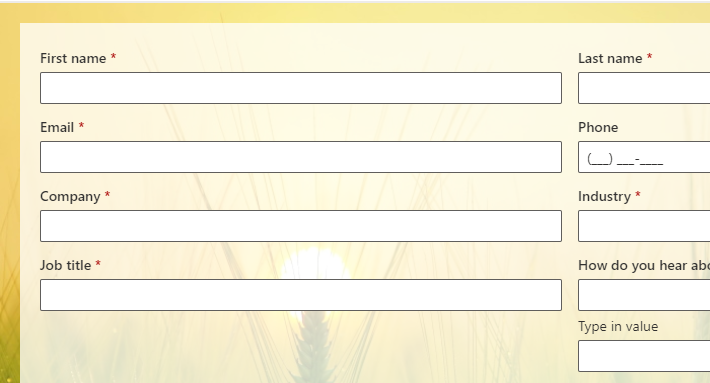
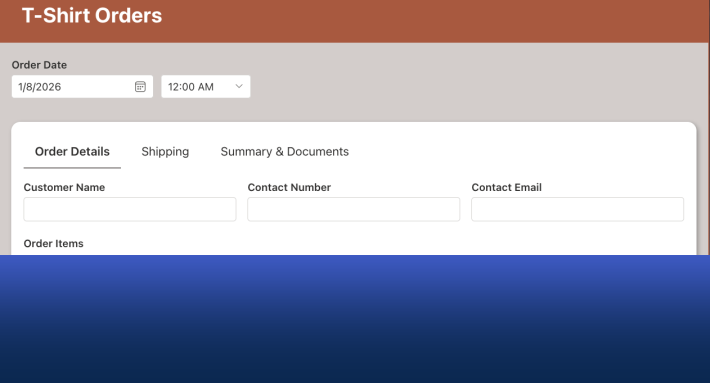
Organizations receive important business information from many sources every day. Emails arrive with requests, documents contain data that needs to be recorded, and external users send updates that must be entered into internal systems. In many cases, this information eventually needs to end up in SharePoint lists where teams can track, analyze, and act on it.
Unfortunately, the path from incoming information to structured SharePoint data is often manual. Staff members read emails, open attachments, copy information, and then type the data into list columns. This process is slow, repetitive, and prone to errors.
The Import feature in Infowise Ultimate Forms was designed to solve this problem. It allows organizations to automatically capture information from external sources and insert it directly into SharePoint lists. With simple configuration, incoming messages and documents can trigger updates to list items without manual intervention.
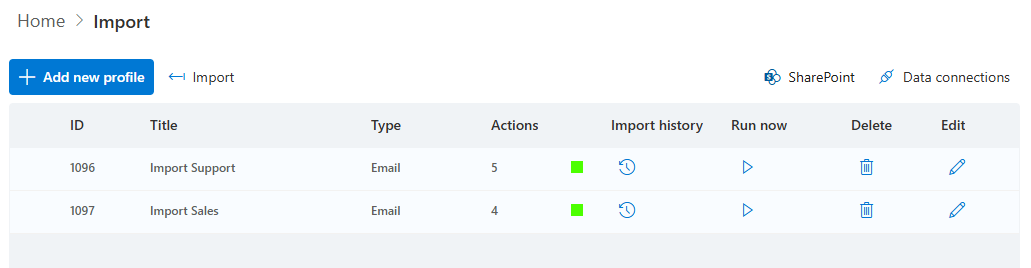
The newest addition to the Import capability is the Immediate polling schedule. It allows the system to react to new emails within seconds. This enhancement makes it possible to build solutions that respond almost in real time while still maintaining the simplicity and flexibility that Ultimate Forms is known for.
The Role of Automated Data Import
SharePoint is often used as the central repository for operational data. Teams rely on lists to track processes such as:
-
Customer service requests
-
Compliance reports
-
Vendor communications
-
Incident notifications
-
Document submissions
-
Inspection results
However, the information that drives these processes frequently originates outside SharePoint. It may come from customers, partners, field workers, or automated systems.
The Import feature bridges this gap by transforming incoming data into structured SharePoint list items or updates. Instead of manually entering information, administrators can configure rules that automatically capture and map data to the correct columns.
This ensures that SharePoint remains the central source of truth while reducing administrative effort.
How the Import Feature Works
At its core, the Import feature listens or polls for incoming email messages or 3rd party data items. Once ingested, it extracts the relevant information. The system processes the content and inserts or updates the data into the appropriate SharePoint list columns.
The import process can perform tasks such as:
-
Creating new list items
-
Updating existing items
-
Extracting values from email content
-
Reading attachments
-
Mapping values to specific columns
The entire configuration is performed through a visual interface inside Ultimate Forms. Administrators define how incoming information should be interpreted and where it should be stored.
No coding is required.
Immediate Polling with Exchange Online
The newest enhancement to the Import feature is the Immediate polling schedule option.
Traditionally, systems that process incoming emails check the mailbox at scheduled intervals. Depending on the schedule, this could introduce delays between when a message arrives and when it is processed.
With Immediate polling, Ultimate Forms works differently. Instead of waiting for periodic checks, the system subscribes to notifications from Exchange Online. When a new email arrives in the monitored mailbox, Exchange (almost) immediately notifies Ultimate Forms.

As a result, the Import process begins almost instantly.
New messages can be processed and converted into SharePoint list updates within seconds.
This capability enables near real-time responsiveness while maintaining a simple configuration model.
Why Real-Time Responsiveness Matters
Many business processes benefit from immediate data processing. When new information arrives, organizations often need to react quickly.
Examples include:
-
Customer service tickets
-
Incident reports
-
Support requests
-
Sales inquiries
-
Equipment alerts
In these scenarios, delays in processing incoming messages can slow down response times.
Immediate polling allows SharePoint solutions built with Ultimate Forms to react almost instantly. As soon as an email arrives, the system can capture the information, create a list item, trigger automatic responses or notifications, and begin the appropriate workflow.
This significantly improves operational responsiveness.
Real World Scenario: Customer Support Requests
Consider a company that receives customer support requests by email.
Without automation, a staff member might need to monitor the inbox, read each message, and manually create a ticket in SharePoint. This process can introduce delays, especially during busy periods.
Using the Import feature, the system can automatically:
-
Monitor the support mailbox
-
Capture incoming messages
-
Create a new ticket item in the SharePoint list
-
Extract key information such as subject, sender, and message content
- Automatically assign category and route to the appropriate team
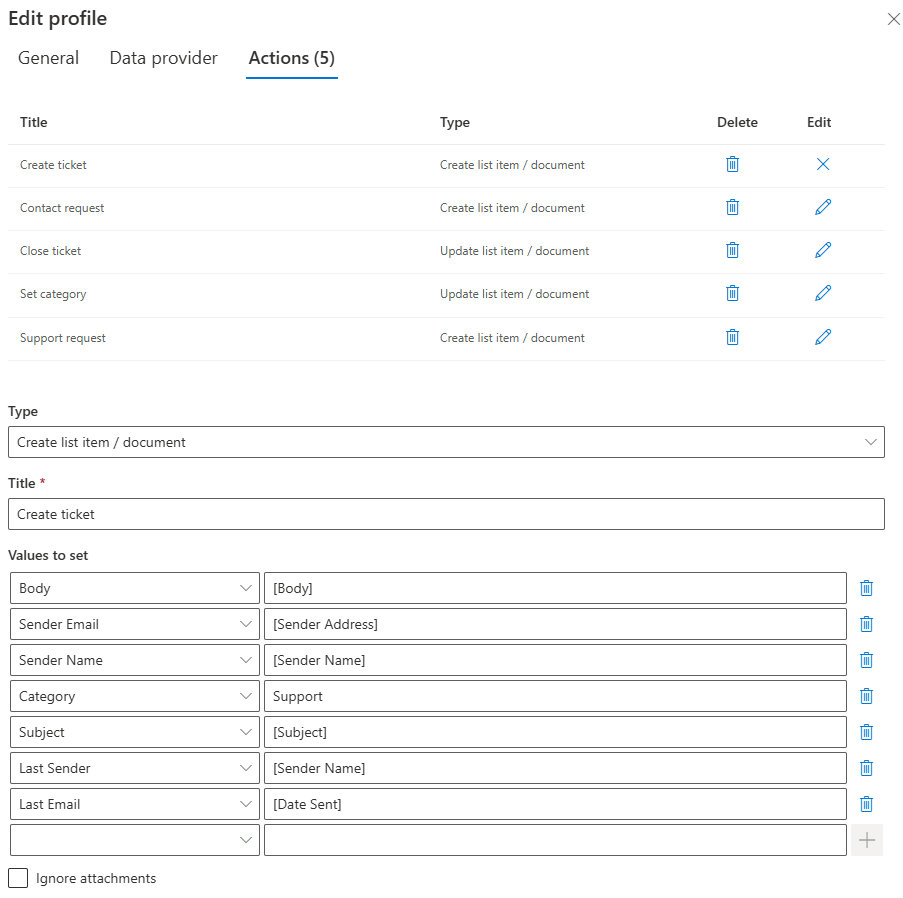
With Immediate polling enabled, the ticket appears in the SharePoint system within seconds of the email arriving.
Support teams can begin responding immediately, improving service levels and customer satisfaction.
Real World Scenario: Field Inspection Reports
Field inspectors often send reports or updates by email after completing site visits.
These reports may include information such as:
-
Location
-
Inspection results
-
Observations
-
Attachments or photos
Instead of manually entering the data into SharePoint, the Import feature can read the email content and create an inspection record automatically.
The SharePoint list becomes the central repository for all inspection results, and dashboards can immediately reflect the latest updates.
Because the system processes messages almost instantly, managers gain near real time visibility into field activity.
Real World Scenario: Incident Reporting
Many organizations rely on rapid incident reporting for safety and compliance.
Employees may submit incident reports by sending emails to a dedicated mailbox. Each message contains details about the event.
With Ultimate Forms Import configured, incoming messages automatically create incident records in SharePoint.
Immediate polling ensures that the record appears within seconds, allowing safety teams to begin investigations immediately.
Notifications and follow up workflows can also start automatically once the item is created.
Real World Scenario: Order Processing
Sales teams frequently receive orders or order confirmations through email.
There is no need to manually copy order details into SharePoint or another system. The Import feature can extract key information from teh body of the email and update the relevant list.
For example:
-
Customer name
-
Order number
-
Product details
-
Requested delivery date
The SharePoint order tracking system remains up to date without manual data entry.
Immediate polling ensures that new orders appear almost instantly, allowing operations teams to begin fulfillment quickly.
Ease of Configuration
Despite the power of the Import feature, the configuration process remains straightforward.
Administrators define:
-
The mailbox to monitor (or any supported 3rd party application, such as databases or SMS)
-
The schedule for processing messages
-
The mapping between message content and SharePoint columns
Because Ultimate Forms provides a visual configuration interface, administrators do not need scripting or programming skills.
Most organizations can implement an import solution quickly, often within a single configuration session.
This low skill barrier is one of the key advantages of the platform.
Flexibility for Different Scenarios
The Import feature is flexible enough to support a wide range of business scenarios.
Organizations can use it to process:
-
Structured emails
-
Automated system notifications
-
Customer submissions
-
Partner communications
-
Internal reporting messages

Different rules can be applied to different types of incoming messages.
For example, the system can route certain messages to one SharePoint list while sending others to a different process.
This flexibility allows organizations to design solutions that match their unique workflows.
Reducing Manual Work
One of the most immediate benefits of automated imports is the reduction in repetitive tasks.
Instead of employees spending time reading messages and copying information into SharePoint columns, the system performs these steps automatically.
This saves time, reduces human error, and ensures consistent data entry.
Teams can focus on responding to requests and solving problems rather than performing administrative work.
Supporting Scalable Processes
As organizations grow, the volume of incoming information often increases.
Manual data entry does not scale well. More requests mean more work for staff.
Automated import processes scale effortlessly. Whether the system processes ten messages per day or thousands, the configuration remains the same.
Immediate polling further enhances scalability by ensuring that incoming information is processed without delay.
Empowering Non-Technical Users
A defining characteristic of Ultimate Forms is its focus on accessibility.
The Import feature is designed so that administrators and business analysts can configure powerful automation without technical development.
Users can create solutions that would otherwise require custom integration or scripting.
This empowers organizations to automate processes quickly and adapt to changing needs without relying heavily on developers.
Conclusion
The Import feature in Infowise Ultimate Forms provides a powerful way to capture external information and transform it into structured SharePoint data automatically. By monitoring incoming messages and mapping their contents to SharePoint columns, organizations can eliminate manual data entry and streamline many operational processes.
The addition of the Immediate polling schedule makes this capability even more valuable. By subscribing to notifications from Exchange Online, Ultimate Forms can process new emails within seconds, enabling near real time responsiveness for critical workflows.
Combined with its ease of configuration, flexibility, and low skill barrier, the Import feature allows organizations to build efficient solutions that connect external communication with internal SharePoint systems. The result is faster response times, cleaner data, and more efficient operations across the entire organization.
Add your comment