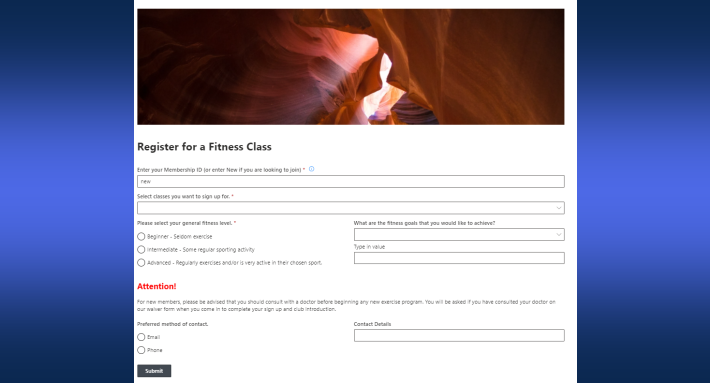
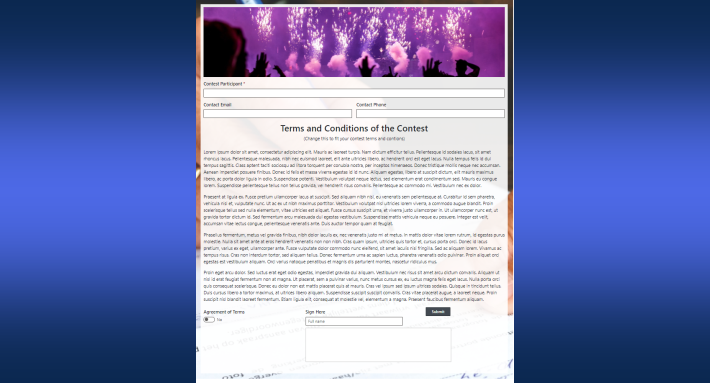
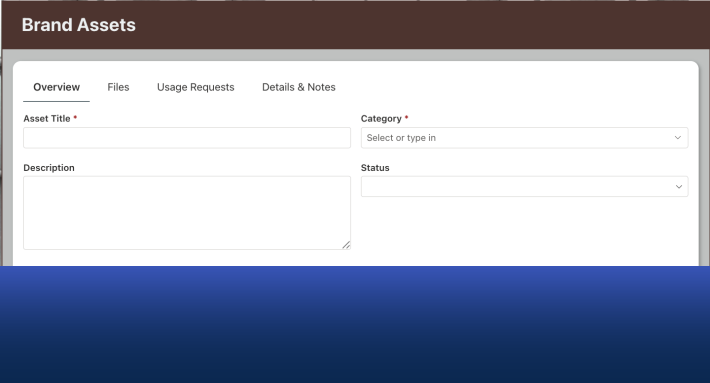
Digital transformation is often discussed as if it were a purely technical challenge. Organizations invest in new platforms, new tools, and new frameworks hoping to automate their processes and modernize the way they work. Yet in many cases, the real obstacle is not technology itself. The challenge is accessibility.
Too many tools designed for business process automation assume that the person building the solution is a professional developer. Once you stray from the very basic, they require complex formulas, scripting, or specialized training. For organizations where the people who understand the business processes are not programmers, this creates a gap. The people who know what needs to be built are not always the people capable of building it.
At Infowise, our mission is to close that gap.
Infowise Ultimate Forms was created with a clear belief: the majority of business solutions should be built by the people who understand the business itself. Those users do not necessarily need to become developers. Instead, they need tools designed specifically for them.
Our goal is simple. We want to empower business users to build powerful SharePoint solutions quickly, confidently, and without unnecessary complexity.
Why We Built Ultimate Forms
The inspiration behind Ultimate Forms comes from observing how organizations actually work.
In many companies, automation projects begin with a simple request. A department wants to digitize a form. A team needs an approval workflow. A manager wants better visibility into project status or inventory levels. These requests rarely require complex software engineering. Instead, they require tools that can quickly translate real-world business processes into working solutions.
However, many modern development platforms are built with a different assumption. According to them users are comfortable writing expressions, code, or logic formulas. While these platforms are powerful, they often introduce a steep learning curve for the majority of business users.
At Infowise, we believe that business process automation should not require advanced programming skills.
The people who understand a process best are often the employees directly involved in it. They know where delays happen, where mistakes occur, and what information needs to be collected. When those people can build solutions themselves, the results are faster, more accurate, and more aligned with the real needs of the organization.
Ultimate Forms was developed specifically to support this approach.
Instead of forcing users to adapt to developer-centric tools, we design our product around how business users think. The focus is on clarity, simplicity, and immediate productivity.
Our mission is not to replace developers. Rather, it is to give non-developers the ability to build and improve business solutions without depending on specialized technical resources.
Who Our Customers Are
Our customers are rarely professional programmers.
They are the people inside organizations who understand how work gets done.
They might be HR managers designing employee onboarding processes. They might be operations specialists tracking equipment and assets. They might be project coordinators managing approvals and documentation. In many cases, they are SharePoint site owners or power users responsible for improving workflows within their teams.
These users typically share several characteristics.
- First, they have deep knowledge of their business processes. They understand the steps involved in approvals, reviews, requests, and reporting. They know which information needs to be collected and how decisions are made.
- Second, they are comfortable using technology, but they are not developers. They can configure SharePoint lists, manage sites, and organize data. They are confident experimenting with tools and settings, but they do not want to write code.
- Third, they value speed and independence. Waiting weeks or months for a development team to build a simple internal solution is often unnecessary. Many of these solutions could be created directly by the people who requested them if the right tools were available.
Ultimate Forms was designed for exactly these users.
Our customers want to build real solutions that solve real problems. They want flexibility without complexity. They want power without requiring technical specialization.
A User Interface Designed for Real Users
One of the most important aspects of Ultimate Forms is the way the product presents its capabilities.
Powerful software often becomes complicated because it exposes too many options at once. Users are faced with dozens of configuration settings before they even understand the basics. This can make tools feel intimidating, especially for users who are not developers.
Our approach is different.
The Ultimate Forms interface is designed around a simple principle: show the most important things first.
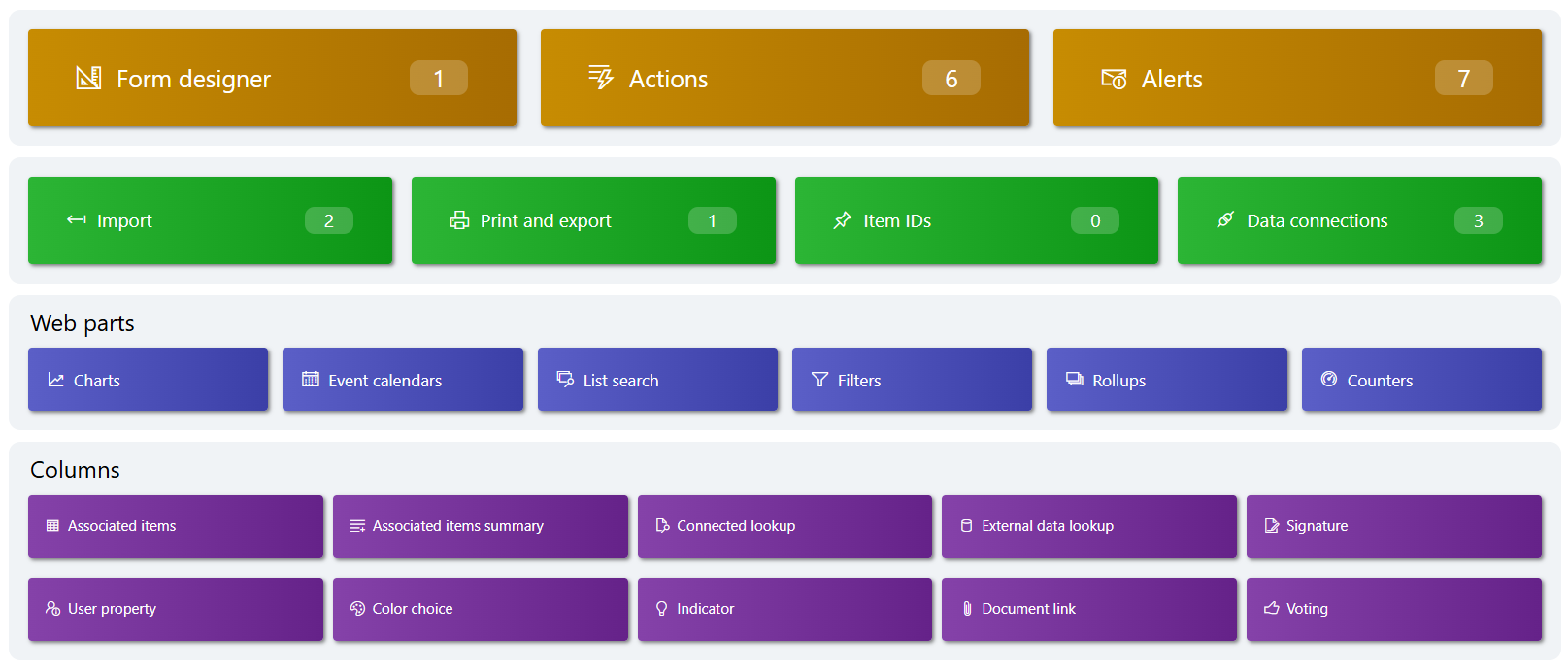
Users are guided through configuration using logical steps and clear controls. Instead of overwhelming users with every possible option, the interface focuses on the most common scenarios. This allows users to start building solutions quickly, without needing to learn the entire system upfront.
At the same time, simplicity does not mean limited capability.
Behind the intuitive interface lies a powerful engine capable of supporting advanced scenarios. As users become more comfortable with the platform, they can explore additional configuration options and fine-tune their solutions.
Another key principle of our interface design is consistency.
Everything is available in a single unified environment. Form configuration, automation, printing, calendars, and alerts are all managed from within the same interface. Users do not need to jump between multiple tools or services to complete their solutions.
We also prioritize rules and conditions over expressions and code.
Instead of requiring users to write formulas, Ultimate Forms allows them to configure logic using visual rules. For example, users can define conditions such as:
-
Show a section only when a column contains a specific value
-
Require approval when an amount exceeds a certain threshold
-
Send notifications when the status changes
These scenarios can be configured through intuitive settings rather than code. This makes automation accessible to a much wider range of users.
Encapsulating Common Business Scenarios
Another core philosophy behind Ultimate Forms is the idea of encapsulation.
Many business processes share common patterns. Forms often require repeating groups of data, structured approvals, document generation, or conditional visibility. There is no need to recreate these patterns from scratch. Ultimate Forms provides built-in components that already understand these scenarios.
One example is repeating sections.
Many forms require users to enter multiple related entries. For example, an expense report might contain several individual expenses. A purchase request might include multiple items. A training request might involve several participants.
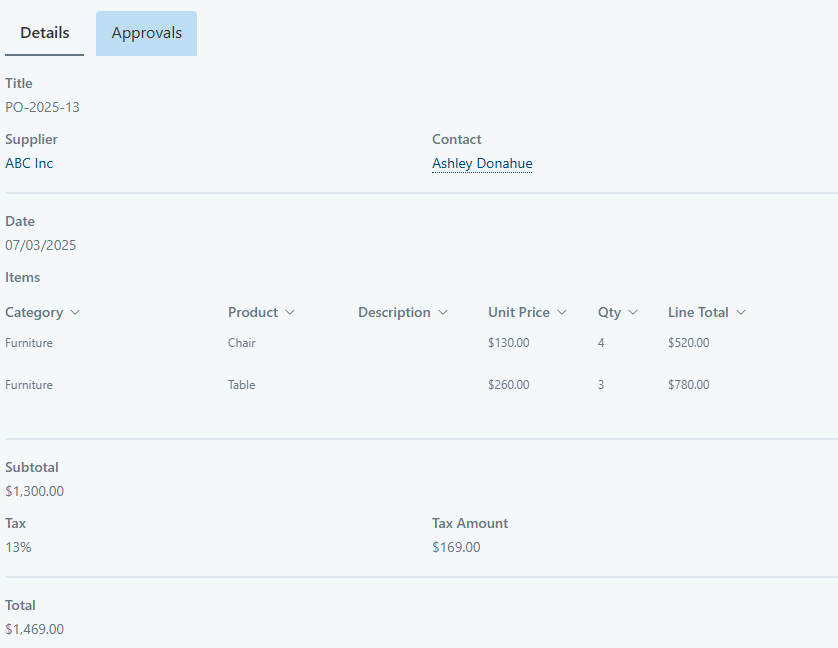
Without specialized tools, implementing this type of functionality can be difficult. Users may need to create complex data structures or rely on external tools.
Ultimate Forms solves this with repeating sections that allow users to add multiple entries directly within a form. Each row can contain its own set of columns, validations, and calculations. Users can easily add or remove rows while maintaining a clean and structured interface. And the totals are automatically calculated and maintained.
Another example is print templates.
Organizations frequently need to generate formatted documents from SharePoint data. These might include invoices, inspection reports, approval summaries, or contracts. Creating these documents manually can be time-consuming, and building automated document generation often requires technical expertise.
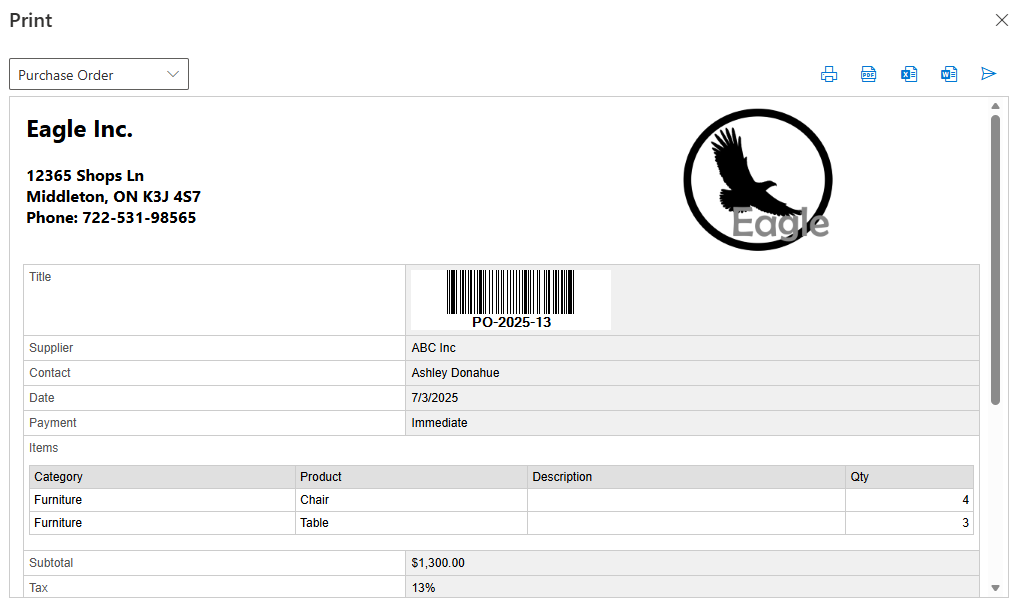
With print templates in Ultimate Forms, users can design professional documents that automatically populate with list data. Templates can be reused, customized, and generated on demand. This dramatically reduces the time required to produce consistent documentation.
By encapsulating these common scenarios, Ultimate Forms allows users to focus on the business logic rather than the technical implementation.
Helping You Reach Your Goals Faster
Ultimately, the purpose of Ultimate Forms is to help organizations move faster.
Business users often have ideas for improving their processes, but traditional development tools can slow them down. Learning complex platforms or waiting for developer resources introduces unnecessary delays.
Ultimate Forms removes many of these barriers.
Because the platform is built around intuitive configuration rather than programming, users can begin building solutions immediately. The learning curve is intentionally low, allowing users to see results quickly.
Pre-built components also accelerate development. Features such as form customization, automation, printing, dashboards, and alerts are already integrated into the platform. Instead of assembling multiple tools, users can configure these capabilities directly within the Ultimate Forms interface.
This dramatically shortens the time between identifying a problem and deploying a solution.
For example, a department might want to automate a purchase request process. With Ultimate Forms, a user can create the SharePoint list, design the form, configure approval logic, and generate printable documents within the same environment. The entire solution can often be completed in hours (if not minutes) rather than weeks.
Lowering the learning barrier also has a long-term benefit.
When business users are able to build solutions themselves, organizations gain a culture of continuous improvement. Employees become more confident experimenting with automation and process optimization. New ideas can be tested quickly, refined, and expanded.
The result is a more agile organization where improvements happen organically.
A Mission Focused on Empowerment
At its core, Infowise Ultimate Forms is not just a product. It represents a philosophy about how business solutions should be built.
We believe that powerful tools should be accessible to the people who actually understand the problems they are solving.
We believe that software should guide users rather than overwhelm them.
We believe that automation should accelerate innovation rather than slow it down.
Ultimate Forms is designed to make SharePoint a true platform for business process automation, accessible to the people who need it most.
By focusing on simplicity, clarity, and practical functionality, we enable organizations to transform their processes without requiring advanced technical expertise.
Our mission remains the same as when we first began building our solutions: to empower everyday users to create powerful SharePoint applications quickly, confidently, and independently.
And as organizations continue to evolve and adapt, we will continue refining Ultimate Forms to make that mission even more achievable.
Add your comment