Ask an HR team what software they use and you'll usually hear a list: one system for leave requests, another for onboarding checklists, a third for training records, plus a shared drive full of spreadsheets holding everything the other three don't cover. Each tool came with its own license, its own login, and its own gap.
Here's the uncomfortable question: how much of that list could be replaced by the platform your organization already runs? If you subscribe to Microsoft 365, you have SharePoint, and SharePoint has quietly become one of the strongest foundations available for HR work. Below are six reasons why, and for each one, how Ultimate Forms turns that foundation into a complete, working HR solution, with real-world examples from teams that have done it.
1. Collaboration is built in, not bolted on
HR work is inherently cross-functional. Onboarding touches IT, facilities, payroll, and the hiring manager. Policy rollouts touch everyone. Performance reviews loop in employees, managers, and HR itself. SharePoint was designed for exactly this kind of multi-party work: team sites, shared lists and libraries, versioning, and granular sharing come standard, and every employee already has access through their Microsoft 365 account.
How Ultimate Forms makes it better: collaboration needs structure to become process. With Ultimate Forms, the onboarding checklist becomes an actual onboarding system. When HR creates a new hire record, Actions automatically generate tasks for IT (accounts and laptop), facilities (desk and badge), and the manager (first-week plan), each with due dates and automatic reminders.
Real-world example: a mid-sized manufacturer replaced its onboarding email chain with this setup. Before, a new hire's first day regularly started with no laptop and no badge because someone missed an email. Now every department gets its tasks the moment the record is created, overdue items escalate automatically, and HR watches completion on a live dashboard. First-day surprises simply stopped.
2. Document management HR can actually live in
Contracts, certifications, disciplinary records, policy acknowledgments: HR is a document factory, and SharePoint is a purpose-built document platform. Metadata columns let you find one contract among thousands, version history keeps every revision, and retention policies handle the compliance clock.
How Ultimate Forms makes it better: documents don't just need storing, they need generating and collecting. With Print, offer letters and employment certificates generate from Word templates using data already in the list, formatted identically every time. Electronic signatures capture policy acknowledgments directly on SharePoint forms, and the signature is invalidated automatically if the record changes afterward.
Real-world example: an HR team that produced employment verification letters manually turned a 20-minute copy-paste task into a single click. An employee submits a request form, HR clicks once, and a correctly formatted, populated letter lands in the library and in the employee's inbox as a PDF. Multiply that by a few hundred requests a year and the saved effort funds an entire quarterly project.
3. It lives inside Microsoft 365
An HR system that ignores the rest of your software stack creates re-typing work every day. SharePoint integrates natively with Outlook, Teams, Word, and Excel, so HR information flows to where people already work.
How Ultimate Forms makes it better: integration extends beyond Microsoft's borders. Ultimate Forms connects SharePoint forms and processes to SQL databases, REST APIs, and external systems, so your HR solution can look up payroll IDs, sync with the ERP, or receive applications from your careers page. Alerts deliver polished, fully customized notification emails, and Import turns incoming email into structured records automatically.
Real-world example: a company receiving job applications by email used Import to convert each incoming application into a SharePoint candidate record automatically, attachments included. Recruiters stopped forwarding CVs around and started working from one tracked pipeline with statuses, assignments, and interview scheduling. Nothing gets lost in an inbox anymore.
4. Customization without a development project
Every HR department runs its processes a little differently, and this is where dedicated HR suites frustrate: you adapt your process to the tool, or you pay for customization. SharePoint is customizable by design, and roles, views, and permissions bend to your organization rather than the other way around.
How Ultimate Forms makes it better: this is the heart of it. The Form Designer turns a plain SharePoint list into a professional HR application with tabs, conditional sections, and validation, all configured from a browser by the people who own the process. Permission rules show each role its own slice of the same record: the employee sees their details, the manager sees the evaluation tab, and salary fields stay visible to HR alone. Dynamic rules hide irrelevant questions, calculate values, and pre-fill fields from the user's profile.
Real-world example: an HR business partner built the company's performance review process in two afternoons. Employees complete a self-assessment tab, managers complete their evaluation without seeing other teams' reviews, and HR sees everything with a completion dashboard. The previous attempt at the same process, quoted as a development project, had been waiting in the IT backlog for over a year.
5. Privacy and security worthy of HR data
HR holds the most sensitive data in the company. SharePoint inherits the Microsoft 365 security model your IT team already manages: encryption, conditional access, audit logs, and compliance certifications. Crucially, solutions built with Ultimate Forms keep data inside your own tenant. There is no separate HR cloud holding copies of employee records, which shortens security reviews dramatically.
How Ultimate Forms makes it better: platform security controls who can open a list; Ultimate Forms controls what each person sees and does inside a single form. Column-level and tab-level permission rules, signature-protected records, and complete approval logs mean the leave request an employee sees and the one HR sees are appropriately different views of the same item.
Real-world example: an organization managing disciplinary cases kept them in a locked filing cabinet because no system offered fine-grained enough access. Rebuilt on SharePoint with permission rules, each case is visible only to the assigned HR manager and the department head, with every view and change logged. More secure than the cabinet, and searchable.
6. Access anywhere, for everyone
HR processes involve every employee, including people on shop floors, in vehicles, and on client sites. SharePoint works in any browser and on any device, with no per-seat HR-suite license required for someone to submit a request.
How Ultimate Forms makes it better: forms built in Ultimate Forms are responsive by default, so the leave request an office worker files from a desktop works identically on a warehouse worker's phone. Alerts keep processes moving wherever the approver happens to be, with reminders and escalations that don't care about time zones.
Real-world example: a logistics company rolled out leave requests through the Leave Request template. Drivers apply from their phones between routes, day counts calculate automatically, managers approve from Outlook, and HR stopped transcribing paper forms entirely. Setup took one afternoon, starting from the template.
Start with a template, not a blank list
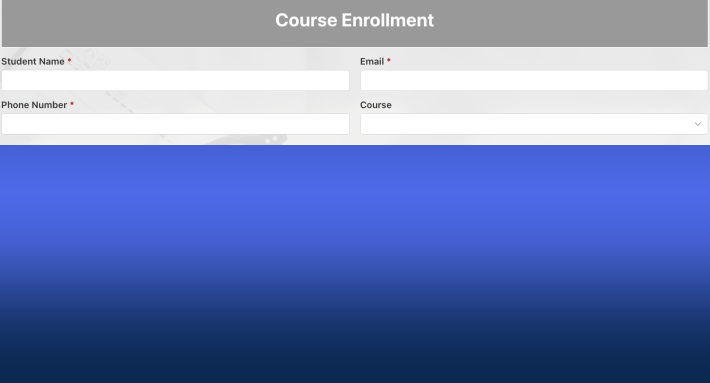
That last example points to the fastest route. The Ultimate Forms Solution Catalog holds 450+ free, fully configured templates, with a strong HR lineup: Leave Request, Employee Training, Onboarding, Recruitment, Emergency Contact Info, and more. Each installs in one click with forms, automation, notifications, and reports already wired together, ready to adjust to your policies.
The bottom line
SharePoint gives HR the foundation: collaboration, documents, integration, customization, security, and access. Ultimate Forms turns that foundation into the actual HR software: smart forms, automated approvals with escalation, generated documents, precise permissions, and live dashboards, all configured by your own team in days rather than delivered by a vendor in quarters.
Before you renew another HR point solution, spend an afternoon with a free trial and one template. The best HR software might be the platform you already own.
Add your comment