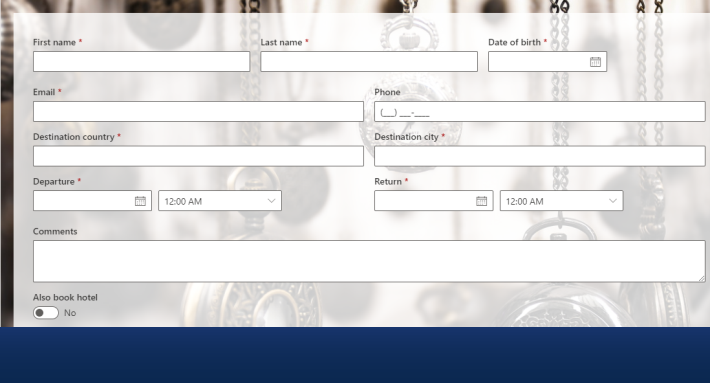
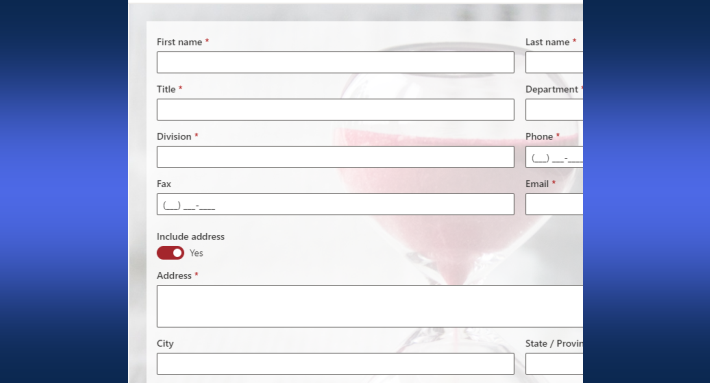
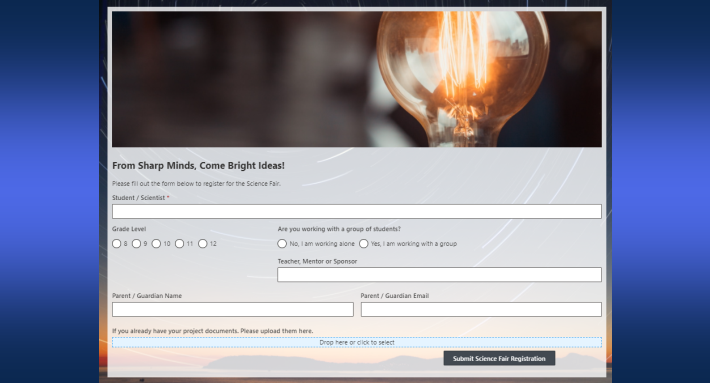
Most approval processes are not as simple as they look on paper. The leave request that always goes to the same manager seems straightforward. Until the employee is in a department with a different reporting structure. Or until the request spans more than two weeks and requires HR to sign off as well. The purchase request that usually only needs a team leader's approval suddenly needs the department manager too when the amount exceeds a certain threshold.
In practice, real approval workflows have conditions. Different items follow different paths. Some approvers are always required. Others are only relevant under specific circumstances. Getting this right without making the system unnecessarily complex — or unnecessarily rigid — is one of the central challenges of approval workflow design.
The Approval control in Infowise Ultimate Forms already makes this significantly easier than any workflow builder on the market. Adding a conditional approver to an existing process is now even simpler.
The Problem with Traditional Workflow Design
Before exploring the new capability, it is worth understanding why conditional routing is difficult in the first place.
Traditional workflow tools — including flowchart-based platforms like Power Automate — approach conditional routing through branching logic. The designer defines a decision point: if the amount is greater than $10,000, go down path A; if it is less, go down path B. Each path is a separate branch, with its own sequence of approval steps, notifications, and outcomes.
For a developer with experience in workflow design, this is manageable. For a SharePoint administrator who owns the process and knows exactly what it needs to do, it is frustrating. Flowchart-based tools require you to think about the approval workflow as a diagram — a set of branches and nodes — rather than as a list of approvers with conditions. You have to translate a business requirement into a visual logic structure, get that structure right, and then test it to make sure the branches behave as intended.
The result is a system that can handle complex routing, but one that only the person who built it fully understands. When the business requirement changes — and it always does — the diagram has to be revisited, the branches reworked, and the whole thing retested. For most organizations with limited development resources, this is not sustainable.
A Different Approach: Approvers with Conditions
The Ultimate Forms Approval control takes a fundamentally different approach. Instead of asking you to design a flowchart, it asks you a simpler question: who needs to approve this, and under what conditions?
You configure a list of approvers in sequence. Each approver in the list can optionally have conditions attached. If conditions are configured and the item meets them, the approver is included in the process. If the item does not meet those conditions, that approver is simply skipped — and the process continues to the next one.
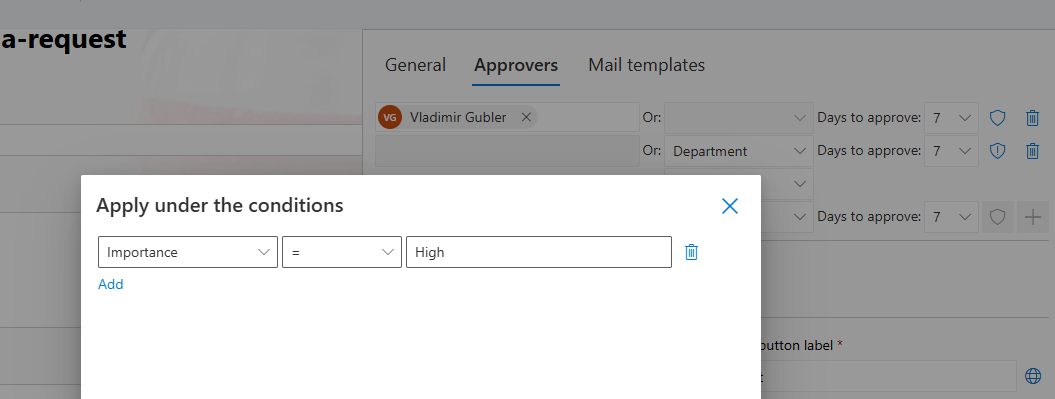
This is not a branch. There is no separate path to maintain, no alternative flow to test. There is just a list of approvers, some of which are conditional. The system evaluates the conditions at the time the approval is being processed and builds the appropriate sequence for that specific item automatically.
What This Looks Like in Practice
The best way to understand conditional approvers is through examples that reflect how real approval processes actually work.
Purchase requests: amount-based routing
Consider a standard purchase approval process. For most purchases — office supplies, small equipment, routine services — a team leader's approval is sufficient. For purchases above a certain threshold, a department manager needs to sign off as well. Above a higher threshold, finance may need to be involved.
With conditional approvers, this is configured as a single approval process with three approvers:
- Team Leader — always required (no conditions)
- Department Manager — required when the purchase amount exceeds $5,000
- Finance Director — required when the purchase amount exceeds $25,000
A $1,200 purchase goes to the team leader only. A $7,500 purchase goes to the team leader, then the department manager. A $30,000 purchase goes through all three stages in sequence.
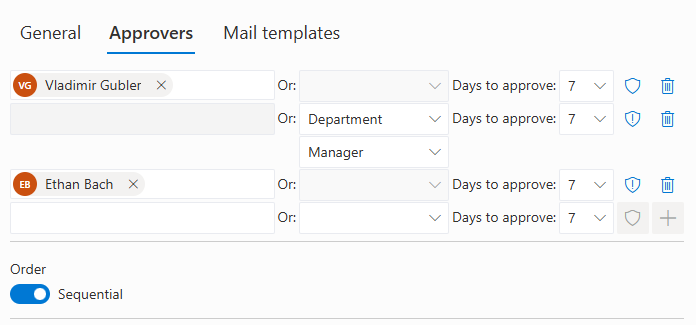
The person configuring this does not draw a flowchart. They configure three approvers and set conditions on two of them. The entire process takes minutes to set up and is immediately understandable to anyone who reads it.
Leave requests: duration-based escalation
A leave request process might require only a direct manager's approval for absences up to five days. For absences longer than that, HR should be notified and provide a secondary approval — particularly where the absence spans a holiday period or overlaps with a key project deadline.
With conditional approvers:
- Direct Manager — always required
- HR Representative — required when the leave duration exceeds five days
An employee requesting two days of annual leave gets a quick manager approval and moves on. An employee requesting two weeks triggers the HR stage automatically. The employee does not need to know this is happening — they submit the same form, and the system routes it correctly.
Contract reviews: value and type-based routing
A contract approval process might involve legal review only for certain contract types — vendor agreements and third-party service contracts — while straightforward renewals of existing agreements can be approved by the relevant manager without legal involvement.
With conditional approvers:
- Department Manager — always required
- Legal Team — required when the contract type is Vendor Agreement or Third-Party Service
A contract renewal goes to the department manager. A new vendor agreement goes to the manager and then to legal. No separate process for each contract type. No separate workflow to maintain for standard versus non-standard contracts.
Why This Matters for Non-Technical Users
The distinction between conditional approvers and branching workflow logic matters most for the people who own the process but do not write code.
When a SharePoint administrator is asked to implement a purchase approval process with three tiers, they understand it immediately: team leader for everything, department manager for larger purchases, finance for the largest ones. That understanding maps directly onto the conditional approver configuration. There is no translation required between the business requirement and the system design.
With a flowchart-based tool, the translation is unavoidable. The administrator has to learn how branches work, understand how to handle the case where two branches converge, and figure out how to test that the routing is correct. None of that knowledge relates to the approval process they are trying to implement — it relates to the tool they are using to implement it.
The conditional approver model keeps the focus on the process itself. The approvers are listed in order. The conditions are defined in plain terms — amount greater than, leave type equals, contract type is one of. The resulting configuration is readable by anyone who understands the business process, which means it can be reviewed, verified, and modified without specialist knowledge.
Speed of Implementation
One of the most consistent advantages of the Ultimate Forms Approval control is implementation speed. A basic approval workflow — one or two approvers, notifications, form locking, audit log — can be configured in minutes by a SharePoint administrator with no prior experience of the control.
Adding conditional approvers does not significantly change this. The conditions are configured in the same interface as the approvers themselves. There is no additional layer of configuration, no second tool to open, and no testing of branching logic required. The administrator adds an approver, sets a condition if one is needed, and moves on.
For organizations that have previously relied on developers or Power Automate specialists to build approval workflows, this speed is a meaningful operational change. A process change that previously required a development ticket and a two-week queue can now be handled by the administrator who owns the process, in the same afternoon the requirement is identified.
Maintaining and Updating Conditional Workflows
One of the less-discussed advantages of this approach is how easy it is to maintain. Business processes change. Thresholds get adjusted. New approvers are added to the sequence. Conditions that were relevant last year are no longer applicable.
With a flowchart-based workflow, every change requires revisiting the diagram, understanding the current branching structure, making the modification in the right place, and retesting the affected paths. This is not a trivial task, particularly if the person making the change is not the person who originally built the workflow.
With conditional approvers, the modification is straightforward. If the threshold for department manager approval changes from $5,000 to $10,000, you change one value in one condition. If a new approver needs to be added to the sequence, you add them and configure their conditions. The resulting configuration remains as readable and understandable as it was before the change — and the modification is complete in minutes rather than days.
Putting It All Together
The conditional approver capability is one feature in a broader approval system that already handles form locking, dynamic approver assignment, log history, reminders, comments, and an integrated appeal process. What the conditional approver adds is the ability to reflect real-world routing complexity without the complexity of flowchart design.
For most approval processes, the routing logic can be expressed as a list of approvers with simple conditions: always, or only when a specific column value meets a specific criterion. When that is how the logic is expressed — as a list rather than a diagram — it is accessible to the people who own the process, maintainable by the administrators who manage the system, and fast to implement from the moment the requirement is identified.
That is what distinguishes the Ultimate Forms approach from the traditional workflow builder. The goal is not to give administrators a more powerful diagram tool. It is to make the power of conditional routing available without the diagram.
The Approval control with conditional approver support is available in Infowise Ultimate Forms for all supported SharePoint deployments. For the introductory overview of the Approval control, see Fast and Simple SharePoint Approvals with Ultimate Forms. Full documentation is available at infowisesolutions.com/documentation.
Add your comment