Why Choose a SharePoint-Based CRM
Many organizations already use SharePoint for document storage, collaboration, and workflow. For those companies, turning SharePoint into a fully-functional CRM can make a lot of sense. Instead of introducing a heavy, expensive enterprise CRM like Salesforce or Microsoft Dynamics 365 (with high license fees, lengthy setup, and possibly steep training needs), you can build a CRM that:
-
Lives inside the same SharePoint environment you already use.
-
Is familiar to users, reducing training and adoption friction.
-
Integrates seamlessly with existing documents, emails, collaboration artifacts, and workflows.
-
Is far more cost-effective and quicker to deploy.
That’s where Infowise Ultimate Forms shines: giving you CRM-style functionality inside SharePoint with minimal overhead.
What Infowise Ultimate Forms Brings to CRM
✅ No Code, Yet Plenty of Power
Ultimate Forms eliminates the need for traditional coding or developer-heavy customizations. Instead, its user-friendly interface lets business users (not just IT) build advanced solutions. Because of that:
-
You can build forms, workflows, and automated logic using drag-and-drop tools.
-
Even complex business processes (e.g. multi-step forms, approvals, conditional logic) become manageable without developers.
-
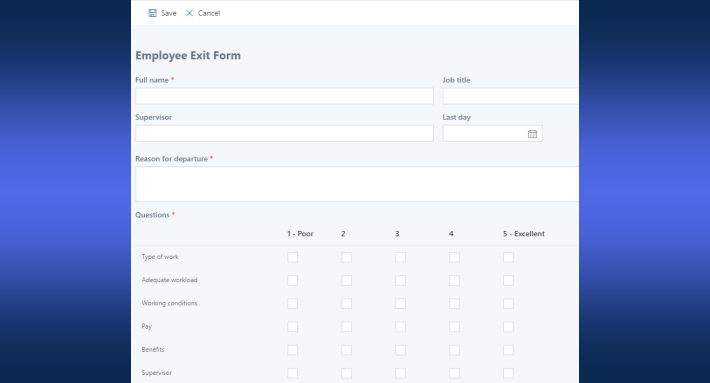
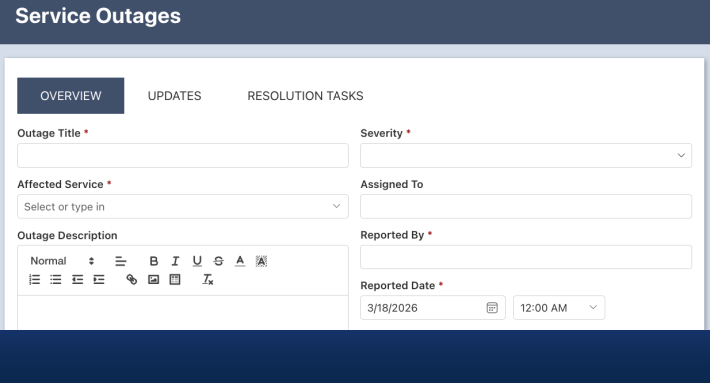
It supports a huge variety of form controls: tabs, containers, repeating sections, electronic signatures, validation rules, special column types beyond default SharePoint.
This means your CRM doesn’t have to be basic — you can make it as rich or as simple as you need.
🔄 Business Logic & Automation Built-in
A CRM isn’t just a place to store contact info. It’s really useful when you can automate tasks: follow-ups, reminders, activity logging, status changes. Ultimate Forms includes “business logic” features such as:
-
Actions: trigger updates, manage permissions, modify items — on form submit, manually or on schedule.
-
Alerts & Notifications: automatic reminders or email alerts based on conditions or dates.
-
Custom columns and data types: such as relationships, repeating items, electronic signatures, color-coded fields — enabling CRM-style relational data tracking (contacts ↔ companies ↔ deals).
With these features, you’re not just building forms. You’re building a functional CRM and process automation engine inside SharePoint.
📈 Reporting, Dashboards & Views — All in One Place
Collecting customer data is useful. But being able to see activities, track sales pipelines or customer interactions, and run reports is what really delivers value. Ultimate Forms supports this with:
-
Custom list views, color-coded rows, icons, KPIs.
-
Charts, calendars, dashboards, rollups — making it easier to monitor tasks, follow-ups, support tickets or sales opportunities.
-
Native integration with SharePoint lists, document attachments, emails, and other existing SharePoint content. It means all CRM data lives in the same ecosystem.
What a SharePoint + Ultimate Forms CRM Looks Like in Practice
Using Ultimate Forms, you can set up a full CRM for your organization in minutes. No external dependencies, no third-party hosting, and no code. Here’s how it typically plays out.
Main Features You Get
-
Lead and Opportunity Tracking — manage potential deals, track status, convert leads into customers.
-
Customer / Contact Records — store customer details, company information, contact history, attachments.
-
Activity & Communication Logging — record calls, meetings, emails, support requests. Follow-ups can be scheduled with reminders.
-
Task Assignment & Employee/Team Management — assign responsibilities, manage internal teams, track tasks tied to customers or deals.
-
Support / Service Tracking — log support tickets, monitor resolution time, track feedback or requests — useful for customer service teams as well as sales.
Real-World Use Cases
-
Sales Department / Small-to-Medium Business: Sales reps log leads, meetings, and follow-ups. Managers track conversion rates, monitor open opportunities, and assign follow-up tasks — all without investing in heavy enterprise CRM.
-
Customer Support / Service Team: Support tickets are logged via form. Team sees all tickets attached to customer records; reminders and alerts ensure timely responses.
-
Internal Staff Management / HR: CRM can double as a simple staff or workflow management tool — e.g. assign onboarding tasks, track employee interactions, manage resources related to clients or internal processes.
Because everything lives inside SharePoint, you avoid the hassle of switching between several tools. CRM, document management, email tracking, and tasks all live in the same environment.
Why This Approach Is Especially Attractive for Small & Mid-Sized Organizations
For many small or mid-sized firms:
-
Enterprise CRM platforms are too heavy, too costly, and offer more than they need.
-
Custom‐built CRM or heavy development requires resources — both time and technical skill — that may not be practical.
-
Many already use SharePoint for collaboration and document management. Adding CRM on top of that is efficient and low friction.
Using SharePoint + Ultimate Forms lets teams bypass the overhead of enterprise CRM systems while still getting powerful, customizable CRM capabilities. Deployment can take minutes; maintenance and evolution can be done in-house, often by business analysts rather than developers.
Getting Started — What You Need & What to Expect
If your organization uses SharePoint, you’re already halfway there. To start with Ultimate Forms:
-
Install the Ultimate Forms by clicking Try Now Free button in the top right corner of this page.
-
Use the built-in “Solution Catalog” or template library to deploy a pre-configured CRM template (or build from scratch).
-
Customize forms, layout, fields, automation, and views to match your business needs — using drag-and-drop, no code needed.
-
Begin populating customer, contact, and activity data. Then take advantage of dashboards, charts, task tracking, communications logging, and automated workflows to manage sales, service, or support operations.
Because everything stays within SharePoint, you don’t need to learn a completely new system. You leverage existing permissions, security, documents, and collaboration structures.
Conclusion — CRM Doesn’t Have to Be Complex or Expensive
Infowise Ultimate Forms proves that a CRM can be both simple and robust. By layering on rich forms, automation, workflows, and reporting inside an environment many organizations already use (SharePoint), Ultimate Forms offers a streamlined, flexible CRM solution ideal for companies that want power without complexity.
If you’re looking for a CRM that’s easy to deploy, easy to use, and easy to maintain — without heavy licensing or development overhead — SharePoint + Ultimate Forms is a compelling option.
Add your comment