SharePoint and Salesforce
Organizations often rely on Salesforce as their primary customer relationship management platform. It’s powerful, well-established, and highly capable. But teams often need more flexibility in how information is collected, reviewed, and managed before it ever reaches Salesforce. This is where Infowise Ultimate Forms, built natively on SharePoint, becomes a strategic extension that enhances your sales process instead of replacing it.
Infowise Ultimate Forms provides intuitive, customizable, no-code forms and workflows that make it easy to capture, enrich, and validate customer information directly inside SharePoint. When combined with Salesforce’s robust CRM database, businesses gain a powerful end-to-end system that streamlines lead qualification, accelerates sales cycles, and reduces manual entry. The two platforms complement each other: Ultimate Forms handles structured data collection and process automation, while Salesforce manages customer history, pipeline stages, and long-term engagement.
Why Use Ultimate Forms With Salesforce?
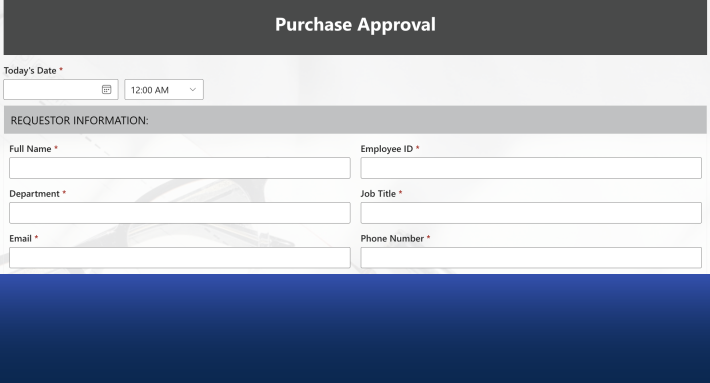
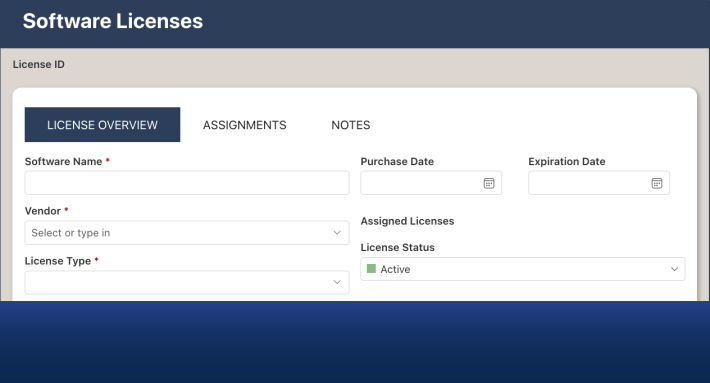
Although Salesforce includes its own forms and automation tools, many organizations prefer a familiar, flexible, and SharePoint-based front end. Ultimate Forms enables teams to design tailored intake forms, onboarding workflows, or pre-sales questionnaires without writing a single line of code. This is especially valuable when different internal teams need different forms or want to update processes rapidly without developer assistance.
Another advantage is data quality. Salesforce is only as good as the information entered into it, and Ultimate Forms ensures that customer data is validated, complete, and properly formatted before it ever reaches the CRM. Features such as dynamic rules, smart validation, conditional logic, and automatic lookups help teams maintain clean, structured data. When information is accurate from the start, sales teams avoid follow-up corrections and can move opportunities through the pipeline faster.
Finally, companies already using Microsoft 365 can leverage their existing SharePoint infrastructure. Using Ultimate Forms means your organization can build sophisticated sales-related processes directly inside an environment everyone already knows. It reduces training needs, accelerates adoption, and keeps documents, collaboration, and CRM-related data in one unified ecosystem.
Streamlining Lead Capture and Qualification
The sales process often begins long before a prospect is entered into Salesforce. Ultimate Forms excels at capturing pre-CRM data, whether through inbound lead forms, event registration pages, service request submissions, or internal referral workflows. Each form can include custom logic to score, categorize, or route leads based on your business rules.
With Ultimate Forms Actions, you can automatically assign tasks, send notifications, or update related lists the moment a form is submitted. For example, a high-value lead might trigger an instant alert to a sales manager, while low-priority inquiries can be routed into a nurture workflow. This creates a clear, consistent qualification process before sending anything into Salesforce.
Once a lead meets your criteria, the data transfer between the applications can occur. The structured data is automatically pushed into Salesforce as a Lead, Contact, or Opportunity. The result is a clean transition from early-stage intake to centralized CRM tracking without duplicating work or risking data errors.
Enhancing Collaboration Across Teams
Sales teams rarely work alone. Marketing, customer service, legal, operations, and even product teams often provide essential input during pre-sales interactions. SharePoint offers a collaborative environment where documents, comments, tasks, and workflows naturally live, and Ultimate Forms enhances this collaboration with structured processes.
For instance, you can design workflows to gather documentation from different departments before a lead becomes a qualified Opportunity. You may need a compliance review, a solution design draft, or a pricing approval. Ultimate Forms allows you to orchestrate these steps inside SharePoint while maintaining full visibility for all stakeholders.
Meanwhile, Salesforce remains the system of record for sales progress. Using both platforms together ensures that sensitive CRM data stays centralized, while cross-department collaboration remains flexible and easy to manage.
Improving Customer Onboarding and Post-Sale Processes
The customer journey doesn’t end when a deal closes. Many companies use SharePoint for onboarding forms, service requests, implementation checklists, and follow-up surveys. Ultimate Forms enables these processes with advanced features such as tabbed interfaces, conditional sections, document uploads, electronic signatures, and automated reminders.
When onboarding activities are completed, the results can be automatically synchronized with Salesforce, updating account records, logging completed steps, or triggering follow-up tasks for account managers. This closes the loop between operational teams and the sales organization, ensuring customers enjoy a seamless experience from the first interaction onward.
Examples of Common Integrations
Here are several real-world scenarios where organizations combine Ultimate Forms and Salesforce:
1. Lead Intake to Salesforce Lead Object
-
A highly customizable SharePoint form captures detailed customer information.
-
Rules validate data and score the lead automatically.
-
When approved, the data is sent to Salesforce and assigned to a rep.
2. Proposal Review and Approval Workflow
-
Sales reps submit proposals for internal review using Ultimate Forms.
-
Legal, finance, and management participate through automated workflows.
-
Once approved, the final proposal and metadata sync with the associated Salesforce Opportunity.
3. Customer Onboarding and Implementation
-
Customers complete onboarding questionnaires hosted in SharePoint.
-
Ultimate Forms triggers tasks and reminders for internal teams.
-
Completion data updates relevant fields in Salesforce for long-term visibility.
4. Event or Webinar Registration Tracking
-
Registrants submit interest forms hosted on SharePoint.
-
Marketing qualifies leads and syncs them into Salesforce campaigns.
-
Sales gains instant access to high-quality, enriched lead data.
These examples show how Ultimate Forms can bridge the gap between collaboration and CRM, creating a unified workflow that benefits the entire organization.
A Better Way to Work With Salesforce
Salesforce is powerful, but not always flexible. Ultimate Forms delivers a customizable, user-friendly front end for the stages of your sales cycle that Salesforce does not easily cover. It lets your organization design forms, approvals, and processes that perfectly match your business needs while keeping Salesforce as the authoritative customer database.
By combining these systems, companies accelerate sales operations, reduce manual data entry, improve data consistency, and provide a more professional customer experience. The result is a smoother sales journey, happier teams, and a stronger foundation for winning new business.
Add your comment