Microsoft Dataverse has become a formidable backbone for business data. It offers structured tables, relationships, business rules, and connections across Dynamics 365, Power Apps, and Teams. What it has never made easy is the front door. Building a pleasant data-entry experience on Dataverse traditionally means Power Apps, with its complexity and its licensing. The alternative is a custom portal, with its developers.
Ultimate Forms offers a third path. The same Form Designer that builds SharePoint forms builds Dataverse forms. They are modern, dynamic, and relationship-aware, assembled visually with no code and no PowerFX. They deploy to SharePoint pages, standalone hosted pages, external websites, and Teams.
Two capabilities set the result apart. Repeating sections write parent and child Dataverse records in one submission. Anonymous access lets unlicensed users feed Dataverse directly.
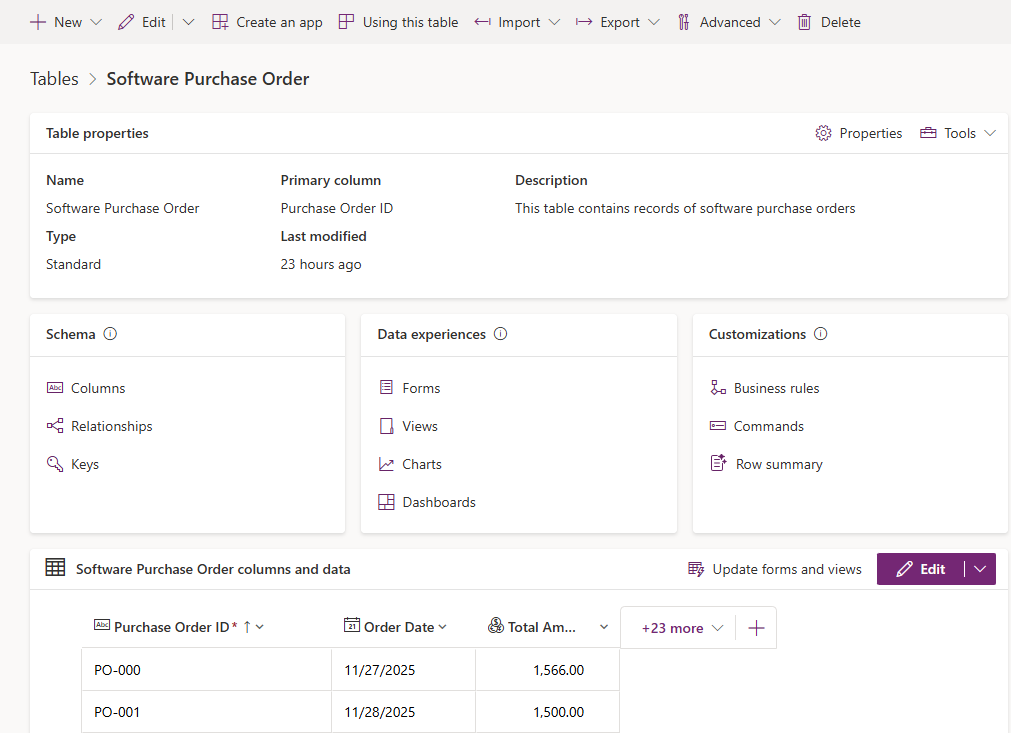
One-to-many relationship between records in Dataverse:

This guide covers both, along with the designer, the hosting surfaces, and the document generation that completes the picture. The connection itself is configured per the Dataverse connection guide. Whether Dataverse should hold the data at all is a decision with its own treatment.
The relational problem, and the repeating section
Dataverse models one-to-many and many-to-many relationships natively. Presenting them for entry is where the native approaches strain. Related child rows inside a parent form typically require galleries, separate screens, or custom development. The user experiences the relationship as navigation rather than as a form.
The repeating section collapses that navigation. It is a form component in which the user adds multiple child entries inside the single parent form. Each entry becomes a row in a related Dataverse table. An invoice gathers its line items. A project gathers its tasks, an inspection its findings, an order its products, a company its contacts. All of it happens in one coherent interaction.
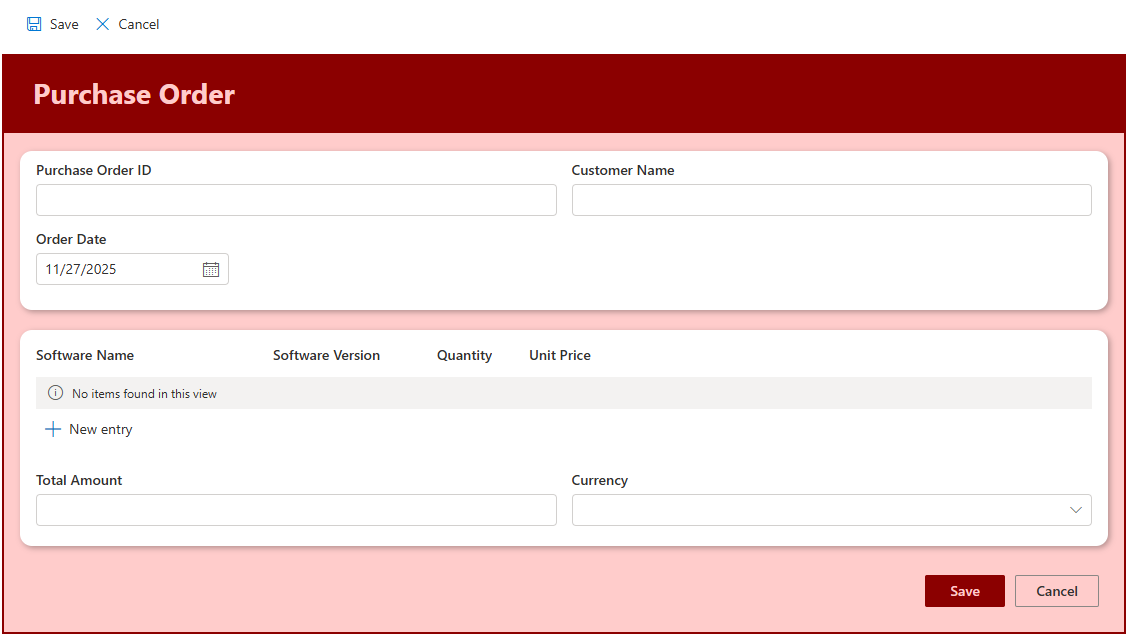
On submission, Ultimate Forms creates or updates the parent record, creates the child records, and binds the relationship. No code is involved. The consequences go beyond convenience. Users think in terms of one form rather than detached entry steps, which shortens training and improves adoption. The relationship mapping cannot be forgotten, because the machinery performs it. And downstream operations such as printing act on the complete parent-and-children unit, since it arrived as one.
Designing at Form Designer speed
The designer is the one your organization may already know from SharePoint work, and everything transfers. Drag-and-drop layout, multi-column sections, containers and tabs. Conditional visibility, dynamic rules and permissions, validation, and data-driven formatting. There are no formulas, no PowerFX, and no screens to multiply.
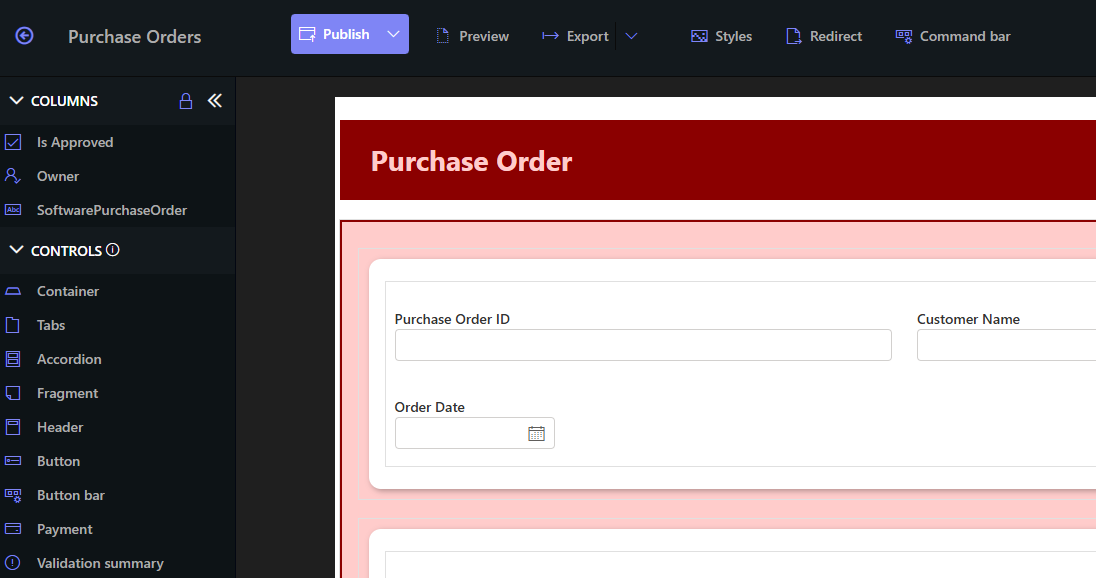
The practical effect is tempo. Complete Dataverse forms, relational logic included, are built in hours rather than days. The speed comes from direct bindings between form columns and Dataverse columns, a visual rule builder, and instant preview and publish. The division of labor follows naturally. Business teams build and iterate the forms they need. IT retains governance through the connection's permissions and access control.
Four places the form can live
Native Dataverse experiences are tied to Power Apps and Dynamics surfaces. An Ultimate Forms Dataverse form deploys wherever the audience is.
On SharePoint pages. The seamless default for Microsoft 365 organizations: the form sits among the other business processes, permissions integrate naturally, and no separate portal exists to maintain.
On an Infowise-hosted page. A clean standalone URL that requires no SharePoint page at all. It suits vendors, mobile users, and kiosk entry.
Embedded in any website. Company site, customer portal, or microsite, through the same embedding model external forms use. The form writes to Dataverse through its secure connection regardless of where it renders.
On Microsoft Teams tabs. Entry placed where a team already works.
The licensing door: authenticated and anonymous access
Access control is where this capability quietly rearranges project economics.
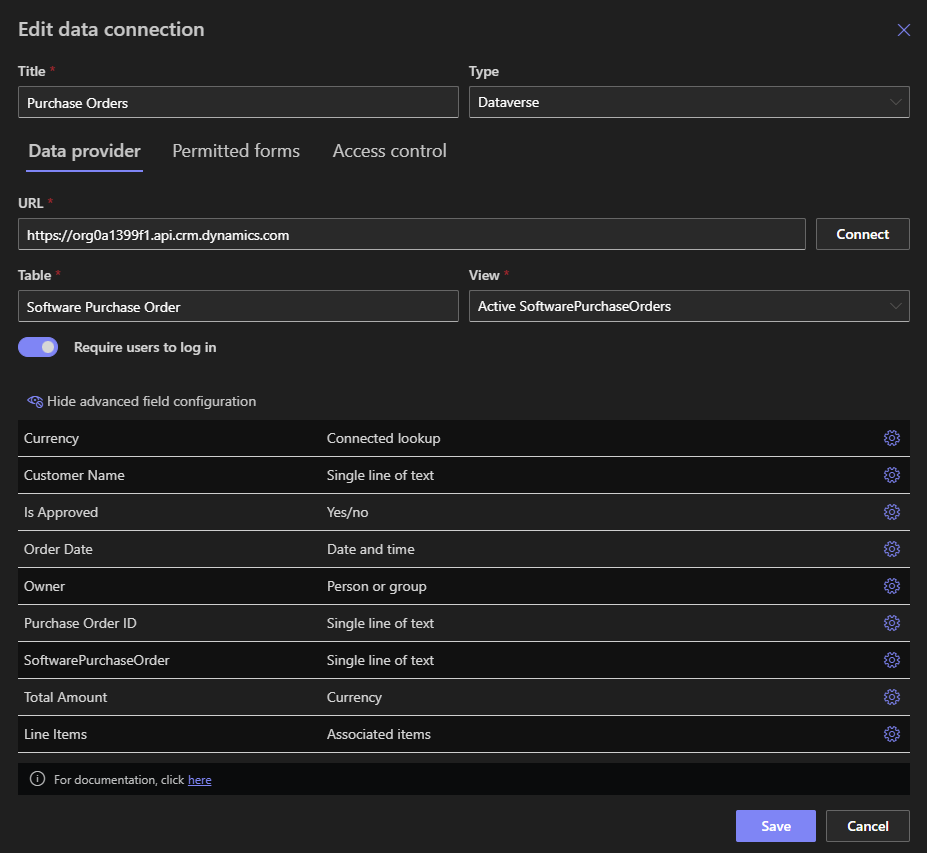
Authenticated users sign in through their regular Microsoft 365 mechanism. Every operation then ties to the actual person, owner or updater, auditable throughout. This is the right arrangement for employees and internal stakeholders.
Anonymous access is the remarkable half. Forms can be opened to external users who hold no Dataverse license and no Microsoft 365 account. Their submissions still land in Dataverse through the secured connection. Public intake, event registration, customer onboarding, vendor submissions, and service portals all become possible without per-user licensing for the outside world. That dissolves the bottleneck that stalls many Dataverse projects at the budgeting stage. The security model behind it, server-held credentials, allowlisted operations, and authorized URLs, is detailed in the data connections reference.
Documents from Dataverse data
Dataverse solutions rarely end at storage. They end at an invoice, a certificate, a contract, or an inspection report. The printing and document generation engine works against Dataverse-connected forms directly. Templates are fully customized, Dataverse values insert dynamically, and output exports to PDF, Word, Excel, or HTML, with automatic emailing available.
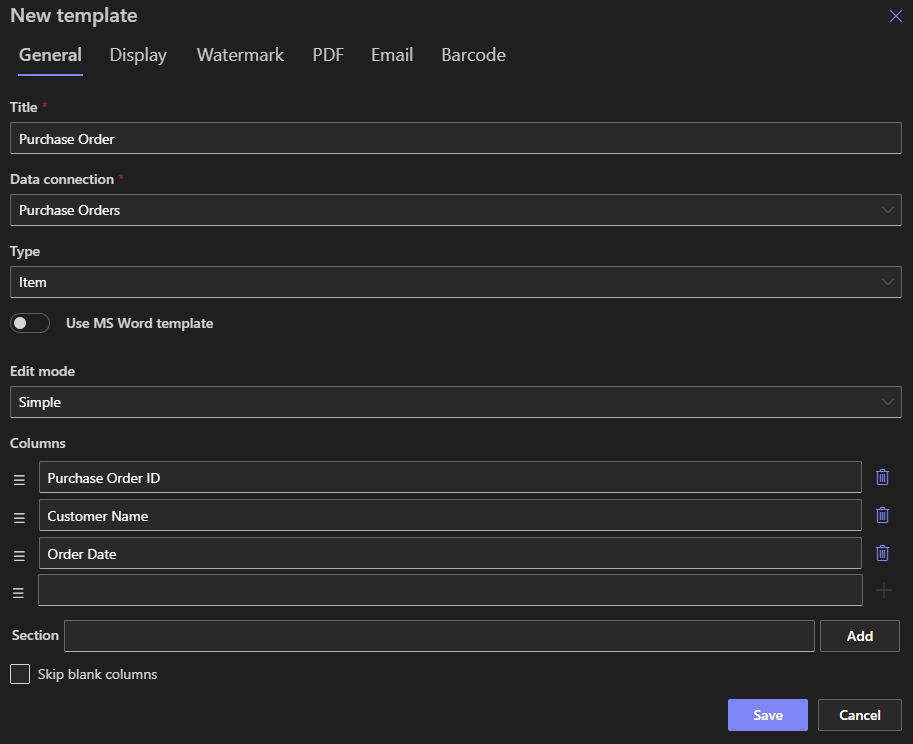
The child-record inclusion deserves emphasis, because it completes the repeating-section story. The order entered as parent-and-products prints as an invoice with its line items. Same submission, no assembly step between.
Four builds that use everything
Service orders. The parent job record with repeating service items, relationships created automatically. The completed service report generates as a branded document when the job closes.
Inspections and compliance audits. A mobile-friendly form carries the parent inspection, a repeating list of findings, and photo attachments. The PDF for the regulator is immediate, and hosting runs on SharePoint for staff or a standalone URL for the field.
Vendor onboarding. The form embeds on your public website. The vendor submits company details, a repeating list of contacts, documents, and certifications. Everything flows into Dataverse, and no account is provisioned for anyone.
Customer orders. Parent order, products in a repeating section, automatic pricing, and an invoice PDF on submission, accepted from internal or external users alike.
Each scenario leans on a different pairing of the capabilities above. All four were, until recently, the kind of project that began with a Power Apps estimate.
The division of strengths
The architecture reads cleanly when each platform keeps its half. Dataverse contributes the secure, structured storage, the relationships, the business logic, and the integration across the Microsoft estate. Ultimate Forms contributes the forms people enjoy using: the relational entry, the no-code rules and permissions, the four hosting surfaces, the anonymous door, the generated documents, and a development pace measured in hours.
Organizations holding Dataverse investments through Dynamics 365 or Power Apps extend them into SharePoint and the public web without rewriting anything. Organizations choosing their architecture fresh should weigh the decision guide first. Either way, whichever store wins, the forms problem is already solved. The full landscape of what else connects sits in the integration guide.
Choosing the first form
The capability rewards a deliberate first project, and the selection criteria are simple. Pick a Dataverse table whose entry currently runs through a licensed interface it does not deserve: a request type, a registration, a submission. Prefer one whose records have children, so the repeating section can demonstrate its worth on day one.
Build the form in a morning. Host it on the surface its audience actually inhabits. Route the generated document to whoever used to assemble it by hand. The demonstration argues better than any comparison: the same Dataverse table, fed by a form that cost hours, from users who cost nothing to license, producing documents that produce themselves.
Then let the second form follow the first. The connection, the patterns, and the team's confidence all carry over. The Dataverse investment stays exactly where it was; only the front door changed.
Frequently asked questions
Add your comment