Watch recording
Get helpful videos

Workflow is the machinery behind SharePoint forms. Getting good at workflow is essential in building comprehensive SharePoint solutions.

In the past this was a struggle, especially when using out-of-the-box tools. With Ultimate Forms and Power Automate we now have much better options.

In our next webinar, we’ll present essential workflow methods that you can use in your SharePoint solutions:

  • Incorporate a Process Diagram
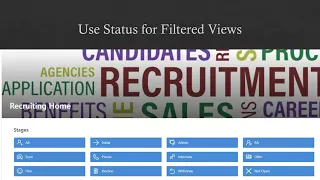
  • The essential use of Status
  • User facing workflow buttons
  • Advanced history tracking showing workflow events
  • Combining Ultimate Forms Actions and Power Automate Flows
  • Use validation checks with workflow
  • Use scheduled workflow
  • Verify workflow through logging
  • Trigger batch workflows
  • Chain workflows together

Come join us as we demonstrate these useful workflow skills in our next presentation!

At Infowise, we serve as your strategic partner, assisting in your digital transformation. ULTIMATEforms contains a wide array of SharePoint components, developed to give you the power to innovate, automate, and scale up your processes. ULTIMATEforms helps you create amazing, advanced business solutions based on your SharePoint lists and document libraries, using nothing but your browser! Anything from simple Leave Request or Expense Report and all the way to complex Help Desk or Project Management solutions can be built in minutes, without writing a single line of code.

Create an unlimited number of business process applications. Or even better, do you want to start with a fully-built solution? Browse our vast business solution library, install and re-purpose to service your needs, free of charge.

Flexible Forms That Work the Way Your Business Does

Create modern, responsive forms in SharePoint that are easy to build and even easier to use. Add tabs, control who sees what, validate input, and capture complex data with repeating sections and electronic signatures.

Build forms that guide users, reduce mistakes, and keep your processes running smoothly, all while your data stays securely inside SharePoint.

Form designer

Automation Without The Complexity

Replace complicated workflows with simple, powerful Actions that run directly inside SharePoint. Create, update, and connect data across systems like Exchange, SQL, and Teams with just a few clicks.

Set up automation in minutes, not hours, and give more people the ability to build and manage solutions without relying on developers or getting stuck in long backlogs.

Automation

Clear Reporting That Drives Action

Turn your SharePoint data into dashboards, reports, KPIs, calendars, and charts that are easy to understand and share.

Give your team real visibility into what is happening so they can respond faster, stay accountable, and make better decisions every day.

Reporting

Pre-Built Solutions That Get You Started Fast

Launch complete SharePoint solutions in minutes using ready-to-use templates or create your own and reuse them anywhere.
Build once and deploy across sites and tenants with ease, so you can deliver consistent solutions faster without starting from scratch every time.
Templates
Microsoft partner logo
© 2005-2026 Infowise Solutions Ltd. All rights reserved.
Privacy | Cookie Policy | Accessibility | Cloud SLA