Managing employee performance reviews is a critical responsibility for HR teams and managers alike. Performance reviews impact employee growth, engagement, and retention, yet many organizations still rely on disconnected tools, spreadsheets, email threads, or paper-based processes to manage them. These approaches make it difficult to maintain consistency, track progress, and ensure reviews are completed on time.
A well-designed performance review system should be structured, transparent, and easy to use—for both employees and managers. It should support goal setting, feedback collection, approvals, and reporting, while fitting naturally into existing workflows. For organizations already using Microsoft 365, SharePoint provides a strong foundation for building such a system, offering centralized data storage, security, and collaboration.
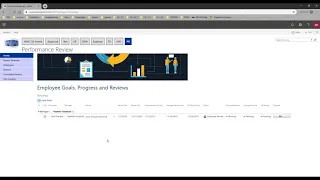
In this recorded webinar, we demonstrate how to build a complete performance review system in SharePoint. The session walks through a practical, real-world solution designed to support annual and ongoing performance reviews, manager feedback, employee self-assessments, and approval workflows. You’ll see how SharePoint can be configured to manage the full review lifecycle without relying on external HR platforms.
The recording highlights how a SharePoint-based performance review solution can:
-
Standardize review processes across departments
-
Simplify data collection for managers and employees
-
Support structured review cycles and milestones
-
Provide visibility into review status and completion
-
Reduce manual follow-ups and administrative effort
By watching the session, you’ll gain insight into how SharePoint can be used to create a flexible, scalable performance review system that aligns with your organization’s policies and review methodology, while remaining easy to maintain and adapt over time.
At Infowise, we serve as your strategic partner, assisting in your digital transformation. Ultimate Forms contains a wide array of SharePoint components, developed to give you the power to innovate, automate, and scale up your processes. Ultimate Forms helps you create amazing, advanced business solutions based on your SharePoint lists and document libraries, using nothing but your browser! Anything from simple Leave Request or Expense Report and all the way to complex Help Desk or Project Management solutions can be built in minutes, without writing a single line of code.



