Out-of-the-box forms in SharePoint are boring. Customizing SharePoint forms is confusing and often requires extensive custom development. Come join as we demonstrate 10 improvements that you can make to your SharePoint Forms to make them look good and work great! We'll cover how to add this functionality using no custom code in Infowise Ultimate Forms:
- Add a custom formatted header with dynamic content.
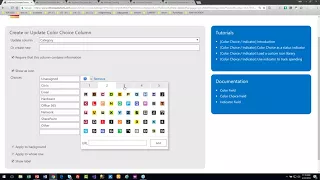
- Add eye-catching icons to choice fields.
- Break up your form into tabbed sections.
- Include a progress bar indicator in the SharePoint list view.
- Include formatted "hover help" to provide detailed instructions to users.
- Add cascading dropdown fields.
- Show status updates with automatic history tracking.
- Include conditional validation that is triggered only in specific cases.
- Dynamically show and hide form sections in real time.
- Allow users to write a custom signature directly into the form.
At Infowise, we serve as your strategic partner, assisting in your digital transformation. Ultimate Forms contains a wide array of SharePoint components, developed to give you the power to innovate, automate, and scale up your processes. Ultimate Forms helps you create amazing, advanced business solutions based on your SharePoint lists and document libraries, using nothing but your browser! Anything from simple Leave Request or Expense Report and all the way to complex Help Desk or Project Management solutions can be built in minutes, without writing a single line of code.



