HubSpot data connection allows you to connect to your HubSpot account and perform various operations on the data. Contacts and Companies are both supported. You can create new items, update existing one or view details. At this point, we do not support Associations.
To create a connection to HubSpot, you need to provide access to your HubSpot by the means of Service Keys or Legacy App. We do not yet support MCP Auth Apps.
- In the left-side menu, click on Development
- Click on Service Keys (under Keys, recommended) or Legacy Apps. Then create a new one.
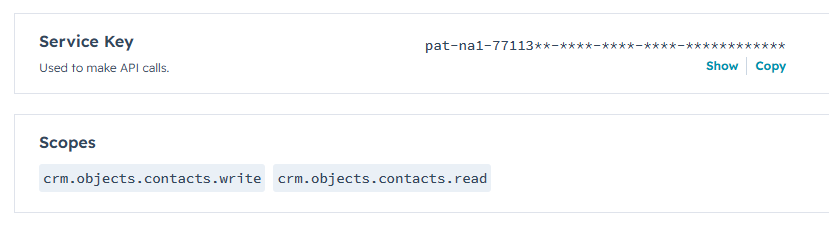
- In both cases, make sure you add the required scopes (choose the ones that apply to your scenario):
- crm.objects.contacts.read (read access to Contacts)
- crm.objects.contacts.write (write access to Contacts)
- crm.objects.companies.read (read access to Companies)
- crm.objects.companies.write (write access to Companies)
- Save
- Enter the newly create key or app. Take note of Service key (for keys) or Access token (for apps, under Auth)
- You will use the key/access token in the Access token property of the data connection you create to gain access to your data. Make sure to keep the key securely stored.
Get helpful videos
Last modified: 5/27/2026 12:59 AM
Loading...
Add your comment
Comments are not meant for support. If you experiencing an issue, please open a support request.
Reply to: from



© 2005-2026 Infowise Solutions Ltd. All rights reserved.