UltimateForms: Actions
Save on development time by automating advanced business solutions using just your browser. Implement advanced business logic using a wide variety of advanced fully-configurable actions.
UltimateForms: Actions, a component of
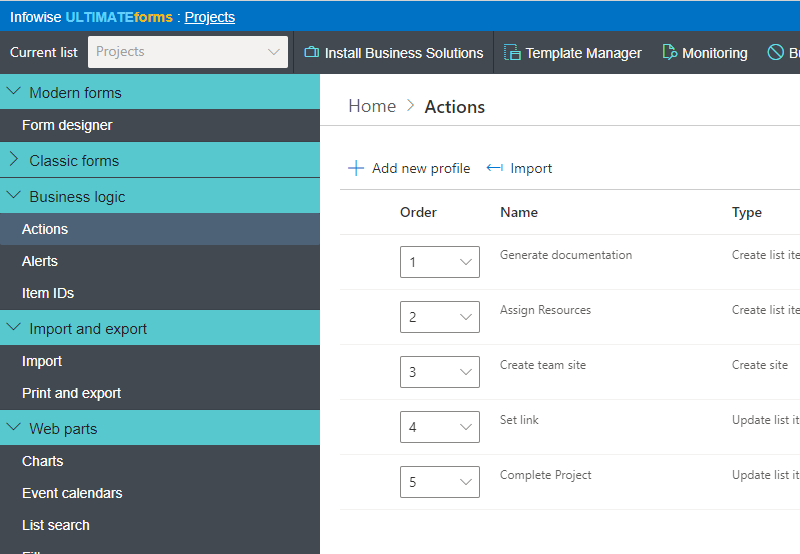
UltimateForms, allows you to implement advanced solutions previously only feasible using workflows. You can now define and execute multiple actions of 16 different types, ranging from updating list items or external databases to creating sites and managing permissions. Actions are then executed automatically, manually or based on a timer.
Automating business processes has never been easier, instead of writing code-based workflows or custom event receivers using Visual Studio, you accomplish what you need in minutes using just the browser.
Using Actions has allowed us to directly create solutions that generally require custom coding. The ability to allow site owners to create their own business process/workflows enables us to deliver solutions in a much more timely fashion. Thanks.-- Bill Dewey, Seattle Goodwill
| Common Business Task | Details | Done in |
|---|---|---|
| Project initiation workflow, includes creating project site, generating tasks, registering in external DB and assigning manager review | Read more | 10 minutes |
| Generate a predefined set of initial tasks whenever a project is created | Read more | 12 minutes |
| Create and update users in Active Directory | Read more | 7 minutes |
| Generate and send PDF file of sales totals automatically on a weekly basis | Read more | 7 minutes |
| Convert support tickets into KB articles with one click | Read more | 4 minutes |
| Prevent double-booking of resources | Read more | 2 minutes |
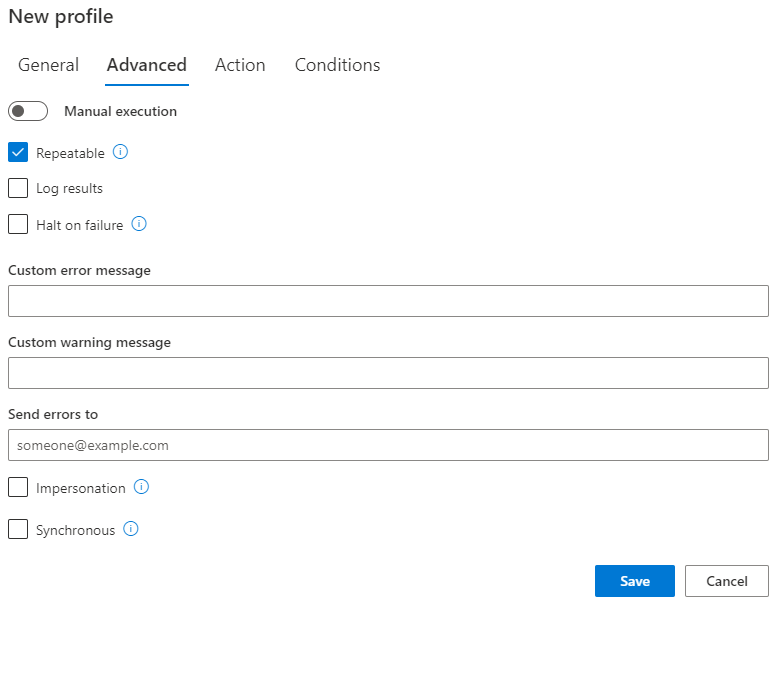
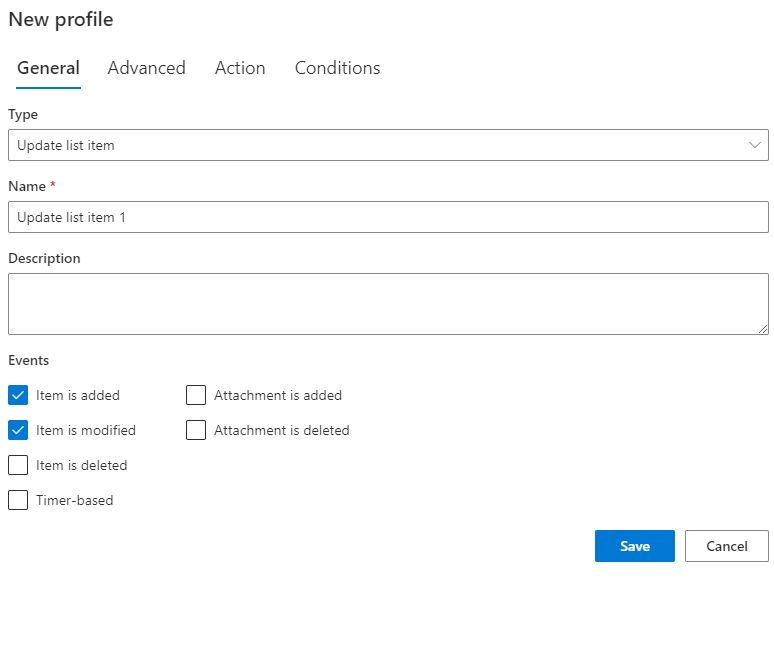
Automatically run actions on any event (items added, modified, moved, checked in/out or deleted), manually through ribbon buttons or according to a timer.
A wide selection of different types of actions is available:
- Create list item - create new list items in any list of any site
- Update list item[s] - update multiple list items in any list of any site
- Delete list item[s] - delete multiple list item in any list of any site
- Copy item/document - copy current item or document to a different location
- Send e-mail incorporating list item values - send out emails using your own templates
- Create list from any template - create list of document library in any site
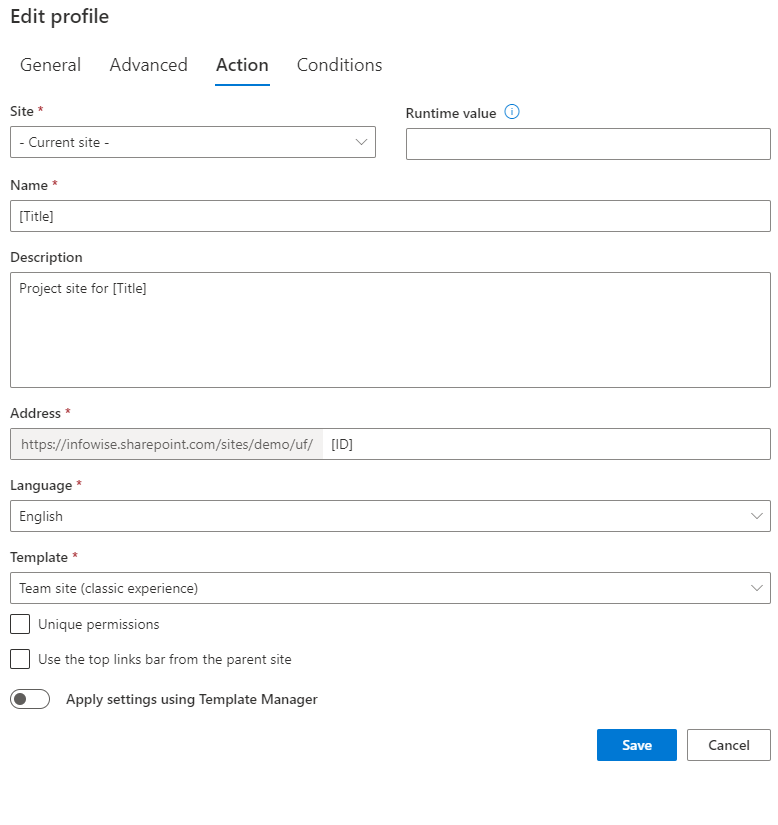
- Create site from any template - create a new subsite
- Run workflow on one or more items in any list or document library
- Run stored procedure in database of any type (MS-SQL, Oracle, OLE DB or ODBC) - pass parameters based on the current item's columns
- Run web service operation - pass parameters based on the current item's columns
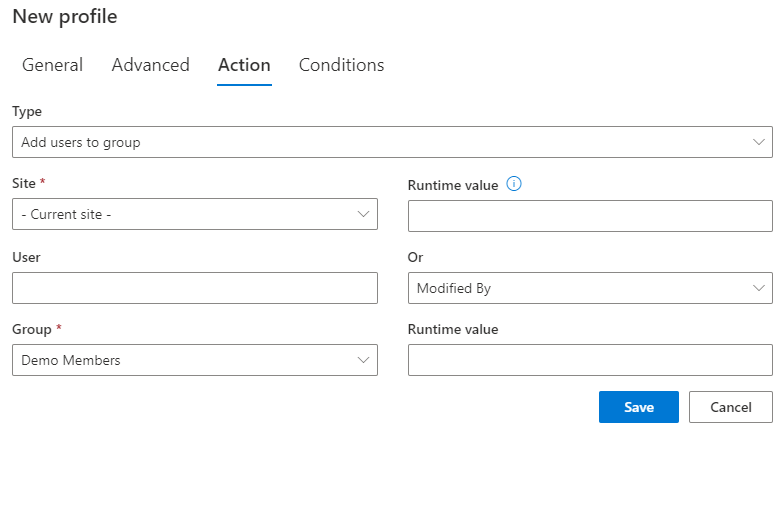
- Manage permissions of sites, lists, folders and items - break or restore permission inheritance, add or remove users, manage group memberships
- Manage Active Directory - create and manage users and groups in Active Directory (SAM, AD DS and AD LDS)
- Print list items - integrates with UltimateForms: Print to produce list and item printouts in various format, then email or save
- Calculate summary - calculate summary of values in any column of any list of any site. Use this value to update the current item or throw an error when the value does not pass the condition.
- Run PowerShell - executes custom PowerShell script
- Generate Associated Tasks - generate individual tasks for users in a group using Associated Items column
- 100% browser-based, no tools required
- No programming knowledge or experience required, completely rule-based
- Assign multiple different actions and run them according to conditions
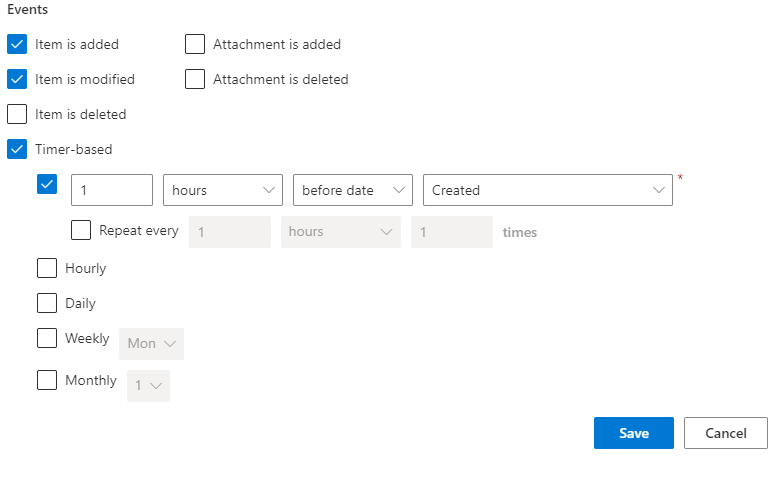
- Create timer-based actions running according to date column value or on a daily, weekly or monthly basis
- Optionally, let users decide what actions to run each time
- Allow users to run action by clicking on a column, a context menu option or a ribbon button
- Use run-time parameters to make changes to dynamically created or selected site or lists
- Optionally, run actions synchronously, prior to saving items and even prevent items from being saved.
- Optionally allow user to perform actions with elevated permission level (such as managing permissions)
- Perform actions accoridng to different triggers: item added, updated, moved, checked in/out, deleted, attachments added/removed, etc.
- See action history with a click of the mouse, get email notification when actions fail
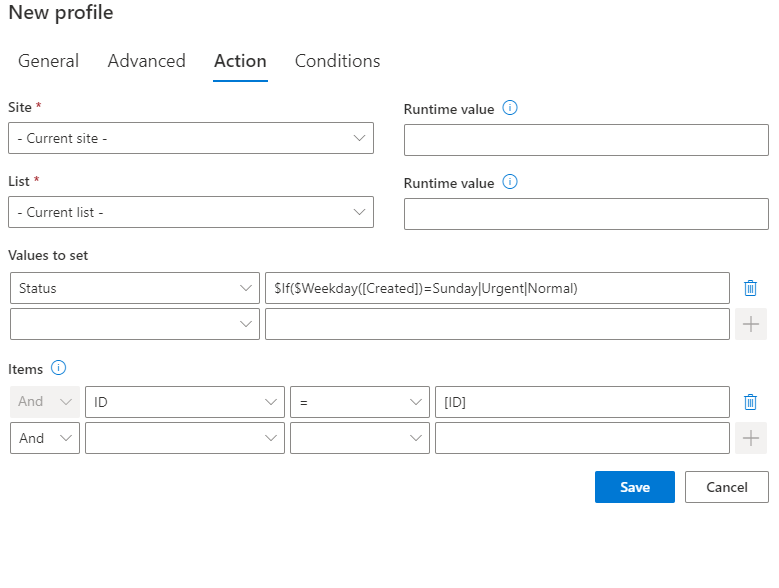
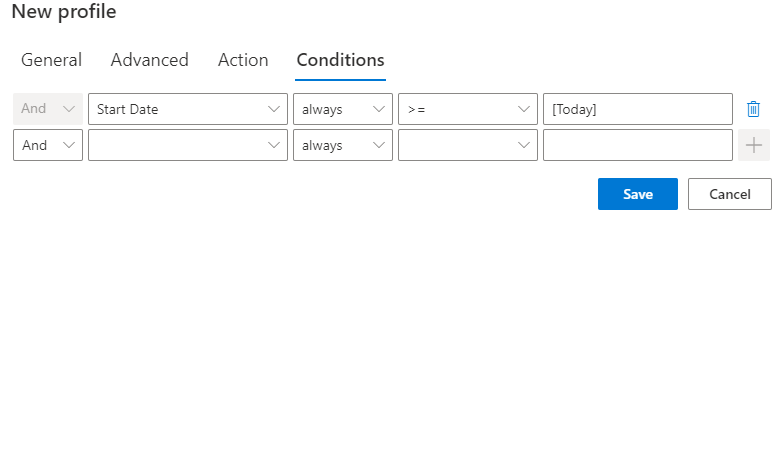
Define parameters for each action using your current item's values and advanced functions. You also can specify conditions when to run each action (e.g. when Status changes to Completed).
When creating/updating an item, your users can see the actions and optionally decide which actions are to be performed.
- Integrate SharePoint closely with your other line-of-business systems by letting SharePoint update external data
- Give your users more power to build sophisticated SharePoint-based application using just the browser
- Accomplish tasks previously only available in custom workflows without any tools or programming
- Extend the abilities of any list by adding custom action buttons to the ribbon
Features
| Feature | Image | Our Product | SharePoint Native |
|---|---|---|---|
| 21 different action types to choose from, including creation of item, lists, sites, management of permissions, etc. |  |
||
| Supports calling web services and DB stored procedures | |
||
| Perform actions when item is saved/created | |
|
|
| Perform actions when item is deleted | |
||
| Perform actions when attachments are added/deleted | |
||
| Perform actions when document is checked out/checked in | |
||
| Perform actions when file is moved | |
||
| Perform actions based on a timer | |
||
| Perform actions at preset intervals | |
||
| Define actions using browser only | |
||
| Optionally define actions as columns to be executed by click | |
||
| Choose site or list dynamically at run-time | |
||
| Conditional execution of actions | |
|
|
| Synchronous and asynchronous execution with optional cancellation | |
||
| Action history accessible from views with a click | |
||
| Notify action owner by e-mail in case of failures | |
Note: unless specifically stated otherwise, all products require only SharePoint 2016 and up. Except for SharePoint Online apps, all of our products must be installed as farm solutions.
Blog
- 4/21/2023 : Image manipulation action in Ultimate Forms
- 1/31/2023 : Update SharePoint list data when you're offline
- 4/7/2022 : Automatic content translations part 2 - Azure Cognitive Services
- 4/6/2022 : Automatic content translation in Actions
- 1/18/2022 : Add signatures to SharePoint items with DocuSign
- 10/29/2021 : Adding loops to Actions
- 7/30/2021 : Parameters in manual actions
- 7/22/2021 : New action type - Manage Teams
- 3/29/2021 : Manage attachments - new action type
- 10/24/2018 : New Action Type - Manage Exchange
- 9/27/2018 : Action Groups – the newest Action is a powerhouse
- 9/19/2018 : New Exchange action capabilities
- 9/14/2018 : Meet Action Groups
- 6/27/2018 : Send SMS messages from SharePoint
- 5/31/2018 : New User Facing Action Button Images
- 9/28/2017 : New Hourly Actions Available
- 11/28/2016 : Actions vs Workflows
- 2/26/2015 : Tip - custom message when ribbon action can't execute
- 8/12/2014 : Automate process of copying project documents
- 6/12/2014 : Enhancing SOP Solution
- 5/10/2014 : How to let users change their own Active Directory passwords
- 2/11/2014 : Creating and managing users in Active Directory from SharePoint
- 12/6/2013 : Add custom actions to SharePoint ribbons
- 11/19/2013 : Infowise support for Managed Metadata column
- 8/12/2013 : New types of functions in Value Picker
- 7/11/2013 : Deep Dive - asynchronous vs synchronous actions in Smart Action Pro
- 5/10/2013 : Batch check-in of SharePoint documents
- 4/16/2013 : Set approval and check-in and out using Smart Action Pro
- 3/31/2013 : Run actions from ribbons and context menus
- 2/27/2013 : New features in Smart Action Pro
- 2/7/2013 : Clean up orphaned associated items
- 9/12/2012 : New "Calculate summary" action in Smart Action Pro
- 7/26/2012 : Synchronous actions and cancellation in Smart Action Pro
- 7/16/2012 : Timer actions and print support in Smart Action Pro
- 7/17/2011 : Put your lists to work with Smart Action Pro
Want to get notified when new versions come out? Subscribe to our RSS feed now!
| Version | Release Date | Changes |
|---|---|---|
| 1.44.2 | 04-Mar-2024 |
|
| 1.44.1 | 10-Jan-2024 |
|
| 1.44.0 | 07-Jan-2024 |
|
| 1.43.11 | 19-Oct-2023 |
|
| 1.43.10 | 11-Oct-2023 |
|
| 1.43.9 | 21-Sep-2023 |
|
| 1.43.8 | 18-Sep-2023 |
|
| 1.43.7 | 11-Sep-2023 |
|
Although this feature can be purchased and installed separately, we highly recommend always installing the complete UltimateForms suite. It will ensure you are not limited in any way when implementing your business solutions and achieve the best possible result.
$65.58
per server per month, includes support
or
$1,574
Perpetual license for one server, including first year of support
No Credit Card. No Obligation.