Forms
Actions
Alerts
Associated Items
Connected Lookup
Print
Import
Signature
External Data Lookup
Calendar
Rollups
Charts
Counters
List Search
Filters
Item IDs
Color Choice
User Property
Document Link
Voting
Stay in the know
Get helpful videos
Auto-populate SharePoint forms with user profile data: name, phone, department, manager, from Active Directory or profiles. No retyping, no code.

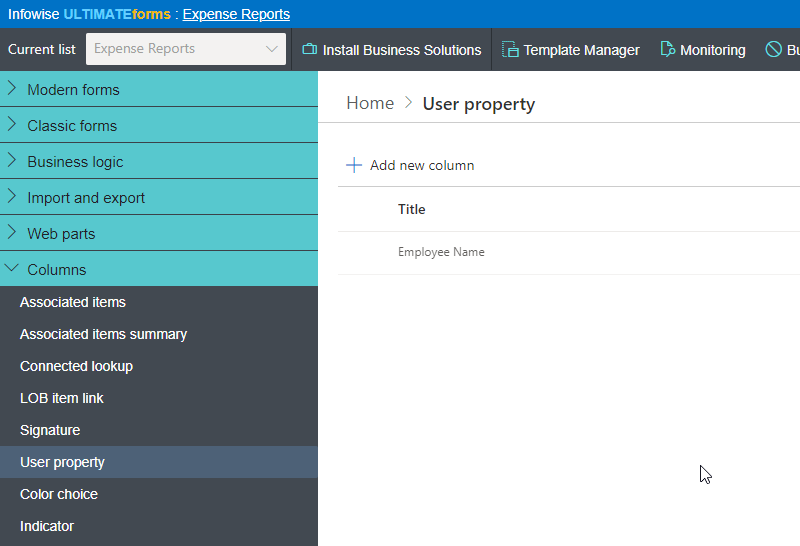
Ultimate Forms: User Property auto-fills SharePoint forms with information the organization already knows: name, phone, email, department, manager, or any other property from Active Directory or SharePoint user profiles. By default it fills in the current user's details the moment the form opens; point it at a people column instead, and it retrieves any selected user's details on demand, spreading them across related fields. Optional manual override stays available, and it is all configured in the browser, no code.
Your directory already knows who the user is. The form should stop asking.
The absurdity of retyping your own name
Every request form that asks for name, department, phone, and manager is asking questions the company answered when the employee was hired. Users retype the same facts daily, each entry a fresh chance for a typo, an outdated title, or the wrong manager, and downstream automation inherits every mistake. Multiply by every form and every employee, and "just fill in your details" quietly becomes one of the most repeated tasks in the organization.User Property deletes the task. The profile is the source; the form is just the destination.
What User Property can do
Fill from the directory, instantly
Extract any property from Active Directory or SharePoint user profiles into the form: contact details, job title, department, office, manager. The current user's information appears automatically at item creation, correct and current, with zero keystrokes. Where policy allows, users can still edit the pre-filled values; where it does not, the data stays read-only.Look up anyone, not just yourself
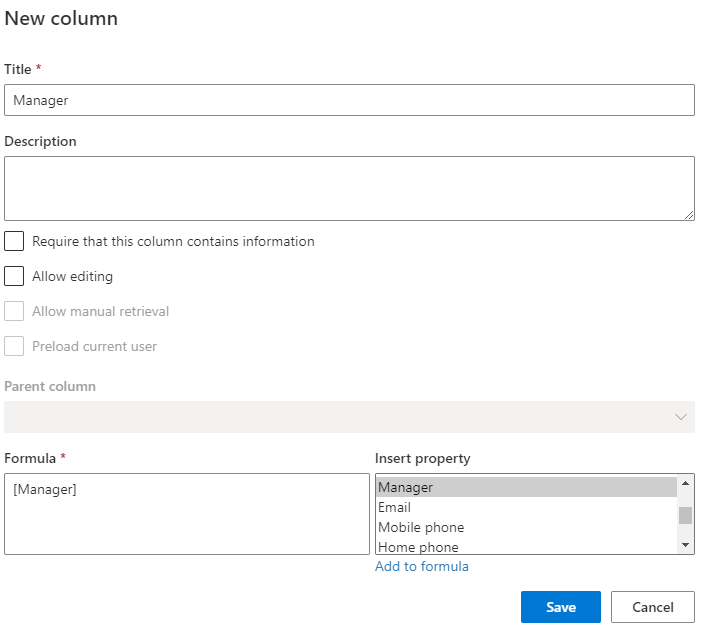
The column can retrieve details for any user on demand: pick the employee in a people column and their department, phone, and manager populate immediately. That is the mechanism behind forms filed on behalf of others, delegate submissions, and the classic routing setup where the approval process reads the manager straight from the selected employee's profile.One selection, many fields
Push updates from the main column to related columns, so a single choice fans out across the form: select the person once, and every dependent field fills itself. Combined with Forms rules, those values can then drive visibility, validation, and calculations across the rest of the form.Formatted your way
Define templates that mix and match properties with your own labels and text, so the output reads the way your process needs, whether that is a tidy contact block or a single formatted line. The filled values are real column data, ready for views, alerts, printed documents, and reports.Compared with Native SharePoint
| Ultimate Forms | Native SharePoint | |
|---|---|---|
| Automatically import any user property into the current item | ✓ |
|
| Create custom templates of properties and text | ✓ |
|
| Allow manual user identity override | ✓ |
|
| Supports both user profiles and Active Directory | ✓ |
|
| Optionally allow users to edit the data | ✓ |
|
| Localized into English, French, Spanish and German | ✓ |
✓
|
Where teams use it
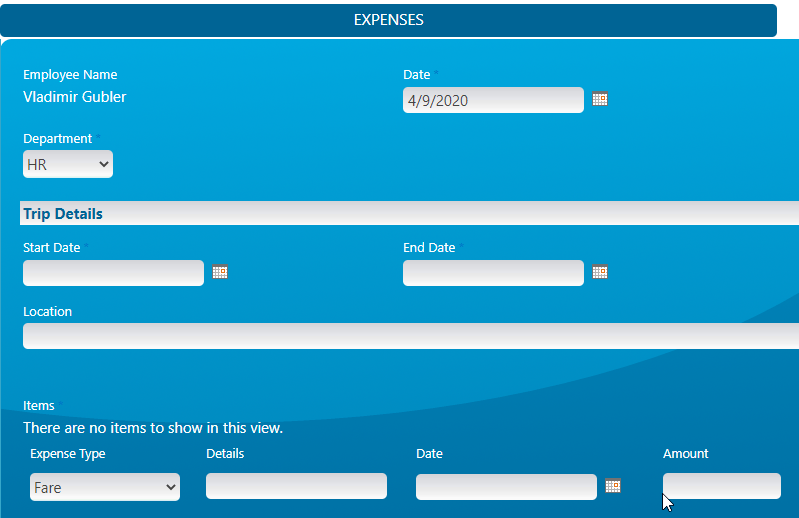
Leave requests where employee and manager details arrive pre-filled on the Leave Request template. Expense claims that populate the requester's profile automatically, as in the Travel Expenses template. Help desk tickets that know the caller's location and phone before the first reply. Onboarding and HR forms filed by coordinators on behalf of new hires. Anywhere a form asks who, User Property answers before the user does.Frequently asked questions
Q: Can a SharePoint form auto-fill the current user's details?
A: Yes. User Property fills name, phone, department, manager, or any profile property automatically when the form opens, from Active Directory or SharePoint profiles.
Q: Can it pull details for a selected user, not just the current one?
A: Yes. Pointed at a people column, it retrieves the chosen user's properties on demand, so forms filed on behalf of others fill just as automatically.
Q: Can one selection populate several fields?
A: Yes. The main column pushes values to related columns, so picking a person fans their details out across the form.
Q: Which property sources are supported?
A: Both Active Directory and SharePoint user profile properties, mixed freely within custom templates of properties, labels, and text.
Q: Can users correct the pre-filled data?
A: Optionally, yes. You decide per column whether values are editable or locked to the profile data.
Q: Can the manager field fill automatically for approvals?
A: Yes. Retrieving the selected employee's manager from the directory is a standard setup, feeding approval routing without manual entry.
Screenshots