Forms
Actions
Alerts
Associated Items
Connected Lookup
Print
Import
Signature
External Data Lookup
Calendar
Rollups
Charts
Counters
List Search
Filters
Item IDs
Color Choice
User Property
Document Link
Voting
Stay in the know
Get helpful videos
A better alternative to SharePoint attachments: link or upload documents to list items with required counts, allowed types, and full library control.

Ultimate Forms: Document Link is the structured alternative to SharePoint attachments. It links list items to documents, existing files picked from anywhere in the site collection or new ones uploaded straight from the form, with rules that make paperwork enforceable: minimum and maximum document counts, allowed file types, and meaningful titles. Linked documents live in a real document library with versioning and permissions, can be shared between items, and appear as direct links in your views. No code, configured as a column.
Attachments are where documents go to be forgotten. Document Link is where they go to be found.
The trouble with attachments
Native attachments dump every file into one untitled pile on the item: the signed contract, the draft, and the photo of a whiteboard, indistinguishable. There is no way to require a document, no way to restrict types, no titles, and none of the library capabilities that make SharePoint good at documents in the first place: no versioning, no metadata, no independent permissions. For any process where paperwork matters, attachments are a liability with a paperclip icon.Document Link replaces the pile with labeled, validated slots, backed by a real library.
What Document Link can do
A slot for every document, not a pile for all of them
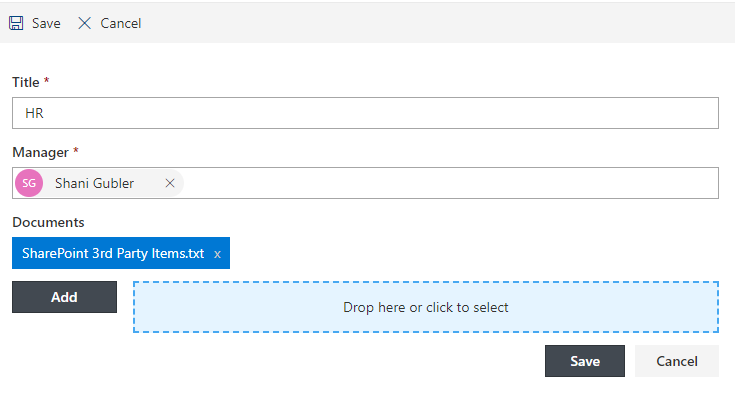
Add multiple Document Link columns to one form, each for a specific document: the contract here, the insurance certificate there, the receipts in a third. Link different documents to different parts of the form, so the employee's uploads stay separate from the manager's, and combined with Forms permission rules, each role sees and manages only its own slots.Make required paperwork actually required
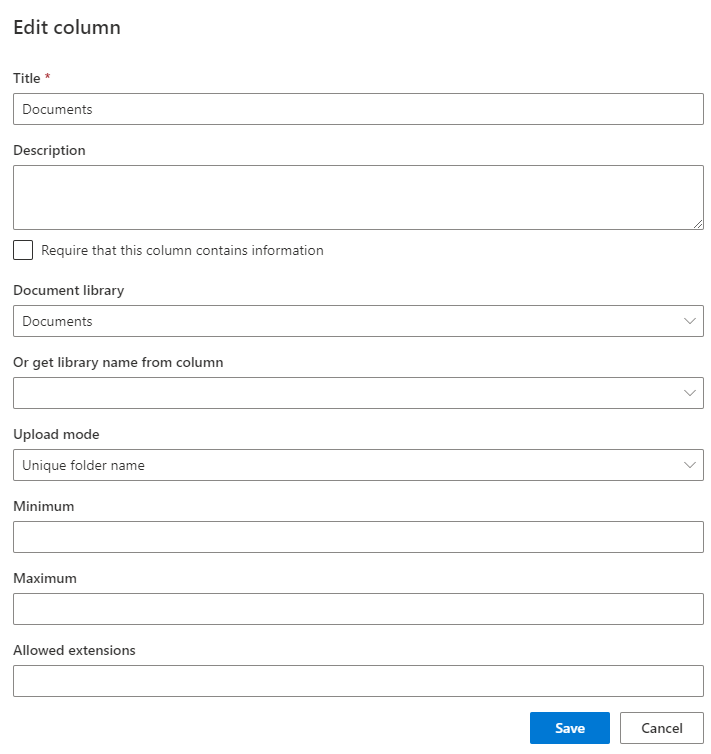
Specify a minimum and maximum number of documents per column and restrict allowed extensions, so "at least one signed PDF" is enforced by the form rather than requested by email afterward. Incomplete submissions stop at the door, which is exactly where compliance wants them stopped.Link, upload, or reuse
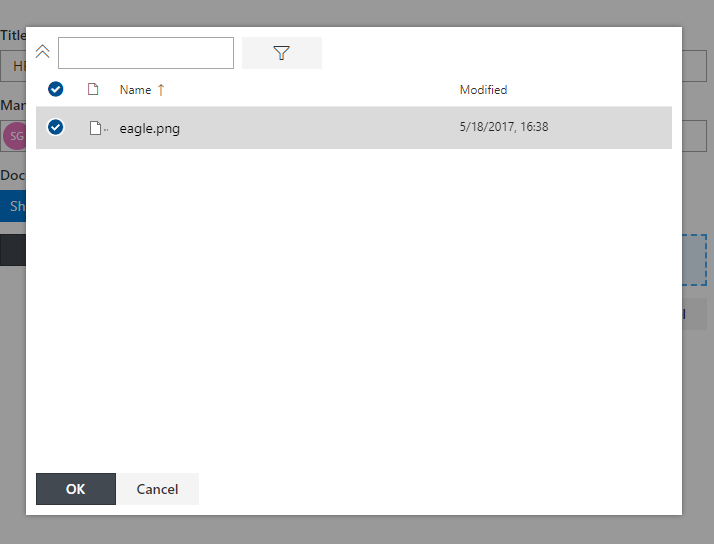
Pick existing documents through an integrated picker from the same library, site, or anywhere in the site collection, or upload new files directly from the column. Linked documents can be shared between items, so one master agreement links from every related record without copies drifting apart. Items can even serve as attachments for a document, relating files to files.Real documents, real library
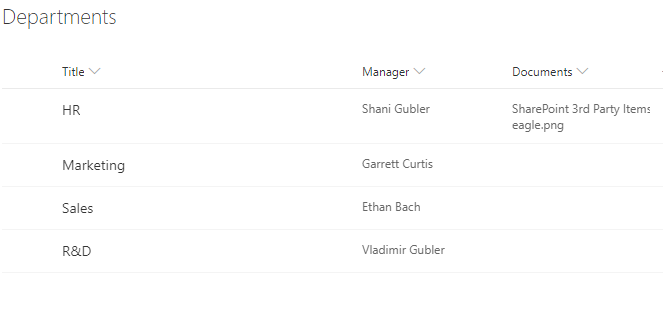
Unlike attachments, every linked file carries a meaningful title and lives in a full-featured document library, with versioning, metadata, search, and permissions intact. Views show direct links to the linked documents, and downstream the documents ride along with the rest of the platform: cited in alerts, included in printed output, and part of the record in approvals.Compared with Native SharePoint
| Ultimate Forms | Native SharePoint | |
|---|---|---|
| Link to existing file | ✓ |
|
| Upload and store new files | ✓ |
|
| Show and use multiple links to files | ✓ |
|
| Specify minimum and/or maximum number of documents | ✓ |
|
| Specify allowed extensions | ✓ |
|
| Integrated document picker available | ✓ |
|
| Localized into English, French, Spanish and German | ✓ |
✓
|
Where teams use it
Expense claims requiring receipt uploads, as in the Travel Expenses template. Contracts with amendments and supporting exhibits linked in labeled slots. Patient and client intake collecting IDs and consent forms as distinct requirements. Vendor records linking certificates that expire, insurance that renews, and agreements that both reference. Wherever an item is only complete when its paperwork is, Document Link defines what complete means.Frequently asked questions
Q: Is there a better way than attachments to add documents to a SharePoint list item?
A: Yes. Document Link stores documents in a real library with titles, versioning, and permissions, linked to the item in labeled slots instead of one unstructured attachment pile.
Q: Can I require documents on a SharePoint form?
A: Yes. Each Document Link column can enforce a minimum and maximum number of documents, so submissions without required files cannot be saved.
Q: Can I restrict which file types users upload?
A: Yes. Allowed extensions are configurable per column, so a slot can accept only PDFs, only images, or whatever the process demands.
Q: Can one document be linked to several items?
A: Yes. Linked documents can be shared between items, so a single master file serves every record that references it, without copies.
Q: Can users upload directly from the form?
A: Yes. Files can be uploaded straight from the column or selected from anywhere in the site collection through the document picker.
Q: Do linked documents keep versioning and permissions?
A: Yes. They live in a standard document library, retaining versioning, metadata, search, and independent permissions, unlike attachments.
Screenshots