Infowise Ltd
Microsoft Certified Partner
Search
Home
Products
Customers
Partners
Careers
Support
Blog
About Us
Contact Us

Type
Custom Field
Integrated System
List Extension
Navigation
Site Template
Web Part

Category
Business Processes
Collaboration
Free
Internet
Knowledge Mng
Project Management
Publishing
Social
User Interface

Skip Navigation LinksHome > Products > Product Details
Connected Field

Overview
Features
Images
Version History
Purchase
  
Collaboration
  
Business Processes
   Download

SharePoint 2010 Ready

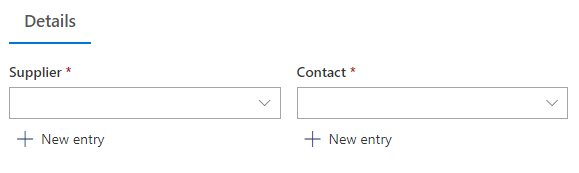
You can now create cascading master-detail relationships between two or more lookup fields in SharePoint lists and document libraries. Filter your city column values by the selected country, it is as easy as it should be!

  • Support for site columns and content types - now you can create the master-detail relationship at the root site and reuse it throughout your site collection.
  • Support for multi-choice lookup fields - both master and detail fields can be set to support multiple values. When several master values are selected, the combined list of detail values is available for selection.
  • Unlimited number of cascading levels - you can chain together as many columns are you like, each parent can have unlimited children and each child can have its own children. Note: you may experience some performance degradation when too many columns are added. Up to 12 columns may be created on a slow system without a significant performance penalty.
  • Looks and behaves similarly to the built-in lookup column, no user training required - end users will not notice any change in the behavior or appearance.
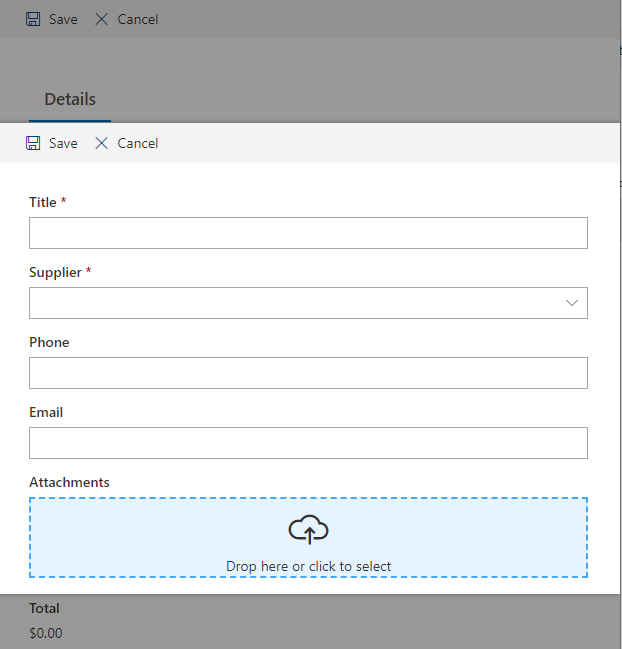
  • Enter new values directly from the column
  • Operates both as a cascading lookup and as a regular lookup
  • Supports filtering returned values according to a pre-selected SharePoint view
  • Based on ASP.NET 2.0 AJAX capabilities.
User Guide User Guide Download Download 30-day Trial Buy Now Buy Now

Preview

DescriptionClick to expand
You can create connections between multiple fields, including support for content types and site columns. You can even create multi-choice to multi-choice connections!

Enables you to create lookup columns that are filtered according to the value selected in the parent lookup field. Columns can be chained together to produce a hierarchy of cascading columns.

What You Can DoClick to expand
  • Create categories and subcategories for your documents across the system
  • Save time and errors typing in values

Upcoming FeaturesClick to expand
  • Looking up information in database table
  • Looking up information using web services
Bundles
Bi-directional Lookup
Select lookup item and track its usage

Companion Products
Smart List Pro
Advanced tab, column and view permissions
SharePoint 2010 Ready
 
List Search
Advanced search capability of list content
SharePoint 2010 Ready

Hot Products & Bestsellers
Electronic Signature Field
Enables signing other fields for regulatory purposes
SharePoint 2010 Ready
 
Connected Field
Cascading relation between two or more lookup fields
SharePoint 2010 Ready
 
Smart List Pro
Advanced tab, column and view permissions
SharePoint 2010 Ready
 
Expert Search
provides a platform for automatic knowledge discovery
SharePoint 2010 Ready
 
Newsletter
Automate e-mail newsletters
SharePoint 2010 Ready

Note: Would you like to use this product in your own language? Use our easy-to-use translation utility to help us add more supported languages. We will incorporate your translation and make it available to everyone!
Read more here

  • Run the installation file to extract and install the product. You must be a farm administrator to accomplish this task.
  • Create a new list called Product Categories, and fill it with sample data.
  • Create a second list called Products, and add a regular lookup field to Product Categories, name it Category and fill this list with sample data.
  • Create a third list called Sales
  • Add a lookup field to Product Categories, name it Category
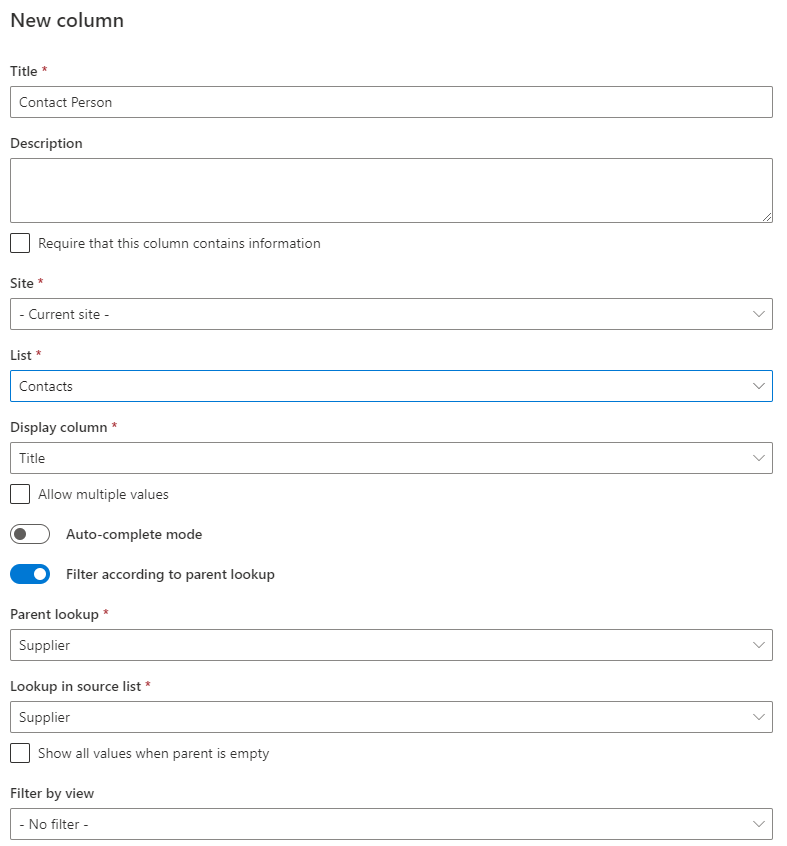
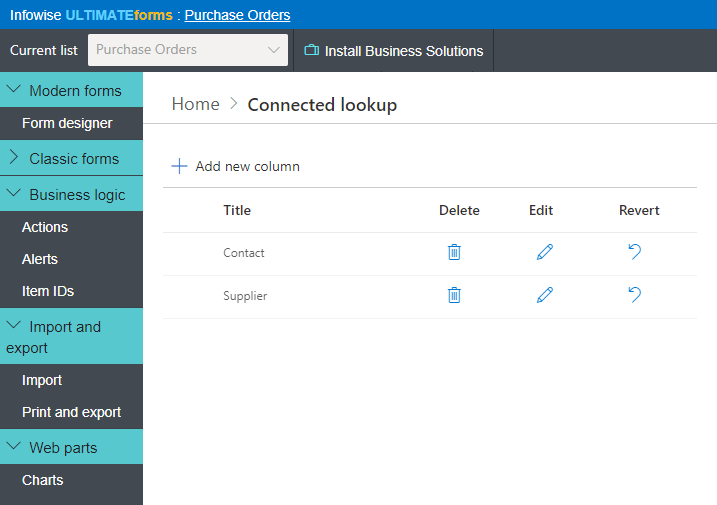
  • Add a Master-detail lookup field and define it according to the following:
    • In the lookup section define the field as a lookup to Products.
    • In the Parent Field select the Category field you (the lookup to Product Categories).
    • In Link Column choose the Category(the field that was mapped to Product Category in Products – the filtering field in the lookup list).
  • Now add a new item to the list and see that as you choose a value from Category field, the Products field will be filtered accordingly (no page refresh is needed).

Feature Caption Our Product SharePoint Native
Complete replacement for the built-in lookup, with additional features   Included  
Filter lookup field according to another lookup field caption  Included  
Unlimited number of levels of cascading filtering   Included  
Allows entering new values directly from the column caption  Included  
Allows entering new values through a popup window caption  Included  
Supports site columns and content types   Included  
Supports single-single, single-multi, multi-single and multi-multi selections   Included  
Optionally filter values by view   Included  
Supports English, German and Russian   Included  
  First Previous   Next Last
Image  of   
associatedItems.pngconnectedFields.pngentry.pngentryPopup.pngpicker.gifsettings.gif

Version Release Date Changes
2.1.5 06-Sep-2010
  • Lookup entry popup added
  • Support for Russian language added
  • 2.1.4 01-Sep-2010
  • Installation utility improvements
  • 2.1.2 30-Aug-2010
  • Installation utility improvements
  • 2.1.1 11-Aug-2010
  • Field definition stand-alone mode bug fix
  • 2.1.0 09-Aug-2010
  • Add new values directly from column
  • Operate as a stand-alone lookup field
  • 2.0.24 04-Jul-2010
  • Filter values according to view settings
  • 2.0.23 20-May-2010
  • 2010 registration compatibility patch
  • 2.0.22 15-May-2010
  • Installation module upgrade
  • 2.0.21 05-May-2010
  • SharePoint 2010 readiness
  • 2.0.20 23-Feb-2010
  • Installation module upgrade
  • 2.0.19 13-Jan-2010
  • Registration module improvements
  • 2.0.18 30-Dec-2009
  • Error handling improvements
  • 2.0.17 01-Aug-2009
  • Trial registration module upgrade
  • 2.0.16 12-Jul-2009
  • Bug fixes
  • 2.0.15 05-Jul-2009
  • Bug fixes
  • 2.0.2 25-Mar-2008
  • Support for content types
  • 2.0.1 30-Nov-2007
  • Support for multi-choice
  • 2.0.0 30-Oct-2007
  • Initial release for SharePoint 2007
  • Want to try before you buy? Just download the 30-day full-featured trial version! You can even turn it into a registered version by simply entering a license key.  Download

    Please note: for licensing purposes any server connected to the SharePoint farm and running Windows SharePoint Services Web Application is considered to be a front-end server, regardless whether or not actual user connections are permitted by your network settings.

    License TypeDescriptionPriceBuy
    Server LicenseFront-end server license449 US$ Buy Now
    Server License with Annual SupportFront-end server license with a maximum of 3 support calls599 US$ Buy Now
    Developer LicenseAt least one full-priced server license is required139 US$ Buy Now
    Annual Support RenewalMaximum of 3 support calls129 US$ Buy Now

    License Types

    • Server License - entitles you to the right of installing the product on one front-end server. Front-end server is one responding to user requests (web server). This license is not time-limited, but you are not entitled to new versions, except for explicit bug fixes.
    • Server License with Annual Support - same as Server License, but also includes the right to contact us on 3 non-bug related issues within the period of one year. This could be help with installation, integration or customizations. Bug fixes are included with any license free of charge.
    • Developer License - entitles you to the right of installing the product on one front-end server in non-production environment. You can use this license for your test/integration/pre-production farms. Note that you must order at least one full server license to have the right to order a developer license.
    • Annual Support Renewal - extends the annual support to another year. You must order the original product with annual support to be eligible for this renewal.

    Please contact us for additional licensing plans, including volume discounts.

     
    Home
    Products
    Customers
    Partners
    Careers
    Support
    Blog
    About Us
    Contact Us
    Copyright © 2010 Infowise Ltd. All rights reserved.