Forms
Actions
Alerts
Associated Items
Connected Lookup
Print
Import
Signature
External Data Lookup
Calendar
Rollups
Charts
Counters
List Search
Filters
Item IDs
Color Choice
User Property
Document Link
Voting
Stay in the know
Get helpful videos
Add repeating sections and parent-child relationships to SharePoint forms: line items, sub-tasks, and totals inside the parent record. No code needed.

Ultimate Forms: Associated Items adds repeating sections and true parent-child relationships to SharePoint forms. Order lines inside the order, tasks inside the project, findings inside the audit: related items appear, get created, and get edited directly within the parent item's form, with automatic totals rolled up into summary columns. It is the database-style master-detail experience SharePoint lists never had, and the closest thing to InfoPath repeating sections that runs on modern SharePoint, no code required.
If your users currently jump between two lists and paste ID numbers to keep records connected, this is the component that ends it.
The problem with flat lists
Real business records are rarely flat. A purchase order has line items. A project has tasks. A shipment has contents. An inspection has findings. Native SharePoint offers only lookups pointing the wrong way: from the child to the parent, invisible on the parent's own form. So teams improvise with multiple lists, manual cross-references, and a lot of clicking, and nobody ever sees the whole record in one place.Associated Items inverts the view. Open the parent, and everything that belongs to it is right there: listed, sortable, editable, and totaled.
What Associated Items can do
The whole record on one form
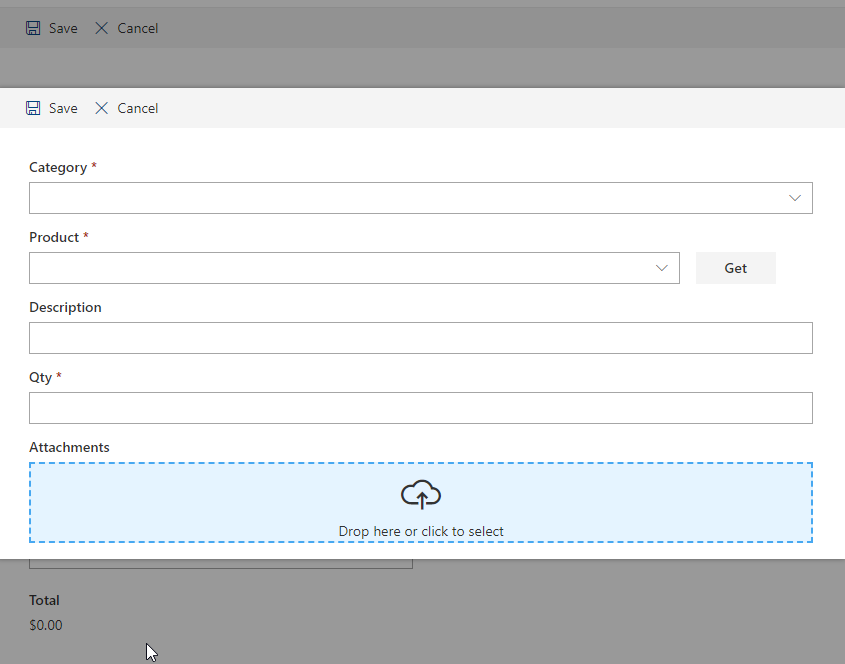
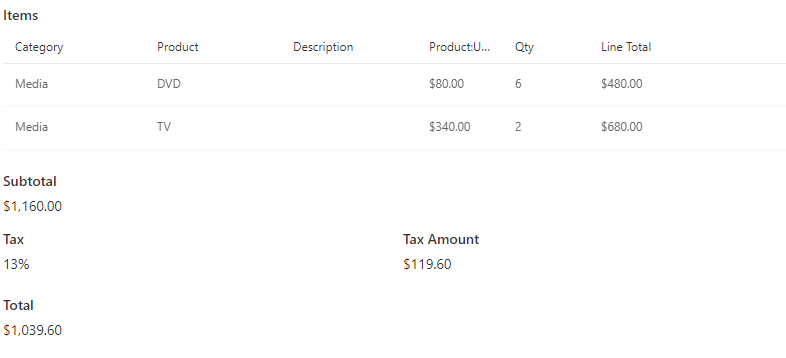
Display a fully functional list of related items directly on the parent's new, edit, and display forms, shown in a customizable view with sorting, paging, an optional view selector, and a full context menu. Create and edit children without ever leaving the parent. Drill into a line item, fix it, and land back on the order.Totals that compute themselves
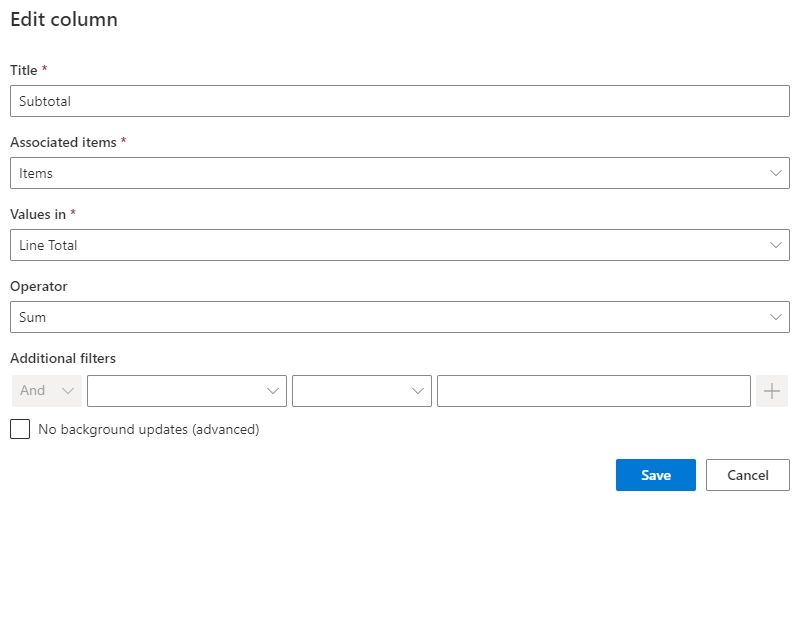
Summary columns automatically aggregate child values onto the parent: count the tasks, sum the line amounts, average the scores, or concatenate the names. The order total updates the moment a line changes, and because it is a real column, you can use it in views, conditional rules, alerts, and reports.Fast entry, your way
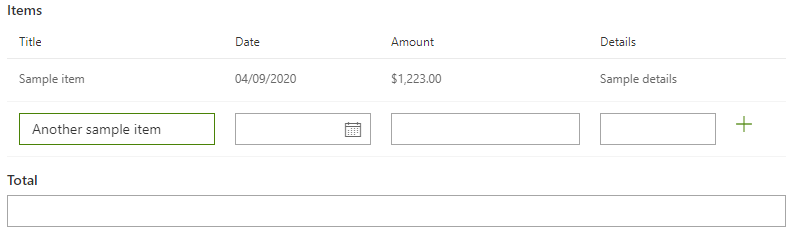
Choose the entry style that fits the job: a full form per child for rich records, quick in-line task entry for simple ones, or datasheet-style grid entry for keying in many rows at speed. Pre-defined task titles simplify repetitive entry, and one click can generate a whole set of tasks for a group of users, which turns "assign the onboarding checklist to every stakeholder" into a button.Relationships that reach as far as you need
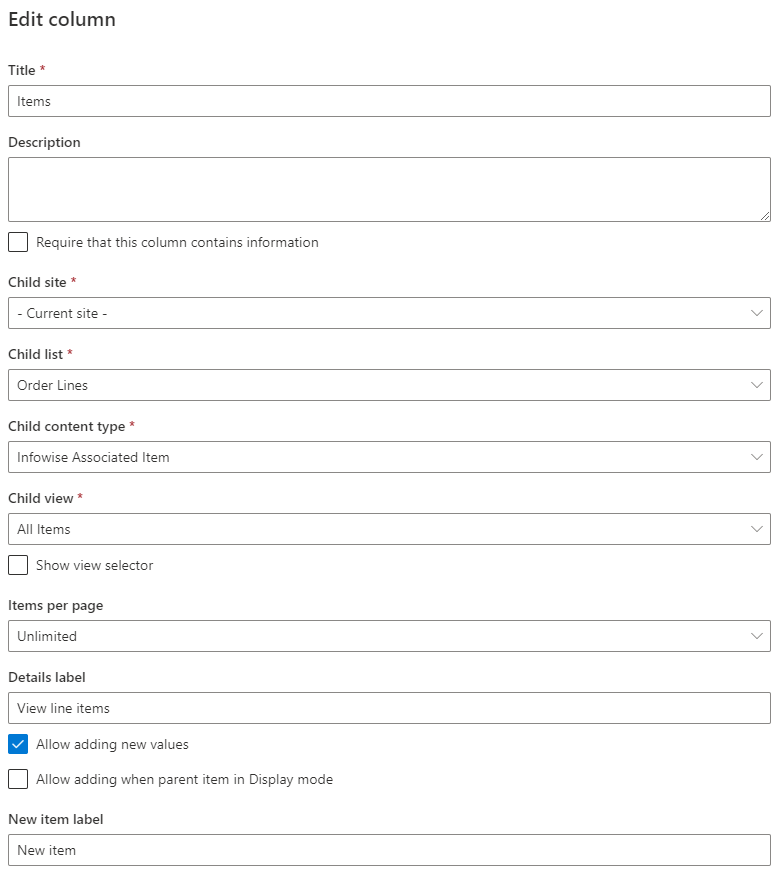
Parent and children can live on the same site or across sites. Use the provided content types and list template to start immediately, or build on any lookup and any content type you already have. Bulk actions apply a change to all related items at once, so closing a project can close its twenty tasks in one motion.Compared with Native SharePoint
| Ultimate Forms | Native SharePoint | |
|---|---|---|
| Add related items for any item from within the item itself | ✓ |
|
| Adds repeating seciton functionality to regular lists | ✓ |
|
| Special easy task in-line entry form | ✓ |
|
| Optional pre-defined task title for simplified data entry | ✓ |
|
| Define bulk actions to perform on all related items | ✓ |
|
| Show related items in a pre-defined, customizable view | ✓ |
|
| Optionally, show a view selector to enable switching views | ✓ |
|
| Automatically generate tasks for a group of users with a touch of a button | ✓ |
|
| Add related items using datasheet view | ✓ |
|
| Works with provided content types or any lookup | ✓ |
|
| Track relationships between parent and child items | ✓ |
|
| Localized into English, French, Spanish and German | ✓ |
✓
|
Where teams use it
Sales quotes with product line items feeding an auto-calculated total, as in the Sales Quote Generator template. Projects generating task checklists per phase. Shipments listing their contents on the shipment record. Audits with findings, onboarding with department tasks, contracts with amendments. Many of the 450+ templates in the Solution Catalog are built around this column; install one to see a complete parent-child solution working in minutes.Frequently asked questions
Q: Can I add repeating sections to SharePoint forms without InfoPath?
A: Yes. The Associated Items column provides repeating-section functionality on modern SharePoint forms: unlimited child entries inside the parent form, with full editing and totals. It is the standard migration path for InfoPath repeating sections.
Q: Can I create parent-child relationships between SharePoint lists?
A: Yes. Associated Items creates managed parent-child relationships between lists, on the same site or across sites, with the children displayed and managed from the parent's form.
Q: Can the parent show totals from its child items?
A: Yes. Summary columns automatically calculate count, sum, average, or concatenation of child values, updating in real time as children change.
Q: Is there a fast way to enter many child rows?
A: Yes. Datasheet-style grid entry allows rapid multi-row input, alongside in-line task entry and full per-item forms.
Q: Can I generate a predefined set of tasks automatically?
A: Yes. One click generates a group of tasks for selected users, and Actions can do the same automatically when, for example, a project is created.
Q: Does it require code or Power Apps?
A: No. Associated Items is configured entirely in the browser as a column type, with provided content types to start from. No code, no Power Apps, no developers.
Screenshots